

KwickAcademy Java · 8 min · free
Java Tokens: Keywords, Identifiers, Literals, Separators and Comments
How the compiler reads your program piece by piece: keywords, identifiers, literals, operators, separators, comments and escape sequences.
Follows the syllabus of: CBSE Class 12 Information Technology (802), GSEB Std 12 Computer Studies
On screen in this lesson
What is a token?
| Token: the smallest meaningful piece of a program |
| Keywords and identifiers: words |
| Literals: fixed values |
| Operators and separators: symbols |
Tokens in one real line
| Piece | Token type | Why |
|---|---|---|
| int | keyword | Java's own word |
| marks | identifier | name we chose |
| = | operator | stores a value |
| 90 | literal | fixed value |
| ; | separator | ends the statement |
| // score | comment | ignored |
Keywords and reserved words
| Keywords have a fixed meaning: class, int, if, return |
| All keywords are in lowercase |
| goto and const are reserved but never used |
| true, false, null are literals, but still cannot be names |
Keywords by group
| Group | Keywords | Example |
|---|---|---|
| Data types | int, char, boolean | int age; |
| Decisions | if, else, switch | if (x > 0) |
| Loops | for, while, do | while (ok) |
| Classes | class, new, this | new Box() |
| Access | public, private | private int pin; |
Identifier rules
| Use letters, digits, underscore _ and dollar $ |
| Must not start with a digit |
| No spaces and no keywords |
| Case sensitive: marks and Marks are different |
| A single underscore _ alone is not allowed |
Valid or invalid?
| Name | Valid? | Reason |
|---|---|---|
| totalMarks | valid | letters only |
| roll_no2 | valid | _ and digit ok |
| 2ndTerm | invalid | starts with digit |
| net pay | invalid | has a space |
| class | invalid | a keyword |
| $fee | valid | $ is allowed |
Quick answers
How many tokens are in int marks = 90;?
Five: the keyword, the identifier, the operator, the literal and the separator.
Is 010 the same as 10?
No. A leading zero makes it octal, so 010 is 8.
KwickClips from this lesson
Short clips, one idea each. Good for revision the night before.
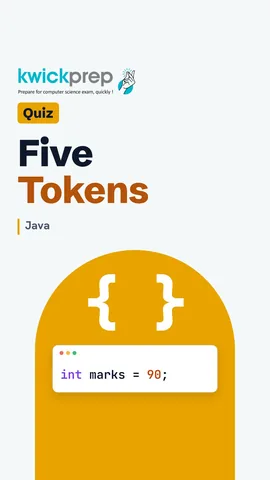 How many tokens are in int marks = 90;?43 sec
 Can you name a variable int?43 sec
 Is 2ndTerm a valid Java name?43 sec
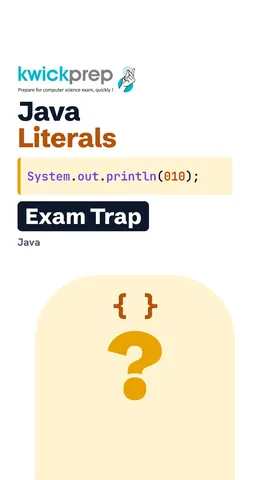 Is 010 equal to 10?41 sec
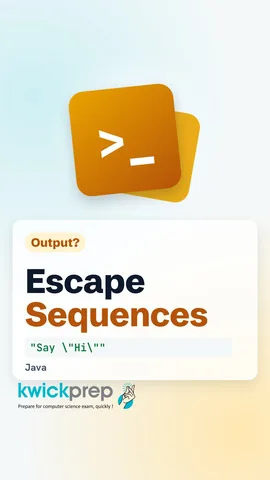 How do you print a double quote inside a String?43 sec
The full lesson, in text
Hello students, welcome to Kwickprep. How does the Java compiler read your program? Not line by line, but piece by piece. Each small piece is called a token. Today we learn keywords, identifiers, literals, separators, operators and comments, with the escape sequences exams love.
Your program is really a stream of small pieces. A token is the smallest piece of a program that has a meaning, like a word in a sentence. Keywords and identifiers are the words of Java. Literals are fixed values, like ninety or true. Operators do work on values, and separators mark where things begin and end.
Take one real line: int marks equals ninety semicolon, then a comment called score. Int is a keyword, a word with a fixed meaning in Java. Marks is an identifier, a name that we chose. The equals sign is an operator that stores a value. Ninety is a literal, a fixed value written directly. The semicolon is a separator that ends the statement. The comment is thrown away by the compiler, so strictly it is not a token.
Keywords are reserved words, which means Java has already given them a meaning. Examples are class, int, if and return. Every keyword is written in lowercase, so Int with a capital I is not a keyword. Two words, goto and const, are reserved but do nothing in Java. True, false and null look like keywords, but they are literals. You still cannot use them as names.
It is easier to remember keywords in groups. Data type keywords include int, char and boolean. Decision keywords include if, else and switch. Loop keywords include for, while and do. Class keywords include class, new and this. Access keywords like public and private decide who can use a member.
An identifier is the name you give to a variable, method or class, and Java has strict rules for it. It may use letters, digits, the underscore and the dollar sign. It must not start with a digit. It cannot contain a space, and it cannot be a keyword. It is case sensitive, so small marks and capital Marks are two different names. And in modern Java, a single underscore by itself is not a valid name.
Pause and decide for each name, then check. Total marks, written as one word, is valid. Roll underscore no two is valid, because underscore and digits are allowed after the first letter. Two n d term is invalid, because it starts with a digit. Net pay with a space is invalid. Class is invalid, because it is a keyword. Dollar fee is valid, though programmers rarely use the dollar sign.
Rules are checked by the compiler, but conventions are good habits that every Java programmer follows. A class name starts each word with a capital letter, like Student Result. A variable starts small, then capitalises each new word, like total Marks. This style is called camel case. A method uses camel case too, usually starting with a verb, like find Average. A constant is written in capitals with underscores, like MAX underscore MARKS. A package name is all lowercase.
A literal is a fixed value written directly in the code. Integer literals are whole numbers. Zero x one F is hexadecimal, and an L at the end makes a long. Real literals have a decimal point. They are double by default, and an f makes a float. A character literal is one character inside single quotes. A String literal is text inside double quotes. Boolean literals are true and false, without quotes. And null means a reference that points to no object.
Pause and predict the three lines. Zero x one F is hexadecimal thirty one. Zero one zero, with a leading zero, is octal, which is eight, not ten. So the first line prints thirty nine. Underscores inside a number are only for reading, so one thousand times three is three thousand. In the last line, char A joins String B to make text, and then one is joined as text too. It prints A B one.
Separators are symbols that show the shape of the code. Here are the six you use most. Parentheses hold method arguments and conditions. Braces open and close a block, like a class or a loop body. Square brackets are used for arrays. A semicolon ends a statement. A comma separates items, and a dot reaches a member, as in System dot out.
Comments are notes for humans, and the compiler ignores them. A single line comment starts with two slashes and ends at the end of the line. A multi line comment starts with slash star and ends with star slash. A documentation comment starts with slash star star, and the javadoc tool turns it into help pages.
An escape sequence is a backslash followed by a character, and it prints something you cannot type directly inside quotes. Backslash n starts a new line. Backslash t moves to the next tab position. Backslash double quote prints a double quote inside a String. Backslash single quote prints a single quote inside a char. And two backslashes print one backslash.
Let us run them. Backslash n splits Kwick and prep onto two lines. Backslash double quote prints real quotes, so the second line is Say, Hi in quotes. Two backslashes print a single backslash, so the last line is C colon backslash java. Exams often ask how many lines this prints, and the answer is four.
Let us revise what we learned today. A token is the smallest meaningful piece of a program. Keywords are reserved words, always in lowercase. An identifier cannot start with a digit, contain a space, or be a keyword. Literals can be integer, real, character, String, boolean or null. And escape sequences start with a backslash. Now take any line from your textbook and name every token in it.
Courses that teach this
| Course | Unit |
|---|---|
| CBSE Class 12 Information Technology (802) | Fundamentals of Java Programming |
| GSEB Std 12 Computer Studies | Classes, Objects, Arrays and Strings in Java |
| Programming All levels Java | Classes, Objects and Methods |
Free to watch, no sign-up. The live classes are the paid course; these lessons stay free either way.
Disclaimer. KwickAcademy is free study material for general learning and revision. Parts of it, including the voice-over, are produced with the help of AI tools and may contain errors; if you spot one, please tell us and we will correct it. Syllabus, marks and exam details follow the latest official board publications available to us, and boards can change them at any time, so always confirm against your board's official website and your school. Using this material does not guarantee any marks or result. Board names and trademarks belong to their owners; Kwickprep is not affiliated with or endorsed by any examination board. We never ask for passwords, OTPs or ID numbers. Your progress is saved only in this browser. Full disclaimer · Privacy