

KwickAcademy Databases and SQL · 6 min · free
SQL SELECT: Choosing Rows and Columns with WHERE
SELECT chooses columns and WHERE keeps only rows where the condition is true. AS renames a column and DISTINCT removes repeats. marks = NULL finds nothing; use IS NULL instead.
Follows the syllabus of: CBSE Class 9 Information Technology (402), CBSE Class 12 Computer Science (083), CBSE Class 11 Informatics Practices (065), CBSE Class 12 Informatics Practices (065)
On screen in this lesson
SQL writing rules
| Keywords are not case-sensitive: select = SELECT |
| Text values go in single quotes: 'Surat' |
| Numbers need no quotes: 88 |
| End each query with a semicolon |
Relational operators
| Operator | Means | Example |
|---|---|---|
| = | equal to | sec = 'A' |
| <> or != | not equal to | city <> 'Pune' |
| > and < | greater, less | marks > 70 |
| >= and <= | or equal to | marks >= 72 |
Logical operators
| Operator | Row is kept when | Example |
|---|---|---|
| AND | both are true | sec='A' AND ... |
| OR | at least one true | city='Delhi' OR ... |
| NOT | condition is false | NOT city='Surat' |
Common exam mistakes
| Text without quotes: WHERE city = Surat |
| Using == instead of = in WHERE |
| marks = NULL finds nothing; use IS NULL |
| DISTINCT written after the column name |
Quick recap
| SELECT columns FROM table picks columns |
| WHERE keeps only rows where the condition is true |
| Relational: =, <>, >, <, >=, <= |
| AND both, OR either, NOT flips |
| AS renames a column; DISTINCT removes repeats |
Quick answers
Why does WHERE skip a row with NULL marks?
NULL fails every comparison.
What does DISTINCT do?
It removes repeated values from the output.
KwickClips from this lesson
Short clips, one idea each. Good for revision the night before.
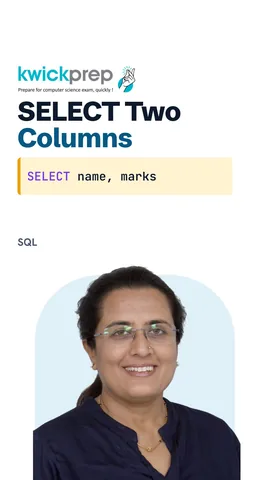 How do you see all columns?41 sec
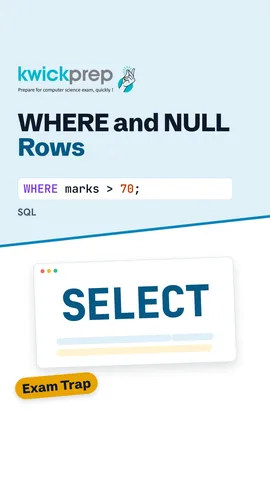 Which operator means not equal?39 sec
 Which keeps more rows, AND or OR?41 sec
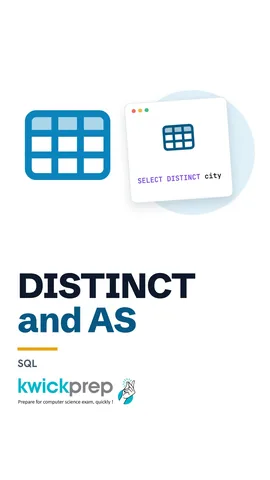 Where is DISTINCT written?39 sec
The full lesson, in text
Hello students, welcome to Kwickprep. Your school has marks of every student stored in a table. How do you find only the top scorers of section A in one line? Today we will learn select, where, the logical operators and, or and not, and two neat tricks called alias and distinct.
All our examples use one table called student. It has five columns: roll, name, section, marks and city. Kabir was absent for the test, so his marks are NULL. NULL means no value at all. It is not zero, and it is not a blank space.
A query is a question we ask the database. Select tells the database which columns we want. From tells it which table to look in. Here we ask for name and marks from student, separated by a comma. Every row comes back, but only these two columns. A semicolon ends the query.
The star sign is a short way to say all columns. Select star from student shows the whole table, all five columns and all five rows. It is handy for a quick look. In real work, name only the columns you need, because big tables have many columns.
Before we filter rows, learn four writing rules. Keywords like select and from can be in capitals or small letters, but capitals are easier to read. Text values always go in single quotes. Numbers are written without quotes. And each query ends with a semicolon.
Where picks rows using a condition, and a condition uses relational operators. One equals sign means equal to, and in SQL it compares, it does not store. Less than followed by greater than means not equal to, and exclamation equals also works in MySQL. Greater than and less than compare sizes. Greater than or equal to and less than or equal to also accept equal values.
Now we add a where clause. A clause is one part of a query. Where marks greater than seventy keeps only rows where the condition is true. Riya, Aman and Meera pass the check. Notice that Kabir does not appear. His marks are NULL, and NULL is never greater than seventy.
Where works with text too. City equals Surat, with Surat in single quotes, finds students from Surat. The answer is Riya and Neha. Pause and predict. What if we wrote marks greater than or equal to seventy two in the last query? The same three names, because Aman has exactly seventy two.
To join two conditions, we use logical operators. And keeps a row only when both conditions are true. Or keeps a row when at least one condition is true. Not flips a condition, so true becomes false and false becomes true.
Let us find section A students who scored above eighty. Neha is in section A, but sixty five is not above eighty, so she is out. Aman scored well, but he is in section B. Only Riya and Meera pass both checks.
With or, one true condition is enough. Kabir lives in Delhi, so he is kept, even without marks. Meera scored ninety one, so she is kept too. Similarly, where not city equals Surat would give Aman, Kabir and Meera. When you mix and with or, and is checked first, so use brackets to be clear.
An alias is a temporary new name for a column in the output. We write it after the word as. Here, the name column shows the heading Student. We can even do arithmetic, like marks plus five, and call it Bonus. The table itself does not change. The alias lives only in this result.
Five students live in only three cities. Select city would show Surat and Pune twice. Distinct removes the repeated values, so each city appears only once. Write distinct straight after select.
Exams often test these mistakes, so watch for them. Text without quotes gives an error, because SQL thinks Surat is a column name. Double equals is Python, while SQL uses one equals sign. Marks equals NULL never finds a row, and we will learn is NULL in the next lesson. Distinct must come right after select, not after the column.
Let us revise what we learned today. Select and from choose the columns and the table. Where keeps only the rows where the condition is true. The relational operators are equals, not equal, greater than, less than and their or equal forms. And needs both conditions, or needs either one, and not flips a condition. As gives a column a new name, and distinct removes repeated values. Practise each query on your own table and predict the output first.
Courses that teach this
| Course | Unit |
|---|---|
| CBSE Class 9 Information Technology (402) | Digital Documentation |
| CBSE Class 12 Computer Science (083) | Database Management |
| CBSE Class 11 Informatics Practices (065) | Database concepts and the Structured Query Language |
| CBSE Class 12 Informatics Practices (065) | Database Query using SQL |
| CBSE Class 11 Information Technology (802) | Part B, Unit 4: RDBMS |
| GSEB Std 12 Computer Studies | Web Page Creation with KompoZer |
| Cambridge IGCSE Grade 9 Computer Science (0478) | 9. Databases |
| Cambridge IGCSE Grade 10 Computer Science (0478) | 9. Databases |
Free to watch, no sign-up. The live classes are the paid course; these lessons stay free either way.
Disclaimer. KwickAcademy is free study material for general learning and revision. Parts of it, including the voice-over, are produced with the help of AI tools and may contain errors; if you spot one, please tell us and we will correct it. Syllabus, marks and exam details follow the latest official board publications available to us, and boards can change them at any time, so always confirm against your board's official website and your school. Using this material does not guarantee any marks or result. Board names and trademarks belong to their owners; Kwickprep is not affiliated with or endorsed by any examination board. We never ask for passwords, OTPs or ID numbers. Your progress is saved only in this browser. Full disclaimer · Privacy