

KwickAcademy Databases and SQL · 7 min · free
Introduction to SQL and MySQL: DDL, DML and DQL
SQL is Structured Query Language for relational databases. DDL builds structure, DML changes rows and DQL reads data. Log in with mysql -u root -p, and end every statement with a semicolon.
Follows the syllabus of: CBSE Class 12 Computer Science (083), CBSE Class 11 Informatics Practices (065), CBSE Class 11 Information Technology (802), Cambridge IGCSE Grade 9 Computer Science (0478)
On screen in this lesson
What is SQL?
| SQL: Structured Query Language |
| A query is a question or instruction to the database |
| Works with relational databases (tables) |
| Keywords are not case sensitive; end with a semicolon |
Where SQL runs
| A DBMS runs as a server that stores the data |
| You type SQL in a client program |
| Examples: MySQL, Oracle, PostgreSQL, SQLite |
Three groups of commands
| Group | Full form | Example |
|---|---|---|
| DDL | Data Definition | CREATE TABLE |
| DML | Data Manipulation | INSERT INTO |
| DQL | Data Query | SELECT |
Setting up MySQL
| Download MySQL Community Server from dev.mysql.com |
| Run the installer and set a root password |
| Open the MySQL Command Line Client or a terminal |
| Log in with: mysql -u root -p |
Prompt tips
| Forgot the semicolon? You see -> and MySQL waits |
| Type ; and press Enter to finish the statement |
| Keywords can be in any case: select or SELECT |
| Type exit or quit to leave MySQL |
Five common data types
| Type | Stores | Example |
|---|---|---|
| CHAR(n) | fixed-length text | 'GJ' |
| VARCHAR(n) | text up to n chars | 'Riya Shah' |
| INT | whole numbers | 42 |
| FLOAT | decimal numbers | 85.5 |
| DATE | YYYY-MM-DD | '2026-08-15' |
Quick answers
Is SELECT DDL or DQL?
DQL. It reads data.
When should you use CHAR instead of VARCHAR?
For fixed sizes, like a state code.
KwickClips from this lesson
Short clips, one idea each. Good for revision the night before.
 What is a query?41 sec
 Is SELECT DDL or DQL?43 sec
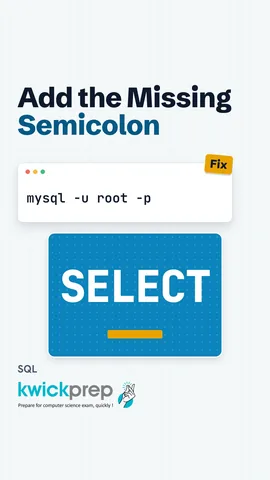 Why does MySQL show -›?40 sec
 Which type stores 85.5?42 sec
The full lesson, in text
Hello students, welcome to Kwickprep. A database holds lakhs of records, but how do you ask it a question? You use a special language called S Q L. Today we will learn what S Q L is and its three main command groups. Then we will open My S Q L and learn the everyday data types.
Let us start with the language itself. S Q L stands for Structured Query Language. A query is a question or an instruction that we send to the database. S Q L works with relational databases, where data is kept in tables. Its keywords can be typed in capital or small letters, and every statement ends with a semicolon.
So where does S Q L actually run? A D B M S runs as a server, which is a program that stores the data and waits for queries. You type your S Q L in a client program, the server runs it, and sends back the answer. My S Q L, Oracle, Postgre S Q L and S Q Lite all understand S Q L, with small differences.
S Q L commands are sorted into groups by the job they do. D D L, data definition language, builds or changes the structure, like creating a table. D M L, data manipulation language, adds, changes or removes the rows of data. D Q L, data query language, reads data out of the tables. Some textbooks put select inside D M L, so learn both ways.
Here is one D D L command. Create table student makes an empty table with two columns. Roll holds whole numbers, and name holds text of up to twenty characters. The table now exists, but it has no rows yet.
Here is one D M L command. Insert into student values one and Riya adds a row to the table. Notice that text values go inside single quotes, but numbers do not.
Here is one D Q L command. Select star from student reads the table. The star means all columns. The database answers with the roll number one and the name Riya.
Now let us get My S Q L ready on a computer. Download the free My S Q L Community Server from the official My S Q L website. Run the installer, and when it asks, set a password for the root user, who is the main administrator. Then open the My S Q L Command Line Client, or any terminal window. In a terminal, type My S Q L, dash U root, dash P, and press enter.
Here is what a first session looks like. Dash U root means log in as the user root, and dash P means ask for the password. After the password, you see the My S Q L prompt, ending in a greater than sign. The command show databases lists all the databases on the server. Select two plus three shows five, a quick test that everything works. Type exit to leave.
Beginners get stuck at the prompt in a few common ways. If you forget the semicolon, the prompt changes to an arrow, and My S Q L keeps waiting for more. Just type a semicolon and press enter to finish. Keywords work in capital or small letters, but capitals make queries easier to read. To leave My S Q L, type exit or quit.
Every column needs a data type, which tells the database what kind of value the column can hold. Char stores text of a fixed length, like the state code G J. Var char stores text of any length up to its limit, like a name. Int stores whole numbers, like forty two. Float stores numbers with a decimal point, like eighty five point five. Date stores a date as year, month and day, like the fifteenth of August, twenty twenty six.
Exams often ask the difference between char and var char. Char of ten always reserves ten characters, and fills the empty places with spaces. Var char of ten uses only as much space as the text needs, plus a tiny length marker. So use char when every value has the same size, like a six digit pin code. Use var char when lengths vary, like names and emails. Pause and predict. Riya has four letters, so how many characters does char of ten reserve? Ten, always.
Here is a result table that uses all five types. Roll is an int, because roll numbers are whole numbers. Name is var char of thirty, because names have different lengths. Section is char of one, because a section is always one letter. Percent is a float, and exam date is a date.
Let us revise what we learned today. S Q L is the language we use to talk to relational databases. D D L builds the structure, D M L changes the rows, and D Q L reads the data. We log in to My S Q L with dash U root and dash P, and end every statement with a semicolon. Char is fixed length, var char is variable, and int, float and date store whole numbers, decimals and dates.
Courses that teach this
| Course | Unit |
|---|---|
| CBSE Class 12 Computer Science (083) | Database Management |
| CBSE Class 11 Informatics Practices (065) | Database concepts and the Structured Query Language |
| CBSE Class 11 Information Technology (802) | Part B, Unit 4: RDBMS |
| Cambridge IGCSE Grade 9 Computer Science (0478) | 9. Databases |
| Cambridge IGCSE Grade 10 Computer Science (0478) | 9. Databases |
Free to watch, no sign-up. The live classes are the paid course; these lessons stay free either way.
Disclaimer. KwickAcademy is free study material for general learning and revision. Parts of it, including the voice-over, are produced with the help of AI tools and may contain errors; if you spot one, please tell us and we will correct it. Syllabus, marks and exam details follow the latest official board publications available to us, and boards can change them at any time, so always confirm against your board's official website and your school. Using this material does not guarantee any marks or result. Board names and trademarks belong to their owners; Kwickprep is not affiliated with or endorsed by any examination board. We never ask for passwords, OTPs or ID numbers. Your progress is saved only in this browser. Full disclaimer · Privacy