

KwickAcademy Python · 6 min · free
CSV Files with the csv Module
Learn Python CSV files for CBSE Class 12: what a CSV is, csv.writer(), writerow(), writerows(), csv.reader() and newline="". CSV means comma separated values: a plain text file where each line is a row and commas separate the columns.
Follows the syllabus of: CBSE Class 12 Computer Science (083), CBSE Class 11 Artificial Intelligence (843)
On screen in this lesson
What is a CSV file?
| CSV means Comma Separated Values |
| It is a plain text file |
| Each line is one row of a table |
| Commas separate the columns in a row |
| Unlike a binary file, you can read it in Notepad |
Opened in a spreadsheet
| Line in the file | Column A | Column B |
|---|---|---|
| Name,Marks | Name | Marks |
| Riya,88 | Riya | 88 |
| Aman,75 | Aman | 75 |
Why use the csv module?
| A module is a file of ready-made Python code |
| import csv loads it into your program |
| It adds quotes when a value has a comma |
| It splits each line into a list for you |
The newline argument
| The writer ends each row with its own line ending |
| Without newline="", Windows adds an extra one |
| Result: a blank row after every row |
| Fix: always open CSV files with newline="" |
Common mistakes
| Mistake | What happens | Fix |
|---|---|---|
| no newline="" | blank rows | add newline="" |
| mode "w" to add | old rows erased | use mode "a" |
| row[1] + 5 | TypeError | int(row[1]) + 5 |
| no import csv | NameError | import csv |
| csv.write(f) | AttributeError | csv.writer(f) |
Quick recap
| CSV: plain text, commas split columns |
| writer(), writerow() for one row, writerows() for many |
| reader() gives each row as a list of strings |
| Open with newline="" to avoid blank rows |
| Mode "a" adds rows, mode "w" erases |
Quick answers
Why open CSV files with newline=""?
Without it, Windows can add an extra line ending, giving a blank row after every row.
What type are values from csv.reader()?
Strings, even numbers. Convert with int() before maths.
KwickClips from this lesson
Short clips, one idea each. Good for revision the night before.
 What does CSV stand for?38 sec
 What does writerows() take?41 sec
![Code looping csv.reader over two lines and printing ['Om', '88'] and ['Anu', '76'].](/images/learn/clips/PY26-R3.webp) Is 88 read from a CSV a number?38 sec
Is 88 read from a CSV a number?38 sec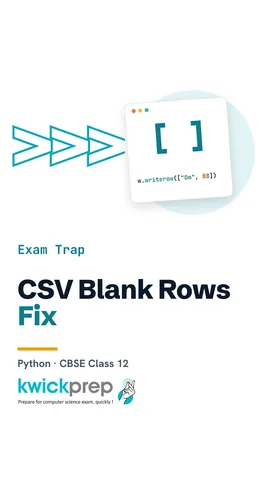 Why is there a blank row after every CSV row?42 sec
The full lesson, in text
Hello students, welcome to Kwickprep. Your school keeps marks in a spreadsheet. Can a Python program read that table and add new rows to it? Yes, with CSV files. Today we will write and read CSV files using the csv module, and avoid the most common mistakes.
First, the new term. CSV stands for comma separated values. A CSV file is just a plain text file, so any text editor can open it. Each line in the file is one row of a table. Inside a line, commas separate the values into columns. Unlike a binary file, such as a photo, you can open it in Notepad and read it.
Open a CSV file in a spreadsheet, like Excel or Google Sheets, and it looks like a neat table. The first line, Name comma Marks, becomes the heading row. The line Riya comma eighty eight becomes Riya in column A and eighty eight in column B. Aman's line becomes the next row in the same way. That is why offices, banks and schools share data as CSV files.
We could split lines with commas ourselves, but it is risky. A module is a file of ready-made Python code that comes with Python. The line import csv loads the csv module. It adds quotes when a value itself has a comma, like an address. When reading, it splits every line into a list for us.
Let us write a CSV file. We open m dot csv with the mode w, and newline equals empty quotes, which we explain soon. The csv dot writer function makes a writer object, which we call w. The writerow method takes one list and writes it as one row. It puts the comma in for us. After closing, we open the file again with the with statement and print it.
When you have many rows, use writerows, with an s at the end. It takes a list of lists. Each inner list becomes one row. Here, the list called rows has two inner lists, so the file gets two lines. This time we made the writer and used it in the same line.
Here is why the module is safer. The city value, Pune comma M H, has a comma inside it. If we wrote it by hand, a spreadsheet would split it into two columns. The writer puts double quotes around that value, so it stays in one column.
Now let us read. First we create a small file with a heading line and one student. We open it with newline equals empty quotes again. The csv dot reader function gives the rows one by one, so we loop over it with for. Each row comes out as a list of values. Look carefully, eighty eight has quotes around it.
The reader always gives strings, even for numbers. The next function takes just one row from the reader. Pause and predict. What is row one plus row one? It is not one hundred seventy six. Adding two strings joins them, so it prints eight eight eight eight. Convert with int first, and you get one hundred seventy six.
Here is a case based program. The teacher gives five grace marks to every student. The list function turns all rows from the reader into one list, called rows. Row zero is only headings, so rows from index one skips it. For each student, we print the name, and the marks as an int plus five. Om gets ninety three, and Anu gets eighty one.
Now, why newline equals empty quotes? The csv writer ends every row with its own line ending characters. Without this argument, Windows adds one more line ending on top. Open that file in a spreadsheet, and you see a blank row after every row. So always open CSV files with newline equals empty quotes, for writing and for reading.
Let us list the mistakes students make most. Forget newline equals empty quotes, and you may get blank rows. Open in mode w to add a student, and all old rows are erased, so use mode a to append. Add a number to a string value, and you get a type error, so convert with int first. Forget import csv, and you get a name error. Write csv dot write instead of writer, and you get an attribute error.
Let us revise what we learned today. A CSV file is plain text where commas split the columns. Writerow writes one row, and writerows writes many. The reader gives each row as a list of strings. Always open with newline equals empty quotes to avoid blank rows. Mode a adds rows, but mode w erases them. Try making a CSV file of your own class timetable.
Courses that teach this
| Course | Unit |
|---|---|
| CBSE Class 12 Computer Science (083) | Computational Thinking and Programming – 2 |
| CBSE Class 11 Artificial Intelligence (843) | Python Programming |
| Programming All levels Python | Input/Output and File Handling |
Free to watch, no sign-up. The live classes are the paid course; these lessons stay free either way.
Disclaimer. KwickAcademy is free study material for general learning and revision. Parts of it, including the voice-over, are produced with the help of AI tools and may contain errors; if you spot one, please tell us and we will correct it. Syllabus, marks and exam details follow the latest official board publications available to us, and boards can change them at any time, so always confirm against your board's official website and your school. Using this material does not guarantee any marks or result. Board names and trademarks belong to their owners; Kwickprep is not affiliated with or endorsed by any examination board. We never ask for passwords, OTPs or ID numbers. Your progress is saved only in this browser. Full disclaimer · Privacy