

KwickAcademy Course Topics · 7 min · free
Case Study - Online Bill Calculator
This case study builds a bill calculator in Java: amount = qty x rate, 10% off at Rs 1000 or more, then 5% example tax.
Follows the syllabus of: CBSE Class 12 Information Technology (802)
On screen in this lesson
The problem
| User enters quantity and rate |
| Amount of Rs 1000 or more gets 10% discount |
| Add 5% tax (an example rate) |
| Show the final bill on screen |
Input, process, output
| Stage | What | Example |
|---|---|---|
| Input | quantity, rate | 4 and 300 |
| Process 1 | amount = q x r | 1200 |
| Process 2 | minus discount | 1080 |
| Process 3 | plus 5% tax | 1134 |
| Output | final bill | 1134.0 |
The form design
| Control | Name | Job |
|---|---|---|
| Text field | txtQty | type quantity |
| Text field | txtRate | type rate |
| Button | btnCalc | start the sum |
| Label | lblBill | show the bill |
Pause and predict
| qty = 2, rate = 500 |
| amount = 1000 |
| Is 1000 >= 1000? Yes, discount of 100 |
| Bill = 900 + 45 = 945.0 |
Testing the calculator
| Test | Input | Expected |
|---|---|---|
| Normal | 4 x 300 | 1134.0 |
| Below limit | 999 x 1 | 1048.95 |
| At limit | 1000 x 1 | 945.0 |
| Wrong type | four | Enter a number |
Ideas to extend it
| Combo box to pick an item and its rate |
| Loop and array for many items |
| Round the bill to 2 decimal places |
| Save bills in a database table |
Quick answers
qty = 2, rate = 500. What is the bill?
945.0, because 1000 ≥ 1000 gets the discount.
What does the program show if someone types four?
Enter a number, caught by try-catch.
KwickClips from this lesson
Short clips, one idea each. Good for revision the night before.
The full lesson, in text
Hello students, welcome to Kwickprep. When you shop online, the website adds up your items, gives a discount and adds tax in a second. How does it do that? Today we will build that bill calculator in Java, step by step, as a case study.
Every case study starts with a clear problem statement. A small stationery shop wants an online bill calculator. The user types the quantity and the rate of an item. If the amount is one thousand rupees or more, the shop gives a ten percent discount. Then a five percent tax is added, which we use here only as an example rate. Finally the screen shows the amount to pay.
Before coding, we list the input, the process and the output. Input is the data the user gives, which is the quantity and the rate. The first process multiplies them to get the amount. The second process subtracts the discount when the amount is large enough. The third process adds the tax. The output is the final bill shown to the user.
Here is the same plan drawn as a flowchart. First, we read the quantity and the rate. Next, we multiply them to find the amount. The diamond asks, is the amount one thousand or more? If yes, we take off ten percent. Whether or not there was a discount, we then add the tax. Last, we show the bill and stop.
In NetBeans, we build this as a form, which is a window with controls. A text field is a box where the user types, so we use two of them. A button is what the user clicks to start the calculation. A label shows text, so one label will display the bill. We give every control a clear name, so the code is easy to read.
Let us first test the logic as a small console program, which prints on the screen instead of a form. Quantity is four and the rate is three hundred rupees. The amount is quantity multiplied by rate. System dot out dot print line prints the amount, which is one thousand two hundred.
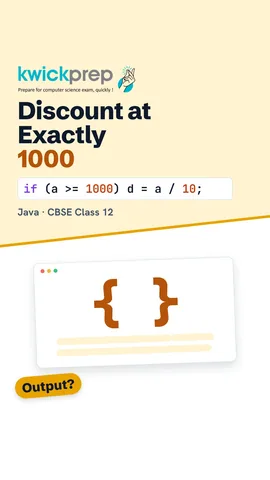
Now we add the discount rule with an if statement. The variable d is the discount, and it starts at zero. If the amount is greater than or equal to one thousand, d becomes the amount divided by ten, which is ten percent. One thousand two hundred divided by ten is one hundred twenty. So the program prints one thousand and eighty.
Tax can have paise, so we use the double data type, which stores decimal numbers. Net is the amount after the discount, one thousand and eighty. Tax is net multiplied by five, divided by one hundred, which is fifty four. The bill is net plus tax. Java prints a double with a decimal point, so the output is one thousand one hundred thirty four point zero.
Pause the video and predict the answer. The quantity is two and the rate is five hundred rupees. That makes the amount exactly one thousand rupees. Does the customer get the discount? Yes, because greater than or equal to includes one thousand, so the net is nine hundred. Tax of forty five is added, and the bill is nine hundred forty five point zero.
In the form, the code goes inside the button's click event. A text field always gives text, which Java calls a String. Integer dot parse Int changes that text into a whole number. Double dot parse Double changes text into a decimal number. We then calculate the amount and move on to the discount and tax.
After the discount and the tax, the result must reach the screen. Set Text puts new text into a label. The bill is a number, so we join it to the text Bill, rupees, with a plus sign. The plus sign joins text and a number into one String. The user now sees the final amount on the form.
What if the user types the word four instead of the digit? Parse Int cannot change it, so Java throws a Number Format Exception, which is an error while the program runs. Here s is the text the user typed. We wrap the risky line in try and catch. If the input is wrong, the catch block shows a friendly message instead of crashing.
A case study is complete only after testing with planned data. A normal value, like four items at three hundred, should give one thousand one hundred thirty four. A value just below the limit, like nine hundred ninety nine, should get no discount. A value exactly at the limit should get the discount. Text instead of a number should show the error message.
Real shops need more than one item, so a case study often ends with improvements. You could add a combo box, which is a drop down list of items with fixed rates. You could use a loop and an array to add many items to one bill. You could round the bill to two decimal places. You could also save each bill in a database table using SQL.
Let us revise the case study. First, write the problem as input, process and output. Second, design the form with text fields, a button and a label. Third, parse the text, apply the discount with if, and add the tax. Fourth, catch wrong input with try and catch. Fifth, test with normal, limit and wrong values.
Courses that teach this
| Course | Unit |
|---|---|
| CBSE Class 12 Information Technology (802) | Operating Web Based Applications |
Free to watch, no sign-up. The live classes are the paid course; these lessons stay free either way.
Disclaimer. KwickAcademy is free study material for general learning and revision. Parts of it, including the voice-over, are produced with the help of AI tools and may contain errors; if you spot one, please tell us and we will correct it. Syllabus, marks and exam details follow the latest official board publications available to us, and boards can change them at any time, so always confirm against your board's official website and your school. Using this material does not guarantee any marks or result. Board names and trademarks belong to their owners; Kwickprep is not affiliated with or endorsed by any examination board. We never ask for passwords, OTPs or ID numbers. Your progress is saved only in this browser. Full disclaimer · Privacy