

KwickAcademy Java · 7 min · free
ArrayList and Collections
Learn why arrays cannot grow, how to create and use an ArrayList, three ways to loop over it, and when to pick each. An ArrayList is a List from java.util that grows and shrinks by itself.
Follows the syllabus of: Programming Java
On screen in this lesson
Limits of arrays
| Size is fixed when the array is created |
| No built-in add or remove |
| Inserting in the middle means shifting by hand |
| Length known, but not how many are used |
What a collection is
| A collection is an object that holds a group |
| Collections Framework lives in java.util |
| List keeps order and allows duplicates |
| ArrayList is a List that grows by itself |
Main ArrayList methods
| Method | Does | Example |
|---|---|---|
| add(x) | adds at end | add("Tea") |
| add(i, x) | inserts at i | add(1, "Idli") |
| get(i) | reads item i | get(0) |
| set(i, x) | replaces item i | set(0, "Chai") |
| remove(i) | removes item i | remove(0) |
| size() | counts items | size() |
Iterating over a collection
| Index loop: for i from 0 to size() - 1 |
| for-each loop: for (int x : m) |
| Iterator: hasNext() and next() |
| Use an Iterator to remove while looping |
Array or ArrayList?
| Feature | Array | ArrayList |
|---|---|---|
| Size | fixed | grows, shrinks |
| Holds | primitives, objects | objects only |
| Length | m.length | m.size() |
| Access | m[i] | m.get(i) |
| Speed | a bit faster | small overhead |
How to choose
| Count known and fixed: array |
| Items added or removed often: ArrayList |
| Many primitive numbers, speed matters: array |
| Need ready add, remove, contains: ArrayList |
Quick answers
Why does m.add(90) work but m[3] = 90 fail on a 3-slot array?
An array's size is fixed at creation, so slot 3 does not exist. An ArrayList grows by itself.
How do you remove items while looping?
Use an Iterator and its remove method, not the list's remove inside a for-each.
KwickClips from this lesson
Short clips, one idea each. Good for revision the night before.
 Can a Java array grow after it is created?42 sec
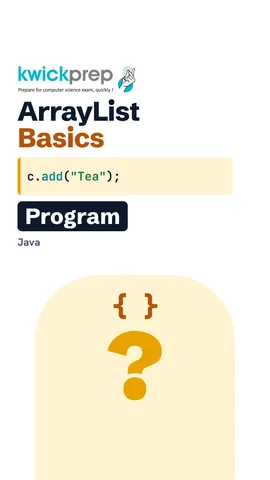 Can an ArrayList hold int values directly?38 sec
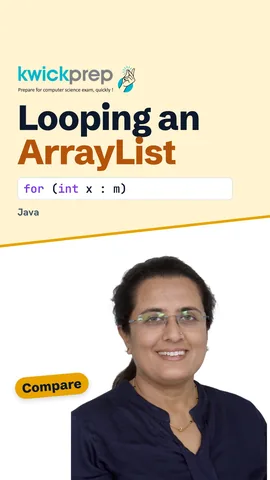 Which loop is easiest for reading every item?42 sec
 Which would you use for the twelve months?40 sec
The full lesson, in text
Hello students, welcome to Kwickprep. You made an array for thirty students, and a thirty first student joins. Now what? Today we learn the limits of arrays, ArrayList, how to loop over a collection, and when to choose each.
An array stores many values of one type under one name. But arrays have limits. The size is fixed when the array is created, and it can never grow. There is no built in method to add or remove an element. To insert in the middle, you must shift every later element yourself with a loop. And length tells the capacity, not how many slots you have actually filled.
Here the array m has three slots, numbered zero, one and two. The program tries to store ninety in slot three. That slot does not exist. Java stops with ArrayIndexOutOfBoundsException. To store a fourth mark, we must make a new, bigger array and copy everything.
Java solves this with collections. A collection is an object that holds a group of other objects. Java's ready collection classes are called the Collections Framework, and they live in java dot util. A List is a collection that keeps items in order and allows repeated values. ArrayList is the most used List, and it grows and shrinks by itself.
First, import java dot util dot ArrayList. The type inside angle brackets says what the list holds, and this is called a generic type. Menu is a list of Strings, and it starts empty. A list cannot hold primitive types like int, so for numbers we write Integer, the wrapper class. The empty angle brackets on the right are called the diamond, and Java fills in the type.
Here are the methods you use most. Add of x puts x at the end. Add with an index i inserts at position i and shifts the rest right. Get of i reads the item at index i, and indexes start at zero. Set of i and x replaces the item at i. Remove of i deletes the item at i and shifts the rest left. Size gives the number of items, and it is a method with brackets, unlike array length.
Let us build a canteen menu called c. The word var lets Java work out the type, ArrayList of String. We add Tea and Vada at the end. Then add at index one inserts Idli, and Vada shifts right. Printing an ArrayList shows all items inside square brackets. So it prints Tea, Idli, Vada.
Now a list of marks called m, holding seventy two, forty five and ninety. Set of one and fifty replaces forty five with fifty. Remove of zero deletes the item at index zero, which is seventy two. Pause and predict the output. It prints fifty and ninety, and m dot size would now be two.
Iterating means visiting every item one by one. The first way is an index loop, from zero up to size minus one, using get of i. The second way is the for each loop, which gives each item in turn. The third way is an Iterator, an object with has next and next methods. If you need to remove items while looping, use the Iterator's remove method, not the list's remove.
Here List dot of makes a small fixed list of marks. The same for each loop works on an ArrayList too. Read the loop as, for each int x in m. Java turns each Integer back into an int, called unboxing, and adds it to the total t. Seventy two plus forty five plus ninety gives two hundred seven.
Suppose m is an ArrayList of marks, and we remove every mark below fifty. We ask m for an iterator called it. While it has a next item, next gives that item. If the item is below fifty, it dot remove deletes it safely. Removing from the list inside a for each loop gives a ConcurrentModificationException instead.
Now let us compare the two. An array has a fixed size, but an ArrayList grows and shrinks. An array can hold primitives like int, while an ArrayList holds only objects, like Integer. For an array we write length without brackets, and for an ArrayList we call size. An array uses square brackets, and an ArrayList uses get. Arrays are slightly faster and use less memory, since there is no wrapping.
So how do you choose? If the count is known and fixed, like twelve months, use an array. If items are added or removed often, like a shopping cart, use an ArrayList. For a huge set of numbers where speed matters, an int array is better. If you want ready methods like add, remove and contains, choose an ArrayList.
Let us revise. Arrays have a fixed size and no add or remove. ArrayList is a growing list from java dot util. Its main methods are add, get, set, remove and size. You can loop with an index, a for each loop or an Iterator. Choose an array for a fixed count, and an ArrayList when the count changes. Build a class attendance list with an ArrayList today.
Courses that teach this
| Course | Unit |
|---|---|
| Programming All levels Java | Data Structures and Collections |
Free to watch, no sign-up. The live classes are the paid course; these lessons stay free either way.
Disclaimer. KwickAcademy is free study material for general learning and revision. Parts of it, including the voice-over, are produced with the help of AI tools and may contain errors; if you spot one, please tell us and we will correct it. Syllabus, marks and exam details follow the latest official board publications available to us, and boards can change them at any time, so always confirm against your board's official website and your school. Using this material does not guarantee any marks or result. Board names and trademarks belong to their owners; Kwickprep is not affiliated with or endorsed by any examination board. We never ask for passwords, OTPs or ID numbers. Your progress is saved only in this browser. Full disclaimer · Privacy