

KwickAcademy Networks and the Internet · 8 min · free
The Internet, the World Wide Web and URLs
Learn the difference between the Internet and the Web, the parts of a URL, how a DNS lookup works, IPv4 against IPv6, and the main Internet services. The Internet is the network of networks. The Web is the linked pages that run on it.
Follows the syllabus of: CBSE Class 10 Computer Applications (165), CBSE Class 12 Computer Science (083), CBSE Class 12 Informatics Practices (065), CBSE Class 11 Information Technology (802)
On screen in this lesson
What is the Internet?
| A worldwide network of networks |
| Joins millions of computers, phones and servers |
| The hardware: cables, routers, towers, satellites |
| Uses TCP/IP rules to move data |
Internet vs World Wide Web
| Point | Internet | Web |
|---|---|---|
| What it is | Network of networks | Linked web pages |
| Made of | Cables, routers | Pages, hyperlinks |
| Main protocol | TCP/IP | HTTP and HTTPS |
| Started | 1960s and 1970s | 1989, Berners-Lee |
| Think of it as | The roads | Shops on the roads |
Parts of a URL
| Part | Example | Meaning |
|---|---|---|
| Protocol | https:// | Rules to use |
| Domain name | www.ncert.nic.in | Which server |
| Path | /textbook | Folder on server |
| File name | index.html | Which page |
Inside a domain name
| Part | Example | Means |
|---|---|---|
| Subdomain | www | Web service |
| Organisation | ncert | Who owns it |
| Host domain | nic | Govt host |
| Top level | .in | India |
What is DNS?
| Computers find each other using IP numbers |
| People remember names, not numbers |
| DNS: Domain Name System |
| Works like the contacts list in your phone |
What is an IP address?
| A unique number for each device on a network |
| Like a postal address with a PIN code |
| Used to send data to the right device |
| Written in IPv4 or IPv6 format |
Quick answers
Are the Internet and the Web the same thing?
No. The Internet is the network itself. The Web is one service that runs on it.
Can an IPv4 address contain 260?
No. Each of its four numbers goes only from 0 to 255.
KwickClips from this lesson
Short clips, one idea each. Good for revision the night before.
 Which one is the hardware?40 sec
 What does URL stand for?39 sec
 What does DNS do?41 sec
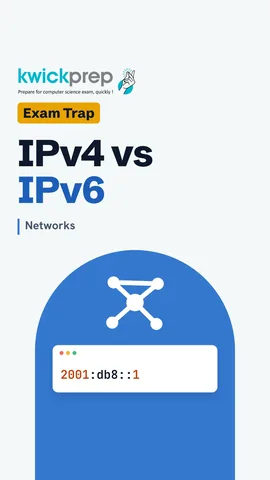 How many bits does an IPv4 address have?43 sec
 Is the Internet only websites?40 sec
The full lesson, in text
Hello students, welcome to Kwickprep. Most people say Internet and Web as if they mean the same thing. They do not, and exams love this difference. Today we will compare the Internet and the World Wide Web. Then we will learn the parts of a URL, DNS, IP addresses, and the main Internet services.
First, the Internet. The Internet is a worldwide network of networks, which means many smaller networks joined together. It connects millions of computers, phones and servers across every country. It is the hardware, made of undersea cables, routers, mobile towers and satellites. All these devices move data using the same set of rules, called T C P I P.
The World Wide Web, or simply the Web, is only one service that runs on the Internet. The Internet is the network itself, while the Web is a huge collection of linked web pages. The Internet is made of cables and routers, but the Web is made of pages joined by hyperlinks, which are clickable links. The Internet moves data using T C P I P, while the Web uses HTTP and HTTPS. The Internet grew from networks of the late nineteen sixties and seventies, and Tim Berners-Lee invented the Web in nineteen eighty nine. So, the Internet is the roads, and the Web is like the shops along those roads.
A URL, or Uniform Resource Locator, is the full address of a web page. The first part is the protocol, like https, which tells the browser which rules to use. Next is the domain name, like www dot ncert dot nic dot in, which names the web server. After the domain comes the path, for example slash textbook, which is like a folder on that server. Last is the file name, which is the exact page to open.
Let us read a domain name, part by part. The www at the start is a subdomain, a label for the web service. Ncert names the organisation. Nic is the domain used for many Indian government sites. The top level domain, dot in, shows the site belongs to India. Similarly, dot com is commercial, and dot org is for organisations.
Here is a problem. Computers find each other using numbers called IP addresses. But people remember names like google dot com, not long numbers. So the Internet uses DNS, the Domain Name System, to turn a domain name into its IP address. It works like the contacts list on your phone, where you tap a name and the phone dials the number.
Let us animate a DNS lookup. First, the browser checks its cache, which is a store of recently used addresses. If the address is saved, it uses it straight away. If not, the request goes to a DNS server, often run by your Internet service provider. The DNS server finds the IP address, asking other DNS servers if it does not know. It sends the IP address back to the browser. Finally, the browser uses that address to contact the web server and ask for the page.
Now let us look closely at IP addresses. An IP address is a number that identifies a device on a network. It works like a postal address with a PIN code, so the post reaches the right house. Routers read it to send packets to the right device. It comes in two formats, I P version four and I P version six.
Let us compare the two formats. I P version four uses thirty two bits. I P version six uses one hundred and twenty eight bits, so it gives far more addresses. I P version four is written as four numbers from zero to two hundred and fifty five. I P version six uses eight groups of hexadecimal digits. Here is one example of each, and the I P version six one uses a short form that hides groups of zeros. I P version four separates numbers with dots, and I P version six uses colons. Pause and predict. Is two hundred and sixty a valid part of an I P version four address? No, the largest is two hundred and fifty five.
An IP address can also be static or dynamic. A static address never changes, while a dynamic address can change each time you connect. A static address is set by hand, while a dynamic one is handed out automatically, by a service called DHCP. Web servers need static addresses so people can always find them, while home phones and PCs usually get dynamic ones.
The Internet carries many services, and the Web is only one of them. Email sends messages and attached files to a mailbox, which the receiver opens later. Chat, or instant messaging, delivers text messages at once, while both people are online. voice over I P, Voice over Internet Protocol, carries voice and video calls as data packets. A search engine finds web pages that match the words you type. And the Web lets you browse linked pages in a browser.
Search engines are asked about often, so let us see how they work. Programs called crawlers keep visiting web pages and following their links. The words found on each page are stored in a giant index, like the index at the back of a textbook. When you search, your words are matched against this index, not the whole Web. The matching pages are then ranked, so the most useful ones appear first.
Let us revise what we learned today. The Internet is the network of networks, and the Web is the collection of linked pages that runs on it. A URL has a protocol, a domain name, a path and a file name. DNS turns a domain name into an IP address, like a phone contacts list. I P version four addresses have thirty two bits, written with dots. I P version six addresses have one hundred and twenty eight bits, written with colons. And the Internet offers many services, like email, chat, voice over I P, search and the Web.
Courses that teach this
| Course | Unit |
|---|---|
| CBSE Class 10 Computer Applications (165) | Networking |
| CBSE Class 12 Computer Science (083) | Computer Networks |
| CBSE Class 12 Informatics Practices (065) | Introduction to Computer Networks |
| CBSE Class 11 Information Technology (802) | Part B, Unit 2: Networking and Internet |
| GSEB Std 9 Computer Studies | Introduction to the Internet |
| Cambridge IGCSE Grade 9 Computer Science (0478) | 5. The Internet and Its Uses |
| Cambridge IGCSE Grade 10 Computer Science (0478) | 5. The Internet and Its Uses |
| NIOS Senior Secondary Data Entry Operations (336) | Lesson 10: Internet |
| NIOS Senior Secondary Computer Science (330) | Module 1: Basic Computing |
Free to watch, no sign-up. The live classes are the paid course; these lessons stay free either way.
Disclaimer. KwickAcademy is free study material for general learning and revision. Parts of it, including the voice-over, are produced with the help of AI tools and may contain errors; if you spot one, please tell us and we will correct it. Syllabus, marks and exam details follow the latest official board publications available to us, and boards can change them at any time, so always confirm against your board's official website and your school. Using this material does not guarantee any marks or result. Board names and trademarks belong to their owners; Kwickprep is not affiliated with or endorsed by any examination board. We never ask for passwords, OTPs or ID numbers. Your progress is saved only in this browser. Full disclaimer · Privacy