

KwickAcademy Networks and the Internet · 8 min · free
Error Detection: Parity, Checksum, Echo Check and ARQ
Learn why transmission errors happen and how parity checks, parity blocks, checksums, echo checks, ARQ and check digits detect them. Every method works the same way: the sender adds extra information and the receiver tests the data with it.
Follows the syllabus of: Cambridge IGCSE Grade 9 Computer Science (0478), Cambridge IGCSE Grade 10 Computer Science (0478)
On screen in this lesson
Why errors happen
| Interference: electrical noise, like from motors |
| Weak signal over long cables or poor Wi-Fi |
| Data loss: some bits never arrive |
| Data gain or change: extra or flipped bits |
What error detection does
| Extra information is sent with the data |
| Receiver uses it to test the data |
| If the test fails, the data is sent again |
Parity check
| One extra bit, the parity bit, is added to each byte |
| Even parity: total number of 1s must be even |
| Odd parity: total number of 1s must be odd |
| Sender and receiver agree which one to use |
Even parity in action
| Step | Bits | Count of 1s |
|---|---|---|
| Data | 1011001 | 4, even |
| Add parity bit 0 | 01011001 | 4, even |
| Received | 01011011 | 5, odd |
| Result | Error found | Ask again |
The weakness of parity
| Two flipped bits keep the count even |
| Swapped bits keep the same count |
| Parity shows an error, not where it is |
| Try it: 0 1 0 1 1 1 1 1 |
Parity block
| Several bytes are sent together as a block |
| Each byte has its own parity bit, one per row |
| An extra parity byte checks each column |
| Wrong row and wrong column cross at the bad bit |
Quick answers
Why does parity miss two flipped bits?
Two flips leave the count of 1s unchanged, so the check still passes.
What does ARQ do when no acknowledgement arrives in time?
It sends the data again, until it succeeds or the set number of tries is reached.
KwickClips from this lesson
Short clips, one idea each. Good for revision the night before.
 What is interference?40 sec
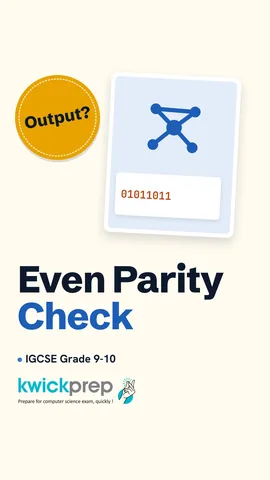 With even parity, is a byte with five 1s correct?42 sec
 What is a checksum?37 sec
 What is an acknowledgement?39 sec
The full lesson, in text
Hello students, welcome to Kwickprep. You pay two hundred rupees online, but on the way one bit flips, and the bank reads a different amount. Who catches the mistake? Error detection does. Today we will learn why errors happen, parity checks and parity blocks, checksum, echo check, Automatic Repeat reQuest and check digits.
Data travels as bits, which are ones and zeros sent as signals. Interference, which is electrical noise from motors, lightning or other cables, can disturb those signals. A signal also becomes weak over a long cable or a poor Wi-Fi link. So some bits may be lost and never arrive. Other bits may be gained, or changed from one to zero, or zero to one.
How can a computer know that data changed? The sender adds a little extra information along with the data. The receiver uses that extra information to test the data it received. If the test fails, the receiver knows there is an error, and the data is sent again. Every method today follows this same idea.
The simplest method is the parity check. A byte is a group of eight bits, and one of them is used as a parity bit. With even parity, the parity bit is chosen so the total count of ones is even. With odd parity, the parity bit makes the total count of ones odd. Both computers must agree in advance which kind they use.
Let us try even parity. The seven data bits are one zero one one zero zero one, which has four ones. Four is already even, so the parity bit is zero, and the byte sent is zero one zero one one zero zero one. At the receiver, one bit has flipped, and now there are five ones. Five is odd, but we agreed on even, so an error is found and the byte is requested again.
Parity is fast, but it has weaknesses. If two bits flip, the count of ones stays even, so the error is missed. If two bits swap places, the count does not change either, so again the error is missed. And even when parity finds an error, it cannot tell which bit is wrong. Pause and predict. Is zero one zero one one one one one correct with even parity? Count them. Six ones is even, so it passes, even though two bits changed.
A parity block fixes that last weakness. Several bytes are sent together, stacked like rows in a table. Each row, which is one byte, has its own parity bit. One extra byte, called the parity byte, is added at the bottom, with a parity bit for every column. If one bit flips, one row and one column both fail. The bit where they cross is the wrong bit, so it can even be corrected.
Here is how an exam answer finds the bad bit. The receiver checks every row, and row one is correct, so byte one is fine. Row three fails, so the error is somewhere in byte three. Then it checks every column, and column five fails. So the wrong bit is where row three and column five cross, and it can be flipped back.
Next, the checksum, which checks a whole block of data with one number. The sender adds up the values in the block using an agreed calculation. The result, called the checksum, is sent along with the data. The receiver does the same calculation on the data it received. If its answer does not match the checksum, there is an error, and the block is sent again. For example, values forty, twenty five and thirty give ninety five, so the receiver must also get ninety five.
The echo check works like repeating a phone number back to a friend. The receiver sends a copy of the data straight back to the sender. The sender compares the echo with the original data it sent. If they match, the data is taken as correct. If they do not match, the sender sends the data again. But we cannot tell if the error happened on the way there or back. It also doubles the data sent.
Automatic Repeat reQuest, or A R Q, makes resending automatic. It uses two ideas, acknowledgements and timeouts. An acknowledgement is a short message from the receiver saying, the data arrived without errors. A timeout is the fixed time the sender waits for that acknowledgement. If no acknowledgement arrives in time, the sender sends the data again. This repeats until it succeeds or a set number of tries is reached.
Finally, check digits, which catch mistakes when people type or scan numbers. A check digit is an extra digit calculated from all the other digits. It is placed at the end of numbers like a book I S B N or a product barcode. It catches data entry errors, like one wrong digit or two digits swapped. When the number is entered, the computer calculates the check digit again and compares.
Here is one common method, used for the thirteen digit I S B N. We take the first twelve digits of the book number. We multiply the digits by one and three in turn. We add all the results, and here the total is ninety three. The remainder after dividing by ten is three, and ten minus three is seven, so the check digit is seven. If someone types two digits the wrong way round, the total usually changes, and the error is caught.
Let us compare all the methods in one table. A parity bit checks each byte, but misses two flipped bits. A parity block checks rows and columns, but sends more extra bits. A checksum checks a whole block, but cannot say where the error is. An echo check sends data back, which doubles the traffic. A check digit protects typed numbers, but some rare errors can still slip through.
Let us revise what we learned today. Interference and weak signals cause bits to be lost, gained or changed. A parity bit makes the count of ones even or odd, and a parity block can find the exact bit. A checksum recalculates a total, and an echo check sends the data back to compare. ARQ resends data automatically when no acknowledgement arrives before the timeout. And check digits catch typing errors in numbers like I S B Ns and barcodes.
Courses that teach this
| Course | Unit |
|---|---|
| Cambridge IGCSE Grade 9 Computer Science (0478) | 2. Data Transmission |
| Cambridge IGCSE Grade 10 Computer Science (0478) | 2. Data Transmission |
Free to watch, no sign-up. The live classes are the paid course; these lessons stay free either way.
Disclaimer. KwickAcademy is free study material for general learning and revision. Parts of it, including the voice-over, are produced with the help of AI tools and may contain errors; if you spot one, please tell us and we will correct it. Syllabus, marks and exam details follow the latest official board publications available to us, and boards can change them at any time, so always confirm against your board's official website and your school. Using this material does not guarantee any marks or result. Board names and trademarks belong to their owners; Kwickprep is not affiliated with or endorsed by any examination board. We never ask for passwords, OTPs or ID numbers. Your progress is saved only in this browser. Full disclaimer · Privacy