

KwickAcademy Computer Systems · 6 min · free
Representing Images and Sound, and Calculating File Size
Plays from our YouTube channel. Watch on YouTube
Learn how images (pixels, resolution, colour depth) and sound (sampling) are stored, and how to calculate file size. Image size = width x height x colour depth; sound size = sampling rate x resolution x seconds.
Follows the syllabus of: Cambridge IGCSE Grade 9 Computer Science (0478), Cambridge IGCSE Grade 10 Computer Science (0478), Edexcel GCSE GCSE Computer Science (1CP2)
On screen in this lesson
Pixels
| A bitmap image is a grid of tiny dots |
| Each dot is a pixel, short for picture element |
| Each pixel stores one colour as a binary number |
Resolution
| Resolution: number of pixels wide x high |
| Example: 1920 x 1080 pixels |
| More pixels: more detail and a bigger file |
Colour depth
| Colour depth | Colours | Example |
|---|---|---|
| 1 bit | 2 | black and white |
| 2 bits | 4 | simple logo |
| 8 bits | 256 | old game |
| 24 bits | 16,777,216 | phone photo |
Sound is a wave
| Real sound is a smooth analogue wave |
| A computer can store only numbers |
| So it measures the wave again and again |
| Each measurement is called a sample |
Sampling rate and resolution
| Term | Meaning | Example |
|---|---|---|
| Sampling rate | samples per second | 44,100 Hz |
| Sample resolution | bits per sample | 16 bits |
| Channels | mono 1, stereo 2 | stereo |
Units of file size
| 8 bits = 1 byte |
| 1024 bytes = 1 kibibyte (KiB) |
| 1024 KiB = 1 mebibyte (MiB) |
| Divide by 8 first, then by 1024 |
Quick answers
What happens to the file size if the same clip is recorded in stereo?
It doubles, to about 1723 KiB.
How many colours does 8-bit colour depth give?
256.
KwickClips from this lesson
Short clips, one idea each. Good for revision the night before.
 How many colours do 8 bits give?43 sec
 What is sampling rate measured in?42 sec
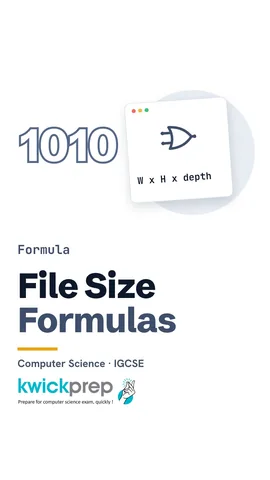 What do you divide bits by to get bytes?40 sec
 Name one reason file size matters.40 sec
The full lesson, in text
Hello students, welcome to Kwickprep. Why does one photo take a few hundred kilobytes, while a song takes several megabytes? Today we will learn how images and sound become binary, how to calculate their file sizes step by step, and why file size matters.
Zoom into any photo on your phone and you will see tiny squares. A bitmap image is a grid of these tiny dots. Each dot is called a pixel, short for picture element. Each pixel stores one colour, written as a binary number.
Next, resolution. Image resolution is the number of pixels across multiplied by the number of pixels down. A full HD photo is one thousand nine hundred twenty by one thousand eighty pixels. More pixels show more detail, but they also make the file bigger.
Colour depth is the number of bits used for each pixel. With n bits, we get two to the power n colours. One bit gives only two colours, like black and white. Two bits give four colours. Eight bits give two hundred fifty six colours. Twenty four bits give over one crore sixty seven lakh colours, which is true colour for photos.
Now, sound. Real sound is a smooth wave, which we call analogue, meaning it changes continuously. A computer can store only numbers. So a microphone and sound card measure the height of the wave again and again. Each measurement is called a sample, and it is stored in binary.
Three terms decide sound quality. Sampling rate is how many samples are taken each second, measured in hertz, and music often uses forty four thousand one hundred. Sample resolution, also called bit depth, is the number of bits in each sample, like sixteen bits. Channels tell us mono, with one, or stereo, with two. Higher values give better sound, and a bigger file.
Before we calculate, learn the units. Eight bits make one byte. One thousand twenty four bytes make one kibibyte. One thousand twenty four kibibytes make one mebibyte. So we always divide the bits by eight first, and then by one thousand twenty four for each bigger unit.
Image size equals width times height times colour depth. Take an image of one thousand twenty four by seven hundred sixty eight pixels, with eight bit colour. The pixels come to seven lakh eighty six thousand four hundred thirty two. Multiply by the depth of eight to get the bits. Now divide by eight to turn bits into bytes, and because the depth here is also eight, the byte count matches the pixel count. Divide by one thousand twenty four, and the answer is seven hundred sixty eight kibibytes.
Sound size equals sampling rate times sample resolution times the length in seconds. Take a ten second mono clip, at forty four thousand one hundred hertz and sixteen bits. Multiply them to get seventy lakh fifty six thousand bits. Divide by eight to get eight lakh eighty two thousand bytes. Divide by one thousand twenty four, and it is about eight hundred sixty one kibibytes.
Some exams ask for the calculation in pseudocode. First, multiply width, height and colour depth to get the bits. Next, divide by eight to get bytes. Then divide by one thousand twenty four to get kibibytes, and output the answer.
Pause and predict. The same ten second clip is recorded in stereo instead of mono. What happens to the file size? Stereo stores two channels, so the size doubles to about one thousand seven hundred twenty three kibibytes.
So why does file size matter? First, storage, because big files fill your phone or pen drive quickly. Second, transfer time, because big files take longer to upload and download. Third, mobile data, because sending big files uses more of your data pack. Finally, there is a trade-off, since better quality always means a bigger file, and compression, our next lesson, helps here.
Let us revise what we learned today. An image is made of pixels, with a resolution and a colour depth. With n bits of colour depth, you get two to the power n colours. Sound is stored using a sampling rate and a sample resolution. Image size is width times height times colour depth. Sound size is sampling rate times resolution times seconds, then divide by eight for bytes.
Courses that teach this
| Course | Unit |
|---|---|
| Cambridge IGCSE Grade 9 Computer Science (0478) | 1. Data Representation |
| Cambridge IGCSE Grade 10 Computer Science (0478) | 1. Data Representation |
| Edexcel GCSE GCSE Computer Science (1CP2) | Topic 2: Data |
Free to watch, no sign-up. The live classes are the paid course; these lessons stay free either way.
Disclaimer. KwickAcademy is free study material for general learning and revision. Parts of it, including the voice-over, are produced with the help of AI tools and may contain errors; if you spot one, please tell us and we will correct it. Syllabus, marks and exam details follow the latest official board publications available to us, and boards can change them at any time, so always confirm against your board's official website and your school. Using this material does not guarantee any marks or result. Board names and trademarks belong to their owners; Kwickprep is not affiliated with or endorsed by any examination board. We never ask for passwords, OTPs or ID numbers. Your progress is saved only in this browser. Full disclaimer · Privacy