

KwickAcademy Java · 6 min · free
Classes and Objects
Learn classes and objects: a class as a blueprint, objects as instances, the dot operator, and a class as a new type. A class is a blueprint that describes what something will have and do; an object is one instance made from it.
On screen in this lesson
Blueprint and instance
| Class (blueprint) | Object (instance) | How many? |
|---|---|---|
| Admission form | Riya's filled form | many forms |
| House plan | a built house | many houses |
| Student class | riya, aman | many students |
State and behaviour
| Part | Also called | In Student |
|---|---|---|
| State | data members | name, marks |
| Behaviour | methods | result() |
What happens in memory
| Step | In memory | Variable |
|---|---|---|
| 1. Student() runs | new empty object | none yet |
| 2. __init__ runs | name, marks filled | none yet |
| 3. riya = ... | object ready | riya points to it |
| 4. aman = Student() | second object | aman points to it |
Dot operator mistakes
| Missing member: riya.age gives AttributeError |
| Forgot brackets: print(riya.result) shows <bound method ...> |
| Spelling counts: riya.Marks is not riya.marks |
Quick recap
| Class: a blueprint; object: an instance made from it |
| Attributes hold state; methods give behaviour |
| Create objects by calling the class: Student(...) |
| Dot operator reaches members: riya.marks, riya.result() |
| Each class is a new, user defined type |
Quick answers
Does b = a make a new object?
No. It adds a second label to the same object, so changing b also changes a.
What does the dot operator do?
It goes inside an object to use a member, like riya.marks or riya.result().
KwickClips from this lesson
Short clips, one idea each. Good for revision the night before.
 What is a class?41 sec
 What do data members hold?39 sec
 What does print(a.name) show after b.name = "Aman"?43 sec
 What does riya.marks = 91 do?40 sec
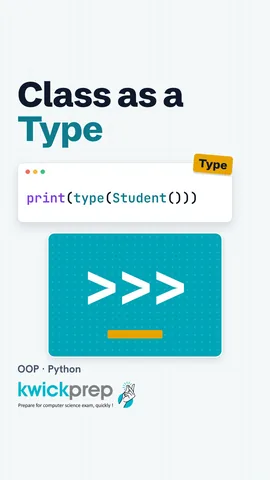 What does type(Student()) print?40 sec
The full lesson, in text
Hello students, welcome to Kwickprep. A school has one admission form design, but hundreds of filled forms. Python works the same way, with classes and objects. Today we will build a class, create objects in memory, use the dot operator, and see a trap that surprises many students.
A class is a blueprint, which means a plan that describes what something will have and do. An object is one real thing made from that plan, and it is also called an instance. One admission form design gives many filled forms, each with different details. One house plan can build many houses. In the same way, one Student class can make many student objects, like riya and aman.
We write the word class, then the name, then a colon. Class names usually start with a capital letter. Inside, init is a special method that runs automatically when an object is made. Self means the object being made or used right now. So self dot name stores the name inside that object. Result is another method that answers True if the marks are thirty three or more.
A class holds two kinds of things. The state is the data each object stores, and textbooks call these data members, while Python calls them attributes. Here the state is name and marks. The behaviour is what the object can do, written as methods, which are functions inside a class. Here the behaviour is result.
To create an object, we call the class name like a function, with round brackets. Some languages use a keyword called new for this, but Python does not need it. Student with Riya and ninety one makes one object, and init fills in its name and marks. A second call makes a completely separate object for Aman. Each object keeps its own copy of the data.
Let us watch the memory, step by step. First, calling Student sets aside a new, empty object in memory. Second, init runs and fills in the name and the marks. Third, the equals sign makes the variable riya point to that object, like a label tied to a box. Fourth, a second call builds a second box, with the label aman.
Pause and predict. We make one student, a, named Riya. Then we write b equals a, and change b's name to Aman. What does a's name print? It prints Aman. B equals a does not make a new object. It ties a second label to the same box, so a change through b is seen through a too.
The dot operator is the full stop between an object and its member. It means, go inside this object and use this part. We build riya as Student of Riya and ninety five, so init stores both inside the object. Riya dot name reads the name back, and riya dot marks reads the marks. It prints Riya and ninety five. To call a method, you add round brackets, like riya dot result.
Three mistakes are very common with the dot. Asking for a member that does not exist, like riya dot age, gives an attribute error. Forgetting the round brackets on a method does not call it, so printing it only shows a bound method message. And capital letters matter, so capital M marks is a different name, which also gives an attribute error.
A data type tells Python what kind of value something is. Python gives us built-in types, like int for whole numbers and str for text. When we write our own class, we create a brand new type, called a user defined type. The type function proves it. Ninety five is an int, Riya in quotes is a str, and our object is a Student. The word main just means this class was written in our own file.
Because Student is a type, we can use it like any other value. To keep lines short, init takes n for the name and m for the marks. A list called group holds a Riya object, and append adds an Aman object at the end. The loop takes each one, calling it s, short for student. We print the name, and whether the marks are thirty three or more. Riya has ninety one, so True, and Aman has twenty eight, so False.
Let us revise what we learned today. A class is a blueprint, and an object is an instance made from it. Attributes, also called data members, hold the state, and methods give the behaviour. We create an object by calling the class, and a variable only points to it. The dot operator reaches inside an object, to read data or call a method. And every class we write is a new, user defined type.
Courses that teach this
| Course | Unit |
|---|---|
| CBSE Class 12 Information Technology (802) | Fundamentals of Java Programming |
| ICSE Class 9 Computer Applications | Elementary Concept of Objects and Classes |
| ICSE Class 10 Computer Applications | Class as the Basis of All Computation |
| ISC Class 11 Computer Science (868) | Object-Oriented Programming with Java |
| ISC Class 12 Computer Science (868) | Objects and Classes |
| GSEB Std 12 Computer Studies | Classes, Objects, Arrays and Strings in Java |
| Programming All levels Python | Object-Oriented Programming |
| Programming All levels Java | Classes, Objects and Methods |
Free to watch, no sign-up. The live classes are the paid course; these lessons stay free either way.
Disclaimer. KwickAcademy is free study material for general learning and revision. Parts of it, including the voice-over, are produced with the help of AI tools and may contain errors; if you spot one, please tell us and we will correct it. Syllabus, marks and exam details follow the latest official board publications available to us, and boards can change them at any time, so always confirm against your board's official website and your school. Using this material does not guarantee any marks or result. Board names and trademarks belong to their owners; Kwickprep is not affiliated with or endorsed by any examination board. We never ask for passwords, OTPs or ID numbers. Your progress is saved only in this browser. Full disclaimer · Privacy