

CBSE Class 9 Information Technology (IT) Classes
Master CBSE Class 9 IT (Code 402), digital documentation, spreadsheets, presentations and data entry, built for both theory and practical exams.
A complete, syllabus-aligned course for CBSE Class 9 Information Technology (Subject Code 402, Job Role: Domestic Data Entry Operator). It covers the full official curriculum, Employability Skills plus Subject-Specific Skills in IT-ITeS, keyboarding and data entry, digital documentation, electronic spreadsheets and digital presentation, using LibreOffice/open-source office tools as prescribed by CBSE. The course balances the 50-mark theory and 50-mark practical components, with hands-on practice, project work and viva preparation.
What you'll learn
- ✓Build the keyboarding and touch-typing speed and accuracy expected of a data entry operator using typing tutor software
- ✓Create, edit, format and print professional documents in a word processor, including tables and mail merge
- ✓Use electronic spreadsheets confidently with formulas, SUM/AVERAGE/MAX/MIN/COUNT functions, referencing and charts
- ✓Design effective digital presentations with slides, animations, tables, images, slide masters and transitions
- ✓Understand the IT-ITeS/BPM industry and how IT is applied across everyday life, business and government
- ✓Apply correct typing ergonomics, finger positioning and mouse handling for efficient data entry
- ✓Prepare for both the 50-mark theory paper and the 50-mark practical/viva and project assessment
- ✓Develop core employability skills, communication, self-management, ICT, entrepreneurial and green skills
Full syllabus
Mapped to the official CBSE curriculum.
01Part A, Employability Skills+
- Unit 1: Communication Skills-I
- Unit 2: Self-Management Skills-I
- Unit 3: ICT Skills-I (Basic Information and Communication Technology Skills)
- Unit 4: Entrepreneurial Skills-I
- Unit 5: Green Skills-I
02Unit 1: Introduction to IT-ITeS Industry+
- Introduction to IT and ITeS, BPO services
- BPM industry in India
- Structure of the IT-BPM industry
- Applications of IT in home computing, everyday life, library, workplace, education, entertainment, communication, business
- Applications of IT in science and engineering, banking, insurance, marketing, health care
- IT in government and public service
- Identifying and listing various IT-enabled services
03Unit 2: Data Entry & Keyboarding Skills+
- Keyboarding skills and types of keys on keyboard (numeric keypad, home keys, guide keys)
- Typing and deleting text; typing ergonomics
- Positioning and allocation of fingers on four rows of keys
- Pointing device, mouse and mouse operations
- Introduction to Rapid Typing Tutor and touch typing technique
- User interface of typing tutor; lesson editor
- Calculating typing speed and typing rhythm
04Unit 3: Digital Documentation+
- Introduction to word processing and word processor window parts
- Creating, opening, saving and closing a document; document views
- Editing, undo/redo, cut, copy, paste, select (non-consecutive and vertical block), find and replace
- Spelling & grammar check; synonyms and thesaurus; non-printing characters
- Formatting text, case, superscript/subscript, font colour, highlighting
- Formatting paragraphs, indent, align, bullets and numbering, borders and background
- Page formatting, page layout/styles, page breaks, headers/footers, page numbers, columns, inserting images/shapes/special characters
- Creating and working with tables, insert/delete rows & columns, split/merge, copy/move tables
- Print options, print preview, printing all/single/multiple pages
- Mail merge, main document, data source, merging and printing letters
05Unit 4: Electronic Spreadsheet+
- Introduction to spreadsheet application; starting Calc and its parts
- Worksheet, rows, columns, cell and cell address; range of cells (row, column, row & column range)
- Data types, labels, values, formula; entering data
- Formulas, mathematical operators, simple calculations, formulas with cell addresses
- Basic functions, SUM, AVERAGE, MAX, MIN, COUNT
- Formatting data, dialog boxes, decimal places, labels, scientific, time, alignment
- Fill handle, number series and copying formulas
- Cell referencing, relative, mixed and absolute referencing
- Charts, importance, types, creating and inserting charts
06Unit 5: Digital Presentation+
- Concept, elements and characteristics of an effective presentation
- Introduction to presentation software (Impress); parts of the presentation window
- Creating a presentation using template/wizard; selecting slide layout; saving (including PDF), running slide show
- Working with slides, insert, duplicate, copy, move, delete, rename; workspace views (Normal, Outline, Notes, Slide Sorter)
- Formatting text and applying custom animation; text alignment, bullets and numbering
- Creating and using tables in presentations; cell/row/column selection, borders and background
- Inserting and formatting images (from file and gallery), moving/resizing/rotating, drawing graphic objects, grouping/ungrouping
- Slide masters and adding slide transitions
Tools you'll use
Exam pattern
Total 100 marks: Theory 50 + Practical 50. Theory comprises Employability Skills (10 marks) and Subject-Specific Skills (40 marks). Practical 50 marks: Practical Examination 15, Written Test 10, Viva Voce 10 (Practical Work total 35) + Project Work/Field Visit with Practical File/Student Portfolio 10 and Viva Voce 5 (Project total 15).
Practical / project
Practical component is 50 marks. Hands-on lab work in LibreOffice Writer, Calc and Impress plus typing practice in Rapid Typing Tutor. Assessment includes a practical examination, a written test, viva voce, and a project/field visit with a maintained practical file/student portfolio. Approximately 106 hours of practical work versus 44 hours of theory across the subject-specific units.
Who it's for
CBSE Class 9 students who have opted for Information Technology (Code 402) as a skill subject and want structured, exam-focused coverage of both theory and practical, including students new to office productivity tools and data entry.
What's included
- ✓Live interactive online classes with Kajal Ma'am covering the full CBSE Class 9 IT (Code 402) syllabus
- ✓Chapter-wise handwritten and typed notes for Employability Skills and Subject Specific Skills units
- ✓Step-by-step solutions to NCERT/PSSCIVE textbook questions and previous CBSE question papers
- ✓Topic-wise assignments and worksheets after each unit to reinforce learning
- ✓Regular one-on-one doubt-solving sessions over live screen-share
- ✓Hands-on LibreOffice practical training in Writer, Calc and Impress with shared-screen demonstrations
- ✓Practical file, project work and student portfolio guidance for the 50-mark practical component
- ✓Viva-voce question banks and mock practical practice before school exams
Why study Information Technology?
CBSE Class 9 Information Technology (Code 402) is a 100-mark skill subject where 50 marks come from the practical examination, making it one of the most scoring subjects on the report card when prepared properly. It builds the LibreOffice, data-entry and digital-documentation foundation that directly carries into Class 10 IT 402 board exams, so a strong start in Class 9 makes the board year far easier. Beyond marks, the course develops genuine computer literacy, employability skills and confidence with office software that students use throughout school and beyond. Because the syllabus is hands-on, students who learn it properly in Class 9 rarely struggle with the practical and viva components later.
The digital documentation, spreadsheet and presentation skills built here are the everyday tools of nearly every office, data, IT and business role, and they form the literacy layer beneath any future computer science or engineering study. Students who continue into Class 11/12 Computer Science, Informatics Practices or IT, and later into CS/IT degrees, benefit from this early comfort with software and structured problem-solving. The employability and ICT skills units also align with the practical capabilities the wider IT and ITeS industry expects.
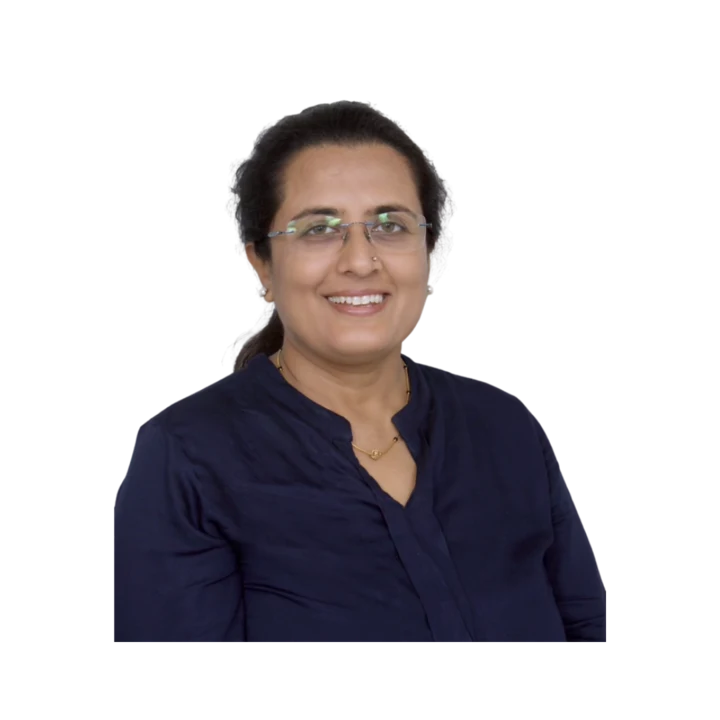
Learn directly from Kajal Ma'am
An MCA who has taught computer subjects since 2004, Kajal Mehta personally mentors every batch, turning dense theory into clear, exam-ready understanding.
The Kwickprep Method
Computer subjects are not learnt by memorising code. Since 2006, Kajal Ma'am has taught CBSE Class 9 Information Technology (IT) with one simple loop that turns logic into marks:
Concept in plain words
Every topic starts from why it exists and what problem it solves, before any code.
Worked through live with you
Kajal Ma'am writes and runs it on a shared screen, so you see it work, not just read it.
Board-pattern practice
You solve the exact question types that repeat in your board's paper, section by section.
Doubts till it clicks
Ask anything, any time in the live class. Nothing moves on until the concept is clear.
Exam & practical drill
Full papers, the practical file, the project and viva, rehearsed until you walk in confident.
Where this takes you
This is not just a subject to clear, it is a skill that carries forward:
- →Office & documentation tools every workplace in the world runs on them.
- →Databases how businesses store and find their information.
- →Web & digital skills the base of almost any digital job.
It opens BCA, IT-support, digital-office and web roles, and a practical, job-ready skill set. We teach for the board first, and for the thinking that lasts after it.
What students say
“I joined the CS40+ course in January 2023, and it was completed within the mentioned time. I found the course very effective and well-organized. The teaching method and study material are up to the mark. I learned new things, and rather than mugging up the code, I learned to develop logic.”
“I have enrolled in the Kwick Revision course, which is designed for 10 days. They have covered all the topics in meticulous time. The teaching method was good. Study materials and course content were up to the mark. Educators resolved doubts within the committed time only.”
“Thank you so much ma'am for believing in me and teaching me so well that i developed interest in computer science. i'll always be grateful for the help you've done. i'll surely miss our classes. Take care of your health ma'am. Once again Thanks a lot ma'am.”
Read all 36 verified student & parent reviews (4.9/5) or see the board results.
Course FAQs
Are the Class 9 IT classes live or recorded?+
Who can join this CBSE Class 9 IT (Code 402) course?+
Is the course offered in group batch or one-to-one?+
Is the course aligned with the latest CBSE syllabus?+
Will the practical exam and viva be covered?+
How do I see the fees or try a class before enrolling?+
Related courses
Computer Applications
Master computer fundamentals, cyber safety, and office tools for CBSE Class 9 Computer App
Computer Applications
Master web design with HTML, CSS, networking and cyber ethics for the CBSE Class 10 Comput
Computer Science
Master Python programming and computational thinking with the official CBSE Class 11 Compu
What students & parents say
4.9/5 from 36 verified student & parent reviews. Below are three, unedited.
Being a part of Kwickprep was such a wonderful experience. The course quality, teaching style, and study materials were all excellent, I couldn't have asked for more. Everything was explained clearly, and the teaching methods made learning smooth and enjoyable. What made the biggest difference for me was the educator, their way of teaching, guidance, and constant support truly stood out for me. I always felt supported and encouraged, and I'm really grateful for that. Honestly, everything about Kwickprep was just the best. It was completely worth it, and I'm happy I chose to learn here!
Learning with Kwickprep has truly been a wonderful experience. The course was well-structured, and the teaching methods were clear, effective, and easy to follow. The study materials, especially the notes and tricks shared, played a huge role in helping me prepare efficiently and score well, even in a short amount of time. What I appreciated the most was the constant guidance and support from the teacher. The way everything was taught made concepts easy to grasp and apply in exams. I'm genuinely grateful for the time, effort, and dedication put into each session. It was completely worth it. Thank you so much for everything, your teaching really made a difference in my learning journey! 😊
Very knowledgeable teacher, with thorough understanding of current paper pattern, FAQs, as well as syllabus.
Book a free demo for Information Technology
See a real class before you decide. No pressure, no payment.
Book Free Demo on WhatsApp