

CBSE Class 10 Computer Applications Classes
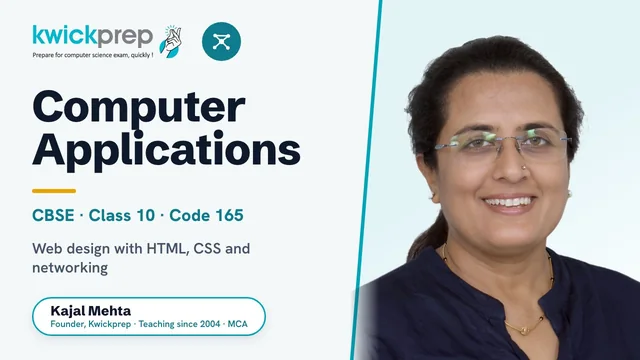
Master web design with HTML, CSS, networking and cyber ethics for the CBSE Class 10 Computer Applications (Code 165) exam.
A complete preparation course for CBSE Class 10 Computer Applications (Subject Code 165) aligned to the official 2026-27 syllabus. Covers Networking and Internet services, hands-on web page design with HTML and CSS, and Cyber ethics, with full practical, report file and project guidance. Designed for the 50-mark theory plus 50-mark practical board scheme.
What you'll learn
- ✓Explain how the Internet works, including web servers, clients, browsers and key protocols (TCP/IP, HTTP/HTTPS, SMTP, POP3, FTP, SSH)
- ✓Identify and use Internet and web services such as email, e-Banking, e-Governance, video conferencing and social networking
- ✓Build static web pages using core HTML tags for text, headings, lists, images and tables
- ✓Create interactive HTML forms with text boxes, radio buttons, checkboxes, password fields, lists and combo boxes
- ✓Style and lay out web pages using CSS properties for colour, borders, margins, fonts and floats
- ✓Link multiple pages together to build a complete multi-page website
- ✓Apply cyber ethics: netiquette, software licenses, IPR, plagiarism awareness and secure e-commerce practices
- ✓Prepare the practical report file (10+ HTML pages), project and viva as per the board scheme
Full syllabus
Mapped to the official CBSE curriculum.
01Unit 1: Networking+
- Internet: World Wide Web, web servers, web clients, web sites, web pages, web browsers, blogs, news groups, HTML, web address, e-mail address, downloading and uploading files from a remote site
- Internet protocols: TCP/IP, SMTP, POP3, HTTP, HTTPS
- Remote login and file transfer protocols: SSH, SFTP, FTP, SCP, TELNET, SMTP, TCP/IP
- Services available on the Internet: information retrieval, locating sites using search engines, finding people on the net
- Web services: chat, email, video conferencing, e-Learning, e-Banking, e-Shopping, e-Reservation, e-Governance, e-Groups, social networking
- Mobile technologies: SMS, MMS, 3G, 4G, 5G
02Unit 2: HTML+
- Introduction to web page designing using HTML: create and save an HTML document, access a web page using a web browser
- HTML tags: html, head, title, body (attributes: text, background, bgcolor, link, vlink, alink), br, hr, comments, h1..h6, p, b, i, u
- Lists: ul (unordered), ol (ordered), li; description lists dl, dt, dd; attributes of ol (start, type) and ul (type)
- Font tags (attributes: face, size, color)
- Insert images: img (attributes: src, width, height, alt), sup (superscript), sub (subscript)
- HTML Forms: textbox, radio buttons, checkbox, password, list, combobox
- Embed audio and video in an HTML page
- Tables: table, tr, th, td, rowspan, colspan
- Links: significance of linking, anchor element (attributes: href, mailto), targets
- Cascading Style Sheets (CSS): colour, background-colour, border-style, margin, height, width, outline, font (family, style, size), align, float
03Unit 3: Cyber ethics+
- Netiquettes
- Software licenses and the open source software movement
- Intellectual property rights, plagiarism and digital property rights
- Freedom of information and the digital divide
- E-commerce: privacy, fraud, secure data transmission
04Unit 4: Practicals (Lab Exercises)+
- Create static web pages
- Use style sheets (CSS) to enforce a format in an HTML page
- Embed pictures, audio and videos in an HTML page
- Add tables and frames in an HTML page
- Decorate web pages using graphical elements
- Create a website using several web pages (any open source or proprietary tool)
- Work with HTML forms: text box, radio buttons, checkbox, password, list, combo box
- Write a blog using HTML pages discussing viruses, malware, spam and antiviruses
- Create a web page on plagiarism with reported cases and IP-law punishments across countries
Tools you'll use
Exam pattern
Total 100 marks: Theory 50 marks + Practical 50 marks (3-hour theory exam). Practical breakup: Lab Test 20 marks (design one web page from a given diagram), Report File 15 marks (at least 10 HTML pages) + Viva voce 5 marks, and Project 10 marks.
Practical / project
50-mark internal practical assessment. Lab test (20): design one HTML web page based on a given diagram. Report file (15): a file of at least 10 HTML pages covering web design, CSS, forms, tables and embedded media. Viva voce (5): based on the report file. Project (10): a website using most concepts learnt across the course.
Who it's for
CBSE Class 10 students who have opted for Computer Applications (Code 165) and want structured theory plus hands-on web-design and practical exam preparation.
What's included
- ✓Live interactive online classes with Kajal Ma'am, taught in small group batches or one-to-one mode
- ✓Chapter-wise notes covering Networking, HTML, CSS and Cyber Ethics, mapped to the CBSE 2026-27 syllabus (Code 165)
- ✓Solved textbook and previous-year board questions with step-by-step explanations
- ✓Regular assignments and topic-wise worksheets to reinforce each unit
- ✓Dedicated doubt-solving sessions where every student can ask questions during and after class
- ✓HTML/CSS practical guidance for hands-on web page coding on a shared screen
- ✓Help building the practical report file of at least 10 HTML pages, the website project and viva preparation
- ✓Board paper practice with sample papers and full-length mock tests before the exam
Why study Computer Applications?
CBSE Class 10 Computer Applications (Subject Code 165) is a high-scoring subject where 50 marks come from the theory paper and 50 from the practical, making it one of the most rewarding subjects to boost the overall percentage. The course introduces real web design with HTML and CSS, internet protocols and cyber ethics, giving students their first genuine experience of building something on a computer. Strong fundamentals here make Class 11 Computer Science, Informatics Practices and IT far easier to handle, and because the practical and project carry half the marks, focused guidance turns this into a near-full-score subject for serious students.
The HTML, CSS and internet concepts learned here are the literal first building blocks of web development and are used across IT, software engineering and digital roles. Students who continue into Class 11-12 Computer Science or Informatics Practices, and later into B.Tech, BCA or computer applications degrees, find this early hands-on coding foundation a real advantage. The cyber ethics and networking topics also build the digital-safety and IT awareness expected in almost every modern career.

Learn directly from Kajal Ma'am
An MCA who has taught computer subjects since 2004, Kajal Mehta personally mentors every batch, turning dense theory into clear, exam-ready understanding.
The Kwickprep Method
Computer subjects are not learnt by memorising code. Since 2006, Kajal Ma'am has taught CBSE Class 10 Computer Applications with one simple loop that turns logic into marks:
Concept in plain words
Every topic starts from why it exists and what problem it solves, before any code.
Worked through live with you
Kajal Ma'am writes and runs it on a shared screen, so you see it work, not just read it.
Board-pattern practice
You solve the exact question types that repeat in your board's paper, section by section.
Doubts till it clicks
Ask anything, any time in the live class. Nothing moves on until the concept is clear.
Exam & practical drill
Full papers, the practical file, the project and viva, rehearsed until you walk in confident.
Where this takes you
This is not just a subject to clear, it is a skill that carries forward:
- →Java & object-oriented programming the base of Android and enterprise software.
- →Logic building with BlueJ clean problem-solving, not memorising.
- →App-development foundations how real software is structured.
It opens B.Tech, BCA and software development, and is the perfect base for ISC Computer Science with Java. We teach for the board first, and for the thinking that lasts after it.
What students say
“Thank you so much ma'am for believing in me and teaching me so well that i developed interest in computer science. i'll always be grateful for the help you've done. i'll surely miss our classes. Take care of your health ma'am. Once again Thanks a lot ma'am.”
“The course's greatest benefit for me was the profound comprehension of the core principles it fostered, which has been pivotal in enhancing my academic foundation.”
“I was able to complete entire syllabus in short duration while preparing for conpetitive exams. Best way to cover entire syllabus. Highly satisfied with teaching method.”
Read all 36 verified student & parent reviews (4.9/5) or see the board results.
Course FAQs
Are the Class 10 Computer Applications classes live or recorded?+
Who can join this course and from where?+
What is the difference in fees between Group batch and One-to-One classes?+
Is the course aligned to the latest CBSE syllabus?+
Do you help with the practical exam, report file and project?+
Can I attend a demo class before enrolling?+
Related courses
Computer Applications
Master computer fundamentals, cyber safety, and office tools for CBSE Class 9 Computer App
Computer Science
Master Python programming and computational thinking with the official CBSE Class 11 Compu
Computer Science
Master Python, file handling, data structures and SQL for the CBSE Class 12 CS (083) board
What students & parents say
4.9/5 from 36 verified student & parent reviews. Below are three, unedited.
Dear Kajal Ma'am, Yash has done extremely well in CS Exam, with all your kind guidance and supports. Your Hard work towards Students is really appreciated, We are fortunate to connect with you at right time 🙏, Thank you so much for all 🙏😊
Being a part of Kwickprep was such a wonderful experience. The course quality, teaching style, and study materials were all excellent, I couldn't have asked for more. Everything was explained clearly, and the teaching methods made learning smooth and enjoyable. What made the biggest difference for me was the educator, their way of teaching, guidance, and constant support truly stood out for me. I always felt supported and encouraged, and I'm really grateful for that. Honestly, everything about Kwickprep was just the best. It was completely worth it, and I'm happy I chose to learn here!
Learning with Kwickprep has truly been a wonderful experience. The course was well-structured, and the teaching methods were clear, effective, and easy to follow. The study materials, especially the notes and tricks shared, played a huge role in helping me prepare efficiently and score well, even in a short amount of time. What I appreciated the most was the constant guidance and support from the teacher. The way everything was taught made concepts easy to grasp and apply in exams. I'm genuinely grateful for the time, effort, and dedication put into each session. It was completely worth it. Thank you so much for everything, your teaching really made a difference in my learning journey! 😊
Book a free demo for Computer Applications
See a real class before you decide. No pressure, no payment.
Book Free Demo on WhatsApp