

CBSE Class 9 Computer Applications Classes
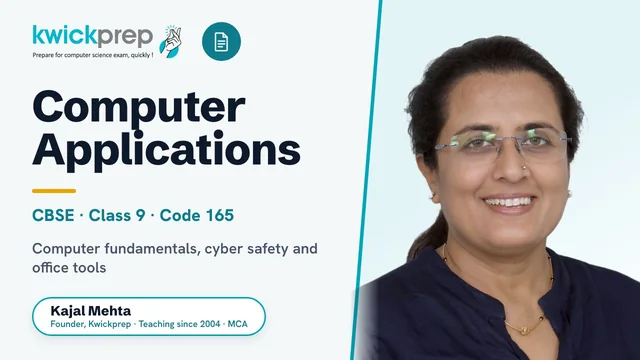
Master computer fundamentals, cyber safety, and office tools for CBSE Class 9 Computer Applications (Code 165).
A complete preparation course for the CBSE Class 9 Computer Applications skill subject (Code 165), aligned to the official 2026-27 syllabus. Covers the basics of information technology, cyber safety, and hands-on office tools (word processor, spreadsheets, and presentations), with structured lab exercises, a report file, and project work. Built to score across the 50-mark theory paper and 50-mark practical assessment.
What you'll learn
- ✓Identify the components and functions of a computer system, CPU, memory (RAM/ROM), storage devices, and I/O devices
- ✓Distinguish system and application software and understand network types (PAN, LAN, MAN, WAN) and multimedia
- ✓Apply safe internet practices: strong passwords, privacy, identity protection, and recognizing malware and cybercrimes
- ✓Create, edit, and format professional documents in a word processor with tables, images, headers/footers, and review tools
- ✓Build animated presentations with slide layouts, transitions, images, and sound effects
- ✓Perform data manipulation in spreadsheets using formulas and SUM/AVERAGE/MIN/MAX/IF functions and create charts
- ✓Complete the practical Lab Test, Report File, and Project required for the 50-mark practical assessment
Full syllabus
Mapped to the official CBSE curriculum.
01Unit 1: Basics of Information Technology+
- Computer Systems: characteristics of a computer; components, CPU, memory, storage devices, I/O devices
- Memory: primary memory (RAM and ROM) and secondary memory
- Storage devices: hard disk, CD ROM, DVD, pen/flash drive, memory stick
- I/O devices: keyboard, mouse, monitor, printer, scanner, web camera
- Types of software: system software (operating system, device drivers), application software including mobile applications
- Computer networking: PAN, LAN, MAN, WAN; wired/wireless communication; Wi-Fi, Bluetooth; cloud computers (private/public)
- Multimedia: images, audio, video, animation
02Unit 2: Cyber-safety+
- Safely browsing the web and using social networks: identity protection
- Proper usage of passwords, privacy, confidentiality of information
- Cyber stalking and reporting cybercrimes
- Malware: viruses, adware
03Unit 3: Office Tools+
- Word processor: create and save a document
- Edit and format text, text style (B, I, U), font type/size/colour, alignment, paragraph and line spacing, headers/footers, page numbering, spell and grammar check, subscript/superscript, symbols, print preview and print
- Insert pictures, page settings, bullets and numbering, borders and shading, tables (insert/delete rows and columns, merge and split cells)
- Auto-format, track changes, review comments, drawing tools, shapes and mathematical symbols
- Presentation tool: slide shows, slide elements, slide layouts, create/save a presentation, views (normal, slide sorter, handouts)
- Edit and format slides: titles, subtitles, text, background, watermark, headers/footers, slide numbers
- Insert pictures, create animations, add sound effects, rehearse timings
- Spreadsheets: worksheet and workbook concept, create and save a worksheet
- Working with a spreadsheet: enter numbers/text/date-time, auto fill series, format cells, insert/delete cells/rows/columns, formulas using operators (+, -, *, /), cell references, print
- Statistical functions: SUM(), AVERAGE(), MAX(), MIN(), IF() without compound statements; charts, line, pie, scatter, bar, area
04Unit 4: Lab Exercises (Practical)+
- Browser settings for a secure connection
- Operating system: navigate the file system using mouse and keyboard
- Word processing: create text documents, a letter, report, and greeting card; documents with figures; a document in an Indian language other than English
- Create presentations with animation, images, and sound effects on text and pictures
- Create spreadsheets performing MIN, MAX, SUM, AVERAGE and different chart types (line, bar, area, pie)
Tools you'll use
Exam pattern
Total 100 marks: Theory 50 + Practical 50. Theory unit weightage, Basics of IT (20), Cyber Safety (15), Office Tools (15). Practical 50 marks = Lab Test 30 (Word 10, Spreadsheet 10, Presentation 10) + Report File 8 with Viva 2 + Project 10.
Practical / project
50-mark practical component: a Lab Test on word processing, spreadsheets, and presentations; a Report File of at least 4 documents (one each in word processor, spreadsheet, and presentation tool) plus a viva voce; and a Project integrating most learned concepts. Lab exercises include creating letters/reports/greeting cards, a document in an Indian language, animated presentations with sound, and spreadsheets using SUM/AVERAGE/MIN/MAX functions and charts.
Who it's for
CBSE Class 9 students taking Computer Applications (Code 165) as a skill subject who want a strong foundation in IT basics, safe internet practices, and practical office-tool skills for both the theory paper and practical exam.
What's included
- ✓Live interactive online classes with mentor Kajal Ma'am, available in both Group batch and One-to-One modes
- ✓Chapter-wise digital notes covering all three theory units: Basics of Information Technology, Cyber-safety, and Office Tools
- ✓Worked textbook solutions for the commonly used, NCERT-aligned Code 165 books, chapter by chapter
- ✓Topic-wise assignments and practice worksheets to reinforce each concept
- ✓Regular live doubt-solving sessions where students can ask questions in real time
- ✓Hands-on practical training in Word, Excel and PowerPoint with shared-screen demonstrations
- ✓Lab report file guidance, viva preparation and project work mentoring for the 50-mark practical exam
- ✓Board-pattern question practice and competency-based question drills before exams
Why study Computer Applications?
CBSE Class 9 Computer Applications (Code 165) carries 100 marks split equally as 50 theory and 50 practical, making it one of the most scoring elective subjects when concepts and lab skills are built properly. The Class 9 syllabus lays the foundation for Class 10 Computer Applications and later for Computer Science, Informatics Practices and IT streams in Classes 11-12. Mastering the three units now - Basics of Information Technology, Cyber-safety and Office Tools - gives students both strong board marks and genuine digital literacy. Because half the marks come from hands-on practicals and projects, structured live guidance is what turns this subject into an easy 90-plus scorer.
The digital-literacy, cyber-safety and office-productivity skills built in this course are foundational for any future engineering, computer science or data-related degree, and for everyday work across the IT industry. It introduces students early to how computers, networks and software actually work, which supports later study of programming, AI and information technology. Even outside tech careers, fluency with documents, spreadsheets and safe internet practice is a baseline skill in almost every modern profession.
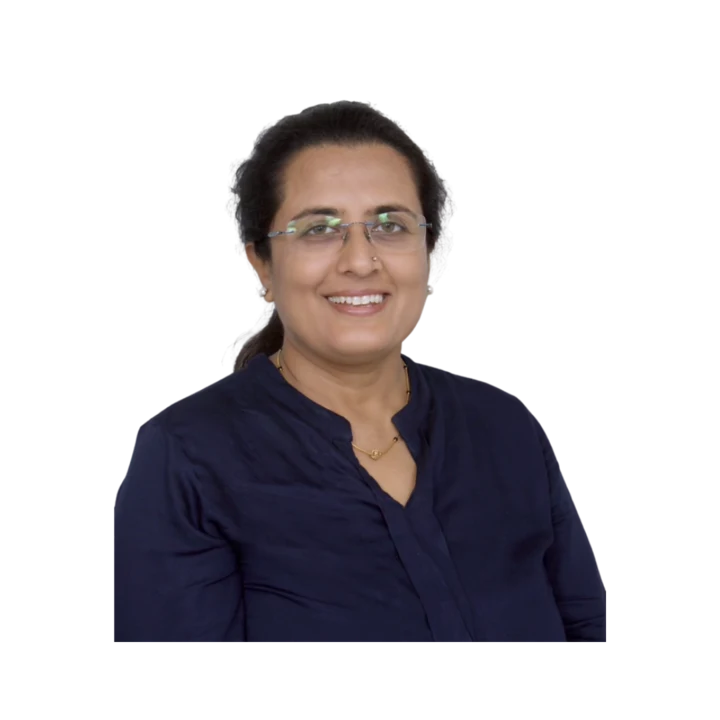
Learn directly from Kajal Ma'am
An MCA who has taught computer subjects since 2004, Kajal Mehta personally mentors every batch, turning dense theory into clear, exam-ready understanding.
The Kwickprep Method
Computer subjects are not learnt by memorising code. Since 2006, Kajal Ma'am has taught CBSE Class 9 Computer Applications with one simple loop that turns logic into marks:
Concept in plain words
Every topic starts from why it exists and what problem it solves, before any code.
Worked through live with you
Kajal Ma'am writes and runs it on a shared screen, so you see it work, not just read it.
Board-pattern practice
You solve the exact question types that repeat in your board's paper, section by section.
Doubts till it clicks
Ask anything, any time in the live class. Nothing moves on until the concept is clear.
Exam & practical drill
Full papers, the practical file, the project and viva, rehearsed until you walk in confident.
Where this takes you
This is not just a subject to clear, it is a skill that carries forward:
- →Java & object-oriented programming the base of Android and enterprise software.
- →Logic building with BlueJ clean problem-solving, not memorising.
- →App-development foundations how real software is structured.
It opens B.Tech, BCA and software development, and is the perfect base for ISC Computer Science with Java. We teach for the board first, and for the thinking that lasts after it.
What students say
“Very knowledgeable teacher, with thorough understanding of current paper pattern, FAQs, as well as syllabus.”
“Enrolling in the Kwick Revision Course was a decision that proved its value many times over. What I appreciate most are the meticulously prepared notes, the question papers, and the comprehensive practice materials provided.”
“I was able to get my doubts cleared and I had access to a lot of material. Always got response within the committed time.”
Read all 36 verified student & parent reviews (4.9/5) or see the board results.
Course FAQs
Is this CBSE Class 9 Computer Applications course fully online?+
Do you offer Group batch and One-to-One classes, and how do the fees differ?+
Which board and syllabus does this course follow?+
Will the course help with the practical exam, report file and viva?+
Who can join this Class 9 Computer Applications course?+
Can we attend a demo class before enrolling, and what about results?+
Related courses
Computer Applications
Master web design with HTML, CSS, networking and cyber ethics for the CBSE Class 10 Comput
Computer Science
Master Python programming and computational thinking with the official CBSE Class 11 Compu
Computer Science
Master Python, file handling, data structures and SQL for the CBSE Class 12 CS (083) board
Free guides for this subject
CBSE Class 9 Computer Applications Syllabus, Units & Marks
CBSE Class 9 Computer Applications syllabus for 2026-27: all 4 units, the topics inside each, the exam pattern and pract
Open →CBSE · Class 9 · Computer Applications ·CBSE Class 9 Computer Applications, Chapter-wise Weightage 2026-27
CBSE Class 9 Computer Applications chapter-wise weightage for 2026-27: unit-wise marks table for all 3 units (50 theory
Open →What students & parents say
4.9/5 from 36 verified student & parent reviews. Below are three, unedited.
Before joining Kwickprep, I honestly struggled a lot with Computer Science. I couldn't understand most of the concepts, but thanks to Kajal Ma'am, that completely changed. Her teaching helped me improve so much, and I'm really grateful for that. She's one of the best teachers I've ever had. She explains everything with so much clarity and patience, and even if I didn't understand something the first time, she would happily explain it again, as many times as needed. Yes, sometimes she got strict, but I know it was always for our own good. What I appreciated most was the way she helped us solve a variety of question papers during the Kwick Revision sessions. That really boosted my confidence. The course overall was great, the materials, the teaching, and the support. I'm quite satisfied with everything. Thank you, Kajal Ma'am and Kwickprep, for helping me grow in a subject I once found impossible!
I'm deeply impressed by the supportive environment fostered by Kajal Ma'am during the Kwickrevision workshop. Her approach not only facilitates a thorough understanding of the subject matter but also encourages a collaborative and nurturing learning experience. This workshop stands out as one of the best I've ever attended, and I attribute much of that to Kajal Ma'am's exceptional guidance.
Learning with kwickprep has been a wonderful experience. It has a very user friendly interface and is aesthetically pleasing. It provides all the important points and the proper explanation of the topics without prevaricating from the original topic.
Book a free demo for Computer Applications
See a real class before you decide. No pressure, no payment.
Book Free Demo on WhatsApp