

CBSE Class 11 Information Technology (IT) Classes
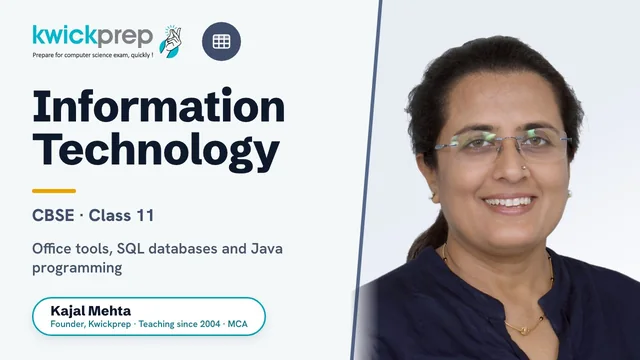
Master computer fundamentals, office tools, SQL databases and Java programming with CBSE's official IT 802 syllabus.
Complete preparation for CBSE Class 11 Information Technology (Subject Code 802, Domestic IT Helpdesk Assistant) aligned to the official 2026-27 curriculum. Covers computer organization, networking and cyber safety, office automation tools, RDBMS with MySQL, and the fundamentals of Java programming using the NetBeans IDE. Includes both Part A Employability Skills and Part B subject-specific skills, with hands-on practical and project work for the 60 theory plus 40 practical marks structure.
What you'll learn
- ✓Identify the principal components of a computer system and troubleshoot common hardware, software and network problems
- ✓Use office automation tools (OpenOffice Writer, Calc and Impress) to create documents, spreadsheets with formulas/charts, and presentations
- ✓Understand networking concepts, internet protocols, and cyber safety/security norms
- ✓Design relational databases and write MySQL DDL and DML queries to create, populate, modify and retrieve data
- ✓Build simple GUI-based Java applications using the NetBeans IDE and Swing components
- ✓Apply Java fundamentals: data types, variables, operators and selection statements to solve small problems
- ✓Maintain a practical file of at least 15 Java programs and 15 MySQL queries and complete a project application
- ✓Apply employability skills in communication, self-management, ICT, entrepreneurship and green skills
Full syllabus
Mapped to the official CBSE curriculum.
01Part A, Unit 1: Communication Skills-III+
- Methods and barriers of communication
- Verbal, non-verbal and visual communication
- Writing skills and feedback
02Part A, Unit 2: Self-Management Skills-III+
- Stress management and self-awareness
- Self-motivation and goal setting
- Working independently and building self-confidence
03Part A, Unit 3: ICT Skills-III+
- Basics of operating systems
- Internet, web browsing and email basics
- Maintaining and securing computer systems
04Part A, Unit 4: Entrepreneurial Skills-III+
- Entrepreneurship and society
- Qualities and functions of an entrepreneur
- Myths and types of entrepreneurship
05Part A, Unit 5: Green Skills-III+
- Sustainable development
- Importance of green economy
- Role of technology in conserving the environment
06Part B, Unit 1: Computer Organization+
- Fundamentals, characteristics and components of a computer; block diagram and task execution
- Input/output and storage devices; memory units
- Operating systems: need, functions and types
- Troubleshooting hardware, printer, sound, software and networking problems
- Utilities: disk space management, disk cleanup, defragmentation, recycle bin, command prompt
07Part B, Unit 2: Networking and Internet+
- Computer networking: components, transmission media (wired/wireless), networking devices (RJ45, modem, repeater, hub, switch, bridge, gateway, router)
- Network topologies (bus, star, ring, tree, mesh) and types (LAN, MAN, WAN, PAN, VAN)
- Internet terminology: channels, bandwidth, ISP, data transfer rates, protocols (TCP/IP, FTP, HTTP, SMTP, POP3, PPP, UDP)
- Cyber threats: virus, worm, trojan, spam, malware, DoS, eavesdropping, adware, spyware, snooping
- Cyber crime and cyber safety: phishing, pharming, spoofing, cyber bullying, hacking, identity theft, netiquettes, IT Act, antivirus, firewall
08Part B, Unit 3: Office Automation Tools+
- Word processor (OpenOffice Writer): window components, tabs, formatting, tables, document management
- Spreadsheets (OpenOffice Calc): data entry, formatting, formulas and functions (sum, sqrt, product, power, log, round, abs, average), absolute/relative/mixed referencing
- Spreadsheets: sorting, filtering, charts/graphs, find and replace, macros, printing
- Presentations (OpenOffice Impress): views, animations, transitions, headers and footers
09Part B, Unit 4: RDBMS+
- Relational database concepts: relation, tuple, attribute, cardinality; keys (primary, candidate, alternate, foreign)
- Introduction to MySQL: installation, DDL and DML classification, data types (char, varchar, decimal, int, date, time)
- DDL commands: CREATE DATABASE, USE, CREATE TABLE, DESCRIBE, SHOW TABLES, ALTER TABLE, DROP TABLE
- DML commands: INSERT INTO, UPDATE, DELETE; clauses WHERE, ORDER BY, DISTINCT, LIKE, BETWEEN, IN
10Part B, Unit 5: Fundamentals of Java Programming+
- NetBeans IDE: components, JFrameForm container, swing controls (jButton, jLabel, jTextField, jTextArea, jRadioButton, jCheckBox, jPasswordField, jListBox, jComboBox) and their properties
- Object Oriented Programming basics; primitive data types and variables
- Operators: assignment, arithmetic, relational, logical, bitwise
- Selection statements: if, if-else, switch-case
- Using components like JTable, JOptionPane, JPanel; building simple GUI applications (arithmetic calculations, simple interest, grade calculation, vowel/consonant check)
Tools you'll use
Exam pattern
Total 100 marks = Theory 60 + Practical 40. Theory includes Part A Employability Skills (10 marks) and Part B Subject-Specific Skills (50 marks). Practical (40) = Part C Practical Work 30 marks (Office Automation Tools 15, Java Program 10, MySQL Commands 5) + Part D Project Work 10 marks (Practical File 5, Viva Voce 5).
Practical / project
Part C practical work covers Office Automation Tools (15 marks), a Java program (10 marks) and MySQL commands (5 marks). Part D project work includes a practical file (5 marks) and viva voce (5 marks). Lab work spans 125 hours across the five subject units, including hands-on networking setup, spreadsheet/database exercises, and building Java GUI applications in NetBeans.
Who it's for
CBSE Class 11 students who have chosen Information Technology (802) as a skill subject and want to build practical computer, database and programming skills toward the Domestic IT Helpdesk Assistant job role.
What's included
- ✓Live interactive online classes with Kajal Ma'am covering the full CBSE IT 802 Class 11 syllabus (Part A Employability Skills and Part B subject-specific units)
- ✓Chapter-wise digital notes for Computer Organization, Networking & Internet, Office Automation Tools, RDBMS and Fundamentals of Java
- ✓Worked SQL query sets (MySQL) and Java programs with step-by-step explanation and dry runs
- ✓Assignments and unit-wise worksheets after each topic to lock in concepts
- ✓Regular doubt-solving sessions where students can ask questions live
- ✓Board-pattern question practice including previous-year and sample-paper questions for the 60-mark theory exam
- ✓Practical-file and lab guidance for the 40-mark practical (practical exam, written test and viva voce)
- ✓Project and portfolio guidance plus viva preparation for the internal assessment
Why study Information Technology?
CBSE Class 11 Information Technology (subject code 802) is a high-scoring skill subject carrying 60 marks of theory and 40 marks of practical, where the lab, project and viva components make it realistic to score very well with consistent practice. Class 11 builds the core foundation that Class 12 IT directly extends, so a strong grasp of Computer Organization, networking, office tools, RDBMS and Java now makes the Class 12 board year far easier. Because much of the assessment is practical and application-based, genuine hands-on understanding of MySQL and Java translates directly into marks. For students choosing IT as an additional or vocational subject, it also keeps the overall percentage strong while teaching genuinely useful technology skills.
The SQL/MySQL database work and Java programming introduced here are the same fundamentals used in software development, data analysis and back-end engineering, giving students an early head start. It maps well onto future BCA, B.Sc IT, B.Tech Computer Science and Information Technology degrees, as well as diploma and certification paths. The networking, computer organization and office-automation skills are also broadly useful across IT-support, administrative and entry-level tech roles.
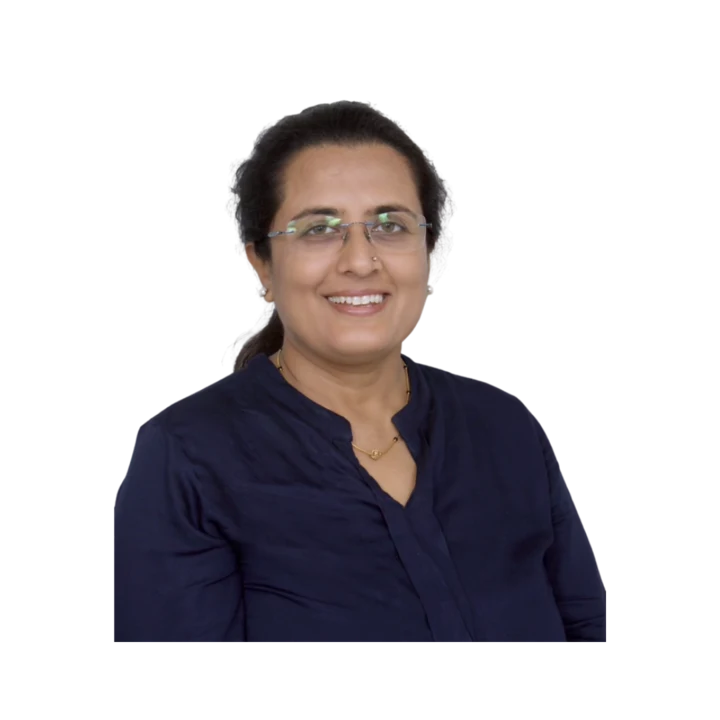
Learn directly from Kajal Ma'am
An MCA who has taught computer subjects since 2004, Kajal Mehta personally mentors every batch, turning dense theory into clear, exam-ready understanding.
The Kwickprep Method
Computer subjects are not learnt by memorising code. Since 2006, Kajal Ma'am has taught CBSE Class 11 Information Technology (IT) with one simple loop that turns logic into marks:
Concept in plain words
Every topic starts from why it exists and what problem it solves, before any code.
Worked through live with you
Kajal Ma'am writes and runs it on a shared screen, so you see it work, not just read it.
Board-pattern practice
You solve the exact question types that repeat in your board's paper, section by section.
Doubts till it clicks
Ask anything, any time in the live class. Nothing moves on until the concept is clear.
Exam & practical drill
Full papers, the practical file, the project and viva, rehearsed until you walk in confident.
Where this takes you
This is not just a subject to clear, it is a skill that carries forward:
- →Office & documentation tools every workplace in the world runs on them.
- →Databases how businesses store and find their information.
- →Web & digital skills the base of almost any digital job.
It opens BCA, IT-support, digital-office and web roles, and a practical, job-ready skill set. We teach for the board first, and for the thinking that lasts after it.
What students say
“Dear Kwickprep team, Thank you very much for your support to my son during this two years. Good Team, Great efforts. Thank you once again.”
“Excellent course material. Well experienced Dedicated teacher helped my son did well in CBSE exam today.”
“The Educator is very experienced and talented.”
Read all 36 verified student & parent reviews (4.9/5) or see the board results.
Course FAQs
Are the CBSE Class 11 IT (802) classes online or offline?+
Who can join this Class 11 Information Technology course?+
What are the fees, and do they differ for group and one-to-one classes?+
Does the course follow the official CBSE IT 802 syllabus?+
Will there be help for the practical exam, project and viva?+
Can I attend a demo or trial class before enrolling?+
Related courses
Computer Applications
Master computer fundamentals, cyber safety, and office tools for CBSE Class 9 Computer App
Computer Applications
Master web design with HTML, CSS, networking and cyber ethics for the CBSE Class 10 Comput
Computer Science
Master Python programming and computational thinking with the official CBSE Class 11 Compu
What students & parents say
4.9/5 from 36 verified student & parent reviews. Below are three, unedited.
Excellent course material. Well experienced Dedicated teacher helped my son did well in CBSE exam today.
I was able to complete entire syllabus in short duration while preparing for conpetitive exams. Best way to cover entire syllabus. Highly satisfied with teaching method.
I'm deeply appreciative of your guidance, ma'am. The way you covered the syllabus so thoroughly and on time, along with the ample practice questions and sample papers, was instrumental in our preparation. Your classes are not only enjoyable but a true highlight-your interactive approach makes learning a delight. What sets you apart is your dedication and exceptional teaching methods, which are not only appreciated but deeply impactful. You have a unique ability to simplify complex concepts, making you an exemplary educator. Thank you for your unwavering commitment to our success.
Book a free demo for Information Technology
See a real class before you decide. No pressure, no payment.
Book Free Demo on WhatsApp