

CBSE Class 10 Information Technology (IT) Classes
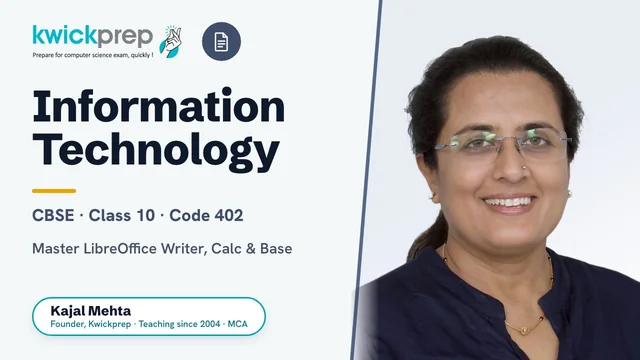
Master LibreOffice Writer, Calc & Base for the CBSE Class 10 IT (402) board exam.
A complete, syllabus-aligned course for CBSE Class 10 Information Technology (Subject Code 402, Job Role: Domestic Data Entry Operator). Covers Employability Skills plus the four subject-specific units, advanced digital documentation, electronic spreadsheets, database management with LibreOffice Base, and workplace safety, preparing students for the 50-mark theory and 50-mark practical board assessment. Built strictly around the official CBSE Department of Skill Education curriculum for the current session.
What you'll learn
- ✓Apply and manage styles, templates, images and a Table of Contents to create professional documents in LibreOffice Writer
- ✓Track changes, add comments and compare documents for collaborative review
- ✓Perform advanced data analysis in LibreOffice Calc using subtotals, What-if scenarios, Goal Seek and Solver
- ✓Record, create and run macros to automate repetitive spreadsheet tasks
- ✓Link and consolidate data across sheets and documents, and share/review spreadsheets
- ✓Design relational databases in LibreOffice Base with tables, primary keys, relationships and referential integrity
- ✓Build queries, forms and reports to enter, retrieve and present data
- ✓Identify workplace hazards and apply health, safety, first-aid and emergency procedures
Full syllabus
Mapped to the official CBSE curriculum.
01Part A, Employability Skills+
- Communication Skills-II
- Self-Management Skills-II
- Information and Communication Technology (ICT) Skills-II
- Entrepreneurial Skills-II
- Green Skills-II
02Unit 1: Digital Documentation (Advanced) using LibreOffice Writer+
- Introduction to Styles, page, paragraph, character, frame, list and table styles
- Styles and Formatting window; Fill Format mode
- Creating a new style (From Selection, Drag-and-Drop); updating styles; loading styles from a template/document
- Working with Images, insert, drag-and-drop, copy-paste, linking
- Modifying images, resize, crop, delete using the image toolbar
- Drawing objects, creating, setting properties, resizing and grouping
- Positioning images in text, arrangement, anchoring, alignment, text wrapping
- Table of Contents, hierarchy of headings, creating, customizing, maintaining, updating and deleting a ToC
- Templates, creating, using in-built/saved/online templates, importing, editing, moving, exporting and applying templates
- Track Changes, recording, accepting/rejecting changes, adding/deleting comments, comparing documents
03Unit 2: Electronic Spreadsheet (Advanced) using LibreOffice Calc+
- Analyse data, consolidating data; groups and subtotals
- What-if analysis, What-if scenarios, What-if Analysis Tool (Scenario Manager)
- Goal Seek and Solver for decision-making
- Using Macros, recording, running, creating and organising a simple macro
- Macro as a function; passing arguments (as values) to a macro; macros as built-in functions; accessing cells directly; sorting columns using a macro
- Linking Spreadsheet Data, setting up multiple sheets; creating references to other sheets and other documents
- Hyperlinks, relative and absolute hyperlinks; creating and editing hyperlinks
- Linking to external data and registered data sources
- Share and Review a Spreadsheet, sharing, opening and saving a shared spreadsheet, recording changes
- Comments, add, edit, format; reviewing changes (view, accept or reject); merging and comparing sheets
04Unit 3: Database Management System using LibreOffice Base+
- Introduction to DBMS, data and information, databases and DBMS, advantages of databases
- Data models, hierarchical, network and relational; RDBMS terminology and objects; keys (primary, foreign)
- Starting with LibreOffice Base, data types, user interface, opening a database
- Creating and saving tables (using wizard and design view); setting a primary key; entering, navigating, editing, sorting and deleting data
- Working with Multiple Tables, editing/deleting tables; relationships (one-to-one, one-to-many, many-to-many); advantages of relating tables; referential integrity; field properties
- Queries in Base, creating queries using wizard and design view; editing queries; applying criteria; working with numerical data and calculations
- Forms and Reports, creating/modifying forms using Form Wizard; Form Controls toolbar; reports in Base; inserting controls, titles, headings and date/time
05Unit 4: Maintain Healthy, Safe and Secure Working Environment+
- Health, Safety and Security at the Workplace, policies, procedures and reasons for safety programs
- Workplace hazards, physical, electrical, fire and health hazards; hazards using computers; handling office equipment; stress at work; hazard control and safety checklist
- Workplace Quality Measures, air and water quality monitoring; office ergonomics; computer health and safety tips; musculoskeletal problems and reducing visual/health risks
- Prevent Accidents and Emergencies, identifying accidents and emergencies; company policies; types of accidents; handling accidents; first aid, electrical safety and evacuation procedures; fire prevention
Tools you'll use
Exam pattern
Total 100 marks = Theory 50 + Practical 50. Theory (50): Employability Skills 10 + Subject-Specific units 40 (Digital Documentation 8, Electronic Spreadsheet 10, Database Management 12, Maintaining a Healthy/Safe/Secure Working Environment 10). Practical (50): Practical Examination 30 (Writer 5, Calc 5, Base 10, Viva Voce 10) + Project Work/Field Visit 10 + Portfolio/Practical File 10.
Practical / project
50 internal marks: Practical Examination 30 (Digital Documentation 5, Electronic Spreadsheet 5, Database Management 10, Viva Voce 10), Project Work / Field Visit 10 (an interdisciplinary real-world case study with data input via Base forms, output via Base reports, and documentation in Writer), and Portfolio / Practical File 10 (printouts of Writer, Calc and Base practicals with a minimum of 5 problems each). At least 3 field visits/educational tours, including a data entry centre visit, are recommended.
Who it's for
CBSE Class 10 students who have opted for the Information Technology (402) skill subject and want structured theory plus hands-on LibreOffice practical preparation for the board exam.
What's included
- ✓Live interactive online classes covering the full CBSE IT 402 syllabus, Part A Employability Skills and Part B subject-specific skills
- ✓Chapter-wise notes for Digital Documentation, Electronic Spreadsheet, Database Management and Web Applications & Security
- ✓Step-by-step guided practice in LibreOffice Writer, Calc and Base on a shared screen
- ✓Solved questions and textbook/sample-paper solutions with answer-writing technique
- ✓Topic assignments and worksheets after each unit to lock in concepts
- ✓Regular doubt-solving sessions where every student gets personal attention
- ✓Board paper and previous-year question practice with marking-scheme guidance
- ✓Practical file, portfolio (5 tasks each in Writer, Calc, Base) and viva-voce preparation
Why study Information Technology?
CBSE Class 10 Information Technology (Code 402) is a high-scoring skill subject taken as the sixth optional subject, with a balanced 50 marks theory and 50 marks practical split that rewards consistent, hands-on practice. Because CBSE counts only your best five subjects for the overall percentage, a strong IT 402 score can replace a weaker core subject and lift your final result. The course builds genuine digital literacy through LibreOffice Writer, Calc and Base alongside employability skills, giving you a practical foundation that core academic subjects rarely cover. For students aiming at Computer Science, Informatics Practices or any technical stream in Class 11, IT 402 is the cleanest on-ramp.
IT 402 introduces the core digital skills, documentation, spreadsheets, databases and web/security basics, that underpin almost every modern career, from office administration and data entry to analytics and software roles. It is a credible first step toward Class 11-12 Computer Science or Informatics Practices and, later, college courses in IT, computer applications and engineering. The employability and ICT components also build communication, problem-solving and responsible-technology habits useful well beyond the exam.
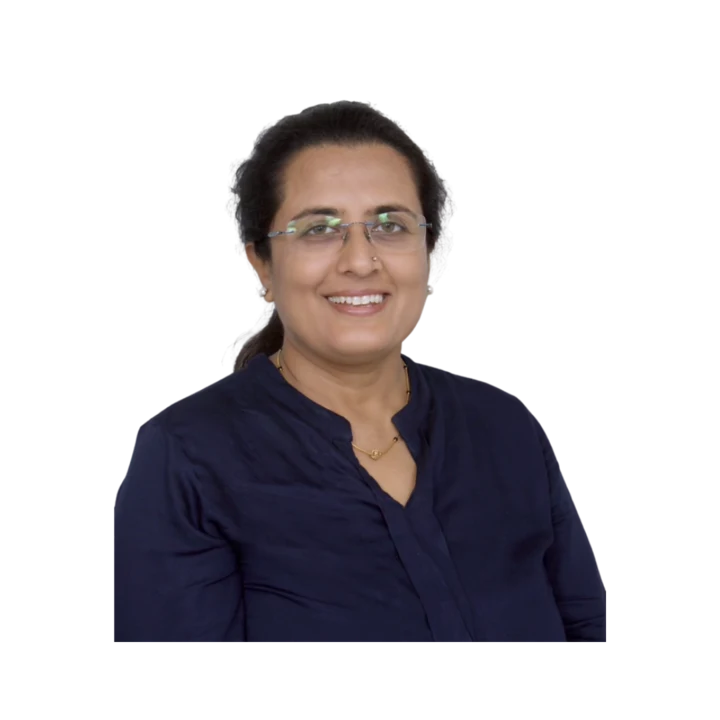
Learn directly from Kajal Ma'am
An MCA who has taught computer subjects since 2004, Kajal Mehta personally mentors every batch, turning dense theory into clear, exam-ready understanding.
The Kwickprep Method
Computer subjects are not learnt by memorising code. Since 2006, Kajal Ma'am has taught CBSE Class 10 Information Technology (IT) with one simple loop that turns logic into marks:
Concept in plain words
Every topic starts from why it exists and what problem it solves, before any code.
Worked through live with you
Kajal Ma'am writes and runs it on a shared screen, so you see it work, not just read it.
Board-pattern practice
You solve the exact question types that repeat in your board's paper, section by section.
Doubts till it clicks
Ask anything, any time in the live class. Nothing moves on until the concept is clear.
Exam & practical drill
Full papers, the practical file, the project and viva, rehearsed until you walk in confident.
Where this takes you
This is not just a subject to clear, it is a skill that carries forward:
- →Office & documentation tools every workplace in the world runs on them.
- →Databases how businesses store and find their information.
- →Web & digital skills the base of almost any digital job.
It opens BCA, IT-support, digital-office and web roles, and a practical, job-ready skill set. We teach for the board first, and for the thinking that lasts after it.
What students say
“I was able to get my doubts cleared and I had access to a lot of material. Always got response within the committed time.”
“Joining the Kwick Revision Course has been entirely worthwhile, as I have consistently received timely responses within the committed timeframe.”
“Dear Kajal Ma'am, Yash has done extremely well in CS Exam, with all your kind guidance and supports. Your Hard work towards Students is really appreciated, We are fortunate to connect with you at right time 🙏, Thank you so much for all 🙏😊”
Read all 36 verified student & parent reviews (4.9/5) or see the board results.
Course FAQs
Are the CBSE Class 10 IT (402) classes online or offline?+
Is the course available in both group batch and one-to-one mode?+
Does the course follow the official CBSE 402 syllabus?+
Will the practical exam, project and viva be covered?+
What software do students need for this course?+
Can I get a demo class before enrolling?+
Related courses
Computer Applications
Master computer fundamentals, cyber safety, and office tools for CBSE Class 9 Computer App
Computer Applications
Master web design with HTML, CSS, networking and cyber ethics for the CBSE Class 10 Comput
Computer Science
Master Python programming and computational thinking with the official CBSE Class 11 Compu
What students & parents say
4.9/5 from 36 verified student & parent reviews. Below are three, unedited.
The instruction is exceptional, and I'm especially grateful for the meticulous attention to resolving even the slightest uncertainties. The Kwick Revision workshop provided extensive practice opportunities and the concepts were reiterated by ma'am for clarity, ensuring a comprehensive understanding.
My experience with Kwickprep has been amazing. The course quality, teaching style, and study materials were all top-notch, definitely deserving of five stars. Everything was explained clearly, and the methods used made learning both easy and effective. One thing I truly appreciated was how responsive the educators were. I always received support within the promised time, which made me feel supported throughout the course. What stood out the most for me was the question bank and notes available on the website, they were extremely helpful for my preparation. Overall, it was completely worth it, and I'm really glad I chose Kwickprep for my studies!
I have enrolled in the Kwick Revision course, which is designed for 10 days. They have covered all the topics in meticulous time. The teaching method was good. Study materials and course content were up to the mark. Educators resolved doubts within the committed time only.
Book a free demo for Information Technology
See a real class before you decide. No pressure, no payment.
Book Free Demo on WhatsApp