

KwickAcademy Python · 8 min · free
Strings: Indexing, Slicing and String Operations
Learn Python strings for CBSE Class 11: positive and negative indexing, slicing with start, stop and step, +, *, in, loops and immutability. A string is text written inside quotes, and it is a sequence, so its characters stay in a fixed order.
Follows the syllabus of: CBSE Class 11 Computer Science (083), CBSE Class 11 Computer Science Essentials (083)
On screen in this lesson
A string is a sequence
| String: text inside quotes, like "MUMBAI" |
| Sequence: items kept in a fixed order |
| Index: the position number of a character |
| len() gives the number of characters |
The index ruler
| Character | Positive index | Negative index |
|---|---|---|
| M | 0 | -6 |
| U | 1 | -5 |
| M | 2 | -4 |
| B | 3 | -3 |
| A | 4 | -2 |
| I | 5 | -1 |
Two ways to count
| Positive index counts from the left, from 0 |
| Negative index counts from the right, from -1 |
| Last positive index is length minus 1 |
| Both numbers point to the same character |
Slice rules for exams
| Slice | Result | Why |
|---|---|---|
| "SUNDAY"[1:4] | "UND" | stop not included |
| "SUNDAY"[-3:] | "DAY" | last three |
| "SUNDAY"[2:100] | "NDAY" | no error |
| "SUNDAY"[4:2] | "" | empty string |
| "SUNDAY"[-1:-4:-1] | "YAD" | backwards |
Why strings are immutable
| Many variables can safely share one string |
| A string cannot change by accident |
| Python can store and reuse strings faster |
| Every change makes a new string |
Quick recap
| Index from the left starts at 0, from the right at -1 |
| Slice [start:stop:step] leaves out stop |
| + joins, * repeats, in checks membership |
| A for loop traverses a string one character at a time |
| Strings are immutable: changes make a new string |
Quick answers
What does "SUNDAY"[::-1] give?
YADNUS. A step of -1 walks backwards through the string.
Why does name[0] = "S" give a TypeError?
Strings are immutable, so one character cannot be changed. Build a new string, like "S" + name[1:].
KwickClips from this lesson
Short clips, one idea each. Good for revision the night before.
 MUMBAI has six letters. Is the last one at index 6?46 sec
![Code slicing the string SUNDAY with [0:3], [::2] and [::-1], showing SUN, SNA and YADNUS.](/images/learn/clips/PY11-R2.webp) Can you reverse a string without a loop?41 sec
Can you reverse a string without a loop?41 sec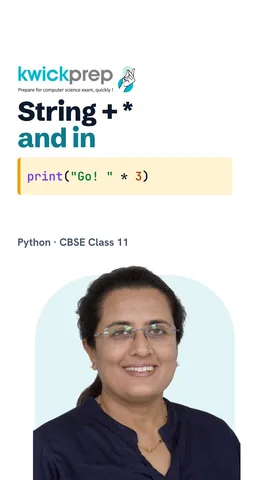 What does * do to a string?42 sec
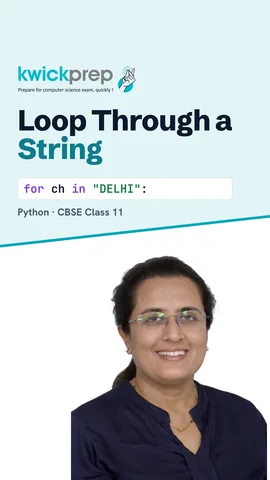 How do you check each letter of a word?37 sec
![Code showing name[0] = S is a TypeError and "S" + name[1:] printing Savya.](/images/learn/clips/PY11-R5.webp) Can you change one letter of a string?41 sec
Can you change one letter of a string?41 secThe full lesson, in text
Hello students, welcome to Kwickprep. Can you pick out the word Day from Sunday, or read a word backwards, in one short line? Python can. Today we will learn indexing, slicing, string operations, loops over strings, and why a string can never be changed.
First, some new words. A string is text written inside quotes, like the city name Mumbai. A string is a sequence, which means its characters stay in a fixed order. Each character has a position number, called its index. The len function counts the characters, so the length of Mumbai is six.
Think of the string as letters placed on a ruler. The first letter M has positive index zero, and negative index minus six. The letter U is at one, or minus five. The second M is at two, or minus four. B is at three, or minus three. A is at four, or minus two. And the last letter I is at five, or minus one.
Remember four facts about the ruler. Positive indexes count from the left, starting at zero. Negative indexes count from the right, starting at minus one. The last positive index is always the length minus one, so five for Mumbai. And both numbers point to the same character.
To read one character, write the index inside square brackets after the name. City at zero is M. City at three is B. City at minus one is the last letter, I. And the length of city is six. Pause and predict: what happens with city at six? Python gives an index error, string index out of range, because the last index is five.
A slice takes out a piece of a string. We write start, a colon, and stop inside square brackets. Start is included, but stop is not. So day from zero to three gives S U N, the letters at zero, one and two. From three to six gives D A Y. If you leave out start, it begins at zero. If you leave out stop, it goes to the end.
A slice can take a third number after a second colon, called the step. Step is the jump between characters. A step of two takes every second character, one, three, five, seven, nine. A step of three gives one, four, seven. A step of minus one walks backwards, so Sunday becomes Y A D N U S.
Exams love these slice questions. From one to four gives U N D, because stop is not included. From minus three to the end gives the last three letters, D A Y. A stop far beyond the end gives no error, just N D A Y. And when start is after stop, you get an empty string, with nothing inside the quotes. Finally, minus one to minus four with a step of minus one walks backwards. It gives Y A D, because stop is again not included.
Now the string operations. The plus sign joins two strings, and this is called concatenation. First plus a space plus last gives Riya Shah. The star sign repeats a string, and this is called repetition. Go, times three, cheers three times. But a string plus a number, like the text five plus three, gives a type error.
The word in checks membership, which means, is this text inside the string? The answer is True or False. The text go is inside mango, so it is True. The letter zed is not in mango, so not in gives True. Capital M is not in mango, because Python treats capital and small letters as different. So that gives False.
Traversing a string means visiting each character one by one. A for loop does this easily. The variable ch, short for character, takes one letter in each round. So the loop prints D, E, L, H and I. End equals a space keeps them all on one line.
Sometimes we also need the position. The length of the word is five, so range of five gives zero to four. The variable pos, short for position, takes each index. Word at pos gives the character there. So each line shows the index, and then its letter.
Here is a small program. We count how many times the letter A appears in Malayalam. Count starts at zero. Double equals asks, is this character equal to A? Each time it is, count goes up by one. The answer is four.
Immutable means cannot be changed. Once a string is made, you cannot change one of its characters. Here we try to change the K in Kavya into S. Python stops with a type error, saying the string does not support item assignment. Item assignment means putting a new value at one index.
So how do we get Savya? We build a brand new string. S is joined to the slice of name from index one to the end. New name is Savya. The old string Kavya is not touched, and it still prints Kavya.
Why did Python make strings immutable? Many variables can safely point to the same string, and none can spoil it for the others. A name or a roll number cannot be changed by mistake somewhere else. Python can also store and reuse strings more quickly. The rule to remember is simple: every change creates a new string.
Let us revise what we learned today. Indexes from the left start at zero, and from the right at minus one. A slice uses start, stop and step, and stop is never included. Plus joins strings, star repeats them, and in checks membership. A for loop traverses a string one character at a time. And strings are immutable, so every change makes a new string.
Courses that teach this
| Course | Unit |
|---|---|
| CBSE Class 11 Computer Science (083) | Computational Thinking and Programming - I |
| CBSE Class 11 Computer Science Essentials (083) | Computational Thinking and Programming - I |
| Programming All levels Python | Strings |
Free to watch, no sign-up. The live classes are the paid course; these lessons stay free either way.
Disclaimer. KwickAcademy is free study material for general learning and revision. Parts of it, including the voice-over, are produced with the help of AI tools and may contain errors; if you spot one, please tell us and we will correct it. Syllabus, marks and exam details follow the latest official board publications available to us, and boards can change them at any time, so always confirm against your board's official website and your school. Using this material does not guarantee any marks or result. Board names and trademarks belong to their owners; Kwickprep is not affiliated with or endorsed by any examination board. We never ask for passwords, OTPs or ID numbers. Your progress is saved only in this browser. Full disclaimer · Privacy