

KwickAcademy Python · 9 min · free
Python Tokens: Keywords, Identifiers, Literals, Operators and Punctuators
Learn Python tokens: keywords, identifiers, literals, operators and punctuators, with valid and invalid names. A token is the smallest meaningful unit in a program; Python splits each line into tokens before running it.
Follows the syllabus of: CBSE Class 11 Computer Science (083)
On screen in this lesson
What is a token?
| The smallest unit Python understands |
| Python splits each line into tokens first |
| Five kinds: keyword, identifier, literal, operator, punctuator |
The line broken into tokens
| Token | Kind | Why |
|---|---|---|
| fare | identifier | a name we made |
| = | operator | stores a value |
| base | identifier | a name we made |
| + | operator | adds |
| 30 | literal | a fixed value |
1. Keywords
| Words reserved by Python for its own use |
| Each has a fixed meaning, like if or for |
| All small letters, except True, False, None |
| Python 3 has 35 keywords |
Keywords you will use most
| Group | Keywords | More keywords |
|---|---|---|
| Decisions | if, elif, else | soft: match, case |
| Loops | for, while, in | break, continue |
| Functions | def, return | lambda, pass |
| Values | True, False | None |
| Logic | and, or, not | is |
| Modules | import, from | as |
Why a keyword cannot be a name
| Python reads a keyword by its fixed meaning |
| for = 5 confuses Python |
| So it stops with a SyntaxError |
| Fix: pick another name, like for_count |
2. Identifiers: rules
| Names for variables, functions and classes |
| Use letters, digits and underscore _ only |
| Cannot start with a digit; no spaces |
| Cannot be a keyword |
| Case sensitive: marks and Marks differ |
Quick answers
Is true (small t) a valid variable name?
Yes. True with a capital T is a keyword, but true is not.
Is 2marks a valid identifier?
No, an identifier cannot start with a digit.
KwickClips from this lesson
Short clips, one idea each. Good for revision the night before.
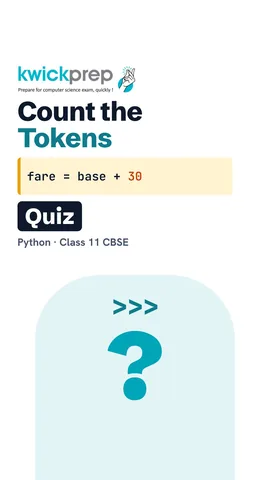 What is a token?42 sec
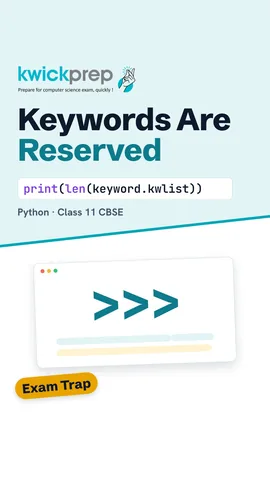 How many keywords does Python have?39 sec
 Is 2marks valid?44 sec
 Is None the same as zero?45 sec
![Python code marks = [45, 72] and if marks[1] > 50: printing 72.](/images/learn/clips/PY02-R5.webp) What does a colon do?43 sec
What does a colon do?43 secThe full lesson, in text
Hello students, welcome to Kwickprep. Is True a valid variable name in Python? And what about true with a small t? By the end of this lesson, you will know. Today we learn tokens, the small pieces every Python program is built from.
A token is the smallest meaningful unit in a program. Think of an English sentence, which is made of words and punctuation marks. In the same way, Python first splits each line into tokens, and only then runs it. There are five kinds of tokens: keywords, identifiers, literals, operators and punctuators.
Here is a small program for a bus fare. The base fare is one hundred twenty rupees, and we add thirty rupees for luggage. So it prints one hundred fifty. Now let us look closely at the second line, fare equals base plus thirty, and break it into tokens.
The line fare equals base plus thirty has five tokens. Fare is an identifier, because it is a name we created. The single equals sign is an operator that stores a value in a variable. Base is another identifier. The plus sign is an operator that adds. And thirty is a literal, because it is a fixed value written directly in the code.
The first kind of token is the keyword. A keyword is a word that Python has reserved for its own use. Each keyword has a fixed meaning, like if for decisions and for for loops. Keywords are written in small letters, except True, False and None, which begin with a capital letter. Current Python three versions have thirty five keywords.
You do not need to memorise all of them today. Keywords for decisions include if, elif and else. Loops use for, while, in, break and continue. Functions use def, return, lambda and pass. True, False and None are keyword values. And, or, not and is are used for logic. Import, from and as bring in extra code called modules. Match and case are soft keywords, which are special only in certain places, so they are not counted in the thirty five.
Python can tell you its own keywords. The keyword module holds a list called kw list. The function len counts the items, and it prints thirty five. Then iskeyword checks one word, and for is a keyword, so it prints True. Type print of keyword dot kw list to see the full list.
Why can a keyword not be used as your own name? Python always reads a keyword by its fixed meaning. If you write for equals five, Python expects a loop, not a variable. So it stops at once with a syntax error. The fix is simple: choose another name, like for underscore count.
The second kind of token is the identifier. An identifier is a name you create for a variable, a function or a class. It may use letters, digits and the underscore sign only, so no dash, dot or dollar sign. It cannot start with a digit, and it cannot contain a space. It cannot be a keyword. And it is case sensitive, so marks in small letters and Marks with a capital letter are two different names.
Let us test six names, a very common exam question. Total underscore marks is valid, because it uses letters and an underscore. Underscore count is valid, because a name may start with an underscore. Roll two is valid, because the digit is not first. Two marks is invalid, because it starts with a digit. Total space marks is invalid, because it has a space. And class is invalid, because it is a keyword.
Pause and predict. Remember our opening question. True with a capital letter is a keyword, so it cannot be a name. But true in small letters is not a keyword, so this program runs. Marks with a capital letter and marks in small letters are two different variables. So it prints ten, ninety and forty five. Even so, avoid such confusing names in real programs.
The third kind of token is the literal. A literal is a fixed value written directly in the code. Seventy two is an integer literal, a whole number. Four hundred fifty five point five zero is a float literal, which has a decimal point. Python prints it as four five five point five. The variable num holds a complex number, with a real part and an imaginary part marked by the letter j.
A string literal is text inside quotes, and single or double quotes both work. Surat and Train at five pm are string literals. A boolean literal is either True or False, nothing else. None is a special literal that means no value yet, like a match whose winner is not decided. So the output is Surat, Train at five pm, then True and None.
The fourth kind of token is the operator, a symbol or word that does work on values. Arithmetic operators like plus, minus, star for multiply and slash for divide do maths. Relational operators like double equals compare two values and give True or False. Assignment operators like a single equals sign store values. Logical operators, and, or and not, join conditions. We study every operator in detail in the operators lesson.
The fifth kind of token is the punctuator. Punctuators are symbols that give a program its shape, and the Python documents call them delimiters. Round brackets hold what we pass to a function, and they group parts of a sum. Square brackets make lists and pick items by position. Curly brackets make dictionaries, which store pairs of values. The comma separates items. The colon starts an indented block, in every if statement and loop. The semicolon lets two short statements share one line, though we rarely need it.
Look for the punctuators here. Square brackets make a list of three marks, and commas separate them. Curly brackets make a dictionary, where the colon links the key, name, to the value, Riya. Marks with one in square brackets picks the second item, seventy two, because counting starts at zero. The colon after the if starts a block. So it prints Riya and seventy two.
Some exams ask for answers in pseudocode, which is program steps written in simple fixed words. The same tokens appear here too. Declare, if, then, output and end if act like keywords. Fare is an identifier. One hundred twenty and Costly are literals. The left arrow is the assignment operator.
Let us revise what we learned today. A token is the smallest unit of a program. A keyword is a reserved word, so it can never be your own name. An identifier is a name you create, using letters, digits and underscore, without a digit first. A literal is a fixed value, like a number, a string, True, False or None. An operator does the work, and a punctuator shapes the code.
Courses that teach this
| Course | Unit |
|---|---|
| CBSE Class 9 Computer Applications (165) | Office tools |
| CBSE Class 10 Computer Applications (165) | HTML |
| CBSE Class 10 Information Technology (402) | Digital Documentation (Advanced) using LibreOffice Writer |
| CBSE Class 11 Computer Science (083) | Computational Thinking and Programming - I |
| CBSE Class 11 Computer Science Essentials (083) | Computational Thinking and Programming - I |
| CBSE Class 11 Informatics Practices (065) | Introduction to Python |
| CBSE Class 11 Artificial Intelligence (843) | Python Programming |
| ICSE Class 9 Computer Applications | Values and Data Types |
| Cambridge IGCSE Grade 10 Computer Science (0478) | 8. Programming |
| Programming All levels Python | Functions |
| Programming All levels C | Introduction to C and Program Structure |
Free to watch, no sign-up. The live classes are the paid course; these lessons stay free either way.
Disclaimer. KwickAcademy is free study material for general learning and revision. Parts of it, including the voice-over, are produced with the help of AI tools and may contain errors; if you spot one, please tell us and we will correct it. Syllabus, marks and exam details follow the latest official board publications available to us, and boards can change them at any time, so always confirm against your board's official website and your school. Using this material does not guarantee any marks or result. Board names and trademarks belong to their owners; Kwickprep is not affiliated with or endorsed by any examination board. We never ask for passwords, OTPs or ID numbers. Your progress is saved only in this browser. Full disclaimer · Privacy