

KwickAcademy free course · no sign-up
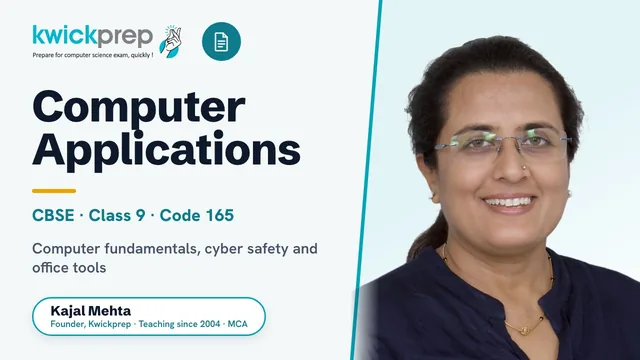
CBSE Class 9 Computer Applications (165)
Every syllabus topic on video. Watch in any order, read the same lesson in text, and tick off what you finish.
- 23lessons
- 84KwickClips
- 152 minof teaching
- Freealways
Course content
23 lessons in 3 units, in syllabus order.
Basics of Information Technology13 lessons · 82 min+
- 01What is a Computer? Characteristics, Uses and Types
- 02Components of a Computer System and the Block Diagram
- 03Inside the CPU: Fetch-Decode-Execute, Cores, Cache and Clock Speed
- 04Input Devices
- 05Secondary Storage: Magnetic, Optical, Solid State and Cloud
- 06What is a Computer Network? Evolution from ARPANET to the Internet
- 07Transmission Media: Wired and Wireless
- 08Types of Networks: PAN, LAN, MAN and WAN
- 09Output Devices
- 10Primary Memory: RAM, ROM and Cache
- 11Multimedia: images, audio, video, animation
- --Types of software: system software (operating system, device drivers), application softwar
- 12The Operating System: Functions, Types and User Interfaces
Cyber-safety4 lessons · 29 min+
Office tools8 lessons · 41 min+
- 17Edit and format a slide: add titles, subtitles, text, background, and watermark, headers and footers, and slide numbers.
- 18Edit and format text: text style (B, I, U), font type, font size, text colour, alignment of text. Format paragraphs with line and/or paragraph spacing.
- 19SQL Data Manipulation: INSERT, UPDATE and DELETE
- 20Introduction to a word processor: create and save a document.
- 21The Standard Template Library: vector, set, map and Algorithms
- 22Spreadsheets: concept of a worksheet and a workbook, create and save a worksheet.
- --Use auto-format, track changes, review comments, use of drawing tools, shapes and mathemat
- 23Aggregate Functions: COUNT, SUM, AVG, MAX and MIN
What you get, free
- The videoEach topic taught on screen, about 6 minutes.
- The same lesson in textFull wording, plus the tables from the video.
- KwickClips30-to-60-second clips for the night before a test.
- Your ticksKept in this browser. No account, no email, nothing sent to us.
All free courses · Paid live courses
Disclaimer. KwickAcademy is free study material for general learning and revision. Parts of it, including the voice-over, are produced with the help of AI tools and may contain errors; if you spot one, please tell us and we will correct it. Syllabus, marks and exam details follow the latest official board publications available to us, and boards can change them at any time, so always confirm against your board's official website and your school. Using this material does not guarantee any marks or result. Board names and trademarks belong to their owners; Kwickprep is not affiliated with or endorsed by any examination board. We never ask for passwords, OTPs or ID numbers. Your progress is saved only in this browser. Full disclaimer · Privacy