

KwickAcademy Python · 9 min · free
Input, Output and Type Conversion
Learn Python input() and print(), sep and end, explicit and implicit type conversion, bool() rules and escape sequences. Type conversion means changing a value from one data type to another, explicitly with int(), float(), str(), bool() or implicitly by Python.
Follows the syllabus of: CBSE Class 11 Computer Science (083)
On screen in this lesson
Input and output
| Input: data going into a program |
| Output: results coming out of it |
| input() reads from the keyboard |
| print() shows on the screen |
print() in detail
| Items are separated by commas |
| sep: what goes between items (default space) |
| end: what goes at the end (default new line) |
| Change them with sep="..." and end="..." |
Type conversion
| Type conversion: changing a value's data type |
| Explicit: you write int(), float(), str(), bool() |
| Implicit: Python converts by itself |
| Also called type casting |
Explicit: bool()
| Value | bool() gives | Why |
|---|---|---|
| 0 or 0.0 | False | zero |
| "" | False | empty string |
| None | False | no value |
| any other number | True | not zero |
| "Hi" | True | not empty |
Where Python will not convert
| int + float gives a float |
| bool + int gives an int |
| "5" + 5 gives TypeError |
| Fix: int("5") + 5 or "5" + str(5) |
Escape sequences
| Write | Means | Use |
|---|---|---|
| \n | new line | break a line |
| \t | tab | line up columns |
| \' | single quote | inside '...' |
| \" | double quote | inside "..." |
| \\ | backslash | a real \ |
Quick answers
Why does 15 + 15 give 1515 after input()?
input() returns a string, and + joins strings. Convert with int() first.
Does int(9.8) give 10?
No, int() cuts off the decimal and gives 9.
KwickClips from this lesson
Short clips, one idea each. Good for revision the night before.
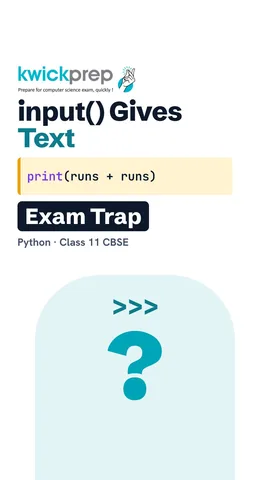 What type does input() return?40 sec
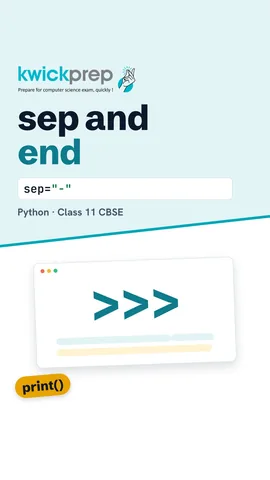 What is the default sep?39 sec
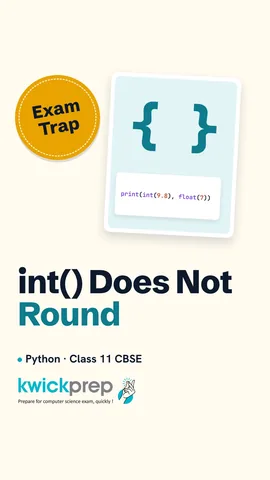 Does int() round?44 sec
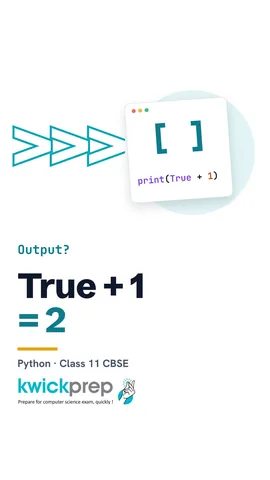 What is True + 1?43 sec
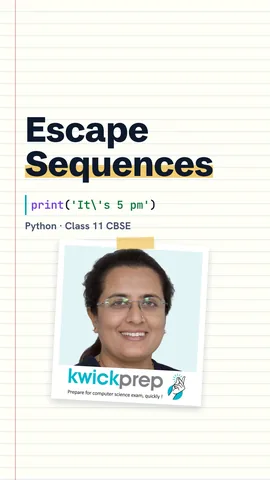 Can one print show two lines?46 sec
The full lesson, in text
Hello students, welcome to Kwickprep. You type fifteen and fifteen, and Python answers fifteen fifteen, not thirty. Why? Today we learn how input and print really work, how to convert one data type into another, and how to print special characters.
Every useful program takes something in and gives something out. Input is data that goes into a program, like the marks a teacher types. Output is the result that comes out, like the total shown on screen. In Python, the input function reads what the user types on the keyboard. The print function shows results on the screen.
The input function shows a message, waits for the user to type, and gives back what was typed. Suppose the user types fifteen. Here is the trap. Input always gives back a string, which means text, even when you type digits. Plus between two strings joins them, so fifteen and fifteen become one five one five. The type function confirms it is class str.
Here the typed value is written into the program, so we can check the output every time. The variable typed holds fifteen in quotes, exactly as input would give it. Joining two strings prints one five one five. But the int function converts the text into a whole number. Now plus adds numbers, so it prints thirty.
So when you need a number, wrap input inside int or float. Suppose the user orders three plates of pav bhaji at forty point five rupees each. Int turns three into a whole number. Float turns forty point five into a decimal number. The star sign multiplies, so the bill is one hundred twenty one point five.
Now let us look closely at print. You can give print many items, separated by commas. The sep setting decides what goes between the items, and by default it is one space. The end setting decides what goes after the last item, and by default it is a new line. You can change both by writing sep equals, or end equals, with your own text in quotes.
Let us print a date. With no sep, print puts one space between the items, so we get seventeen, nine, two thousand twenty six. With sep equal to a dash, the items are joined by dashes, like a date on a form. With sep equal to a comma and a space, we get a neat list of names.
Normally each print starts a new line, because end is a new line. Here the first print uses end equal to three dots. So the cursor stays on the same line, and Done appears right after the dots. In the same way, end equal to a space keeps A and B together on one line.
Now a new term. Type conversion means changing a value from one data type to another. In explicit conversion, you write the conversion yourself, using int, float, str or bool. In implicit conversion, Python converts the value automatically, without you asking. Explicit conversion is also called type casting.
Int of forty five in quotes gives the number forty five, so adding five gives fifty. Int of nine point eight gives nine, because int simply cuts off the decimal part, it does not round. Float of ninety nine point five in quotes gives the decimal number. Float of seven gives seven point zero. But int of a word like hello cannot work, and Python gives a value error. Even int of nine point eight in quotes gives a value error.
The str function converts a value into text. Plus can join two strings, but it cannot join a string and a number. Without str, this line gives a type error. With str of runs, eighty five becomes text, so the join works. It prints Riya scored eighty five.
The bool function converts a value into True or False. Zero and zero point zero become False. An empty string, with nothing inside the quotes, becomes False. None also becomes False. Any other number, even minus five, becomes True. And any string with something inside it becomes True.
Pause and predict. What does bool of zero inside quotes print? It prints True! Zero in quotes is a string with one character, so it is not empty. Bool of the number zero is False. And the word False inside quotes is also a non-empty string, so it is True.
Now implicit conversion, where Python converts by itself. In five plus two point five, Python turns the int into a float. No decimal is lost, and the answer is seven point five. The single slash always gives a float, so ten divided by two is five point zero. In a sum, True counts as one and False as zero. So True plus one gives two.
Python converts implicitly only between number types, so remember these rules. An int with a float gives a float. A bool with an int gives an int. But a string plus a number is never converted, and Python gives a type error. You must fix it yourself, with int for maths or str for joining text.
Some characters are hard to type inside a string, so we use escape sequences. An escape sequence is a backslash followed by a letter or symbol, and it means one special character. Backslash N means a new line. backslash T means a tab, a wide gap that helps line up columns. Backslash single quote puts a single quote inside single quotes. Backslash double quote does the same for double quotes. And two backslashes print one real backslash.
Here is a small class list. Backslash T puts a tab between Roll and Name, so the columns line up. In the second print, backslash N starts a new line, so one print gives two lines. Backslash single quote lets us write It's inside single quotes. And backslash double quote prints Namaste with quotation marks around it.
Some exams ask you to write input and output in pseudocode. Output shows a message, and input reads a value into a variable. The left arrow stores the result of the calculation. Notice that pseudocode does not need a conversion step.
Let us revise what we learned today. Input always returns a string, so convert it before doing maths. In print, sep goes between items and end goes after them. Explicit conversion uses int, float, str and bool. Implicit conversion happens only between numbers, like int and float, never with strings. And backslash N, backslash T and backslash quotes are escape sequences.
Courses that teach this
| Course | Unit |
|---|---|
| CBSE Class 9 Artificial Intelligence (417) | Part B - Unit 5: Introduction to Python |
| CBSE Class 11 Computer Science (083) | Computational Thinking and Programming - I |
| CBSE Class 11 Computer Science Essentials (083) | Computational Thinking and Programming - I |
| CBSE Class 11 Informatics Practices (065) | Introduction to Python |
| ICSE Class 9 Computer Applications | Values and Data Types |
| Cambridge IGCSE Grade 9 Computer Science (0478) | 8. Programming |
| Cambridge IGCSE Grade 10 Computer Science (0478) | 8. Programming |
| Programming All levels Python | Getting Started with Python |
| Programming All levels C | Data Types, Variables, and Operators |
Free to watch, no sign-up. The live classes are the paid course; these lessons stay free either way.
Disclaimer. KwickAcademy is free study material for general learning and revision. Parts of it, including the voice-over, are produced with the help of AI tools and may contain errors; if you spot one, please tell us and we will correct it. Syllabus, marks and exam details follow the latest official board publications available to us, and boards can change them at any time, so always confirm against your board's official website and your school. Using this material does not guarantee any marks or result. Board names and trademarks belong to their owners; Kwickprep is not affiliated with or endorsed by any examination board. We never ask for passwords, OTPs or ID numbers. Your progress is saved only in this browser. Full disclaimer · Privacy