

KwickAcademy Java · 8 min · free
The String Class and String Methods
Strings as immutable objects, the reading methods, comparing text with equals, the methods that return a new string, and three exam programs.
Follows the syllabus of: CBSE Class 12 Information Technology (802), ICSE Class 10 Computer Applications, ISC Class 11 Computer Science (868), ISC Class 12 Computer Science (868)
On screen in this lesson
A String is an object
| A string is text inside double quotes, like "Riya" |
| String is a class, so every string is an object |
| An object comes with ready-made methods |
| Positions are called indexes, and they start at 0 |
Reading a string: "banana"
| Method | Gives | Result |
|---|---|---|
| length() | number of chars | 6 |
| charAt(2) | char at index 2 | 'n' |
| indexOf('a') | first position | 1 |
| lastIndexOf('a') | last position | 5 |
| substring(1, 4) | index 1 to 3 | "ana" |
| indexOf('z') | not found | -1 |
Comparing strings
| Method | Checks | Example |
|---|---|---|
| equals | same text and case | "Ram","ram": false |
| equalsIgnoreCase | ignores case | "Ram","ram": true |
| compareTo | dictionary order | "cat","car": 2 |
| == | same object? | avoid for text |
Methods that make a new string
| Method | On | Result |
|---|---|---|
| toUpperCase() | "Pen" | "PEN" |
| toLowerCase() | "Pen" | "pen" |
| trim() | " hi " | "hi" |
| replace('a', 'o') | "cat" | "cot" |
| concat("day") | "Sun" | "Sunday" |
Quick recap
| Strings are immutable objects; store the result back |
| length, charAt, indexOf, lastIndexOf, substring read text |
| Use equals, never ==, to compare text |
| trim, replace, concat and case methods return a new string |
| Practise palindrome, word count and frequency programs |
Quick answers
Why can == say two identical strings are different?
== checks whether they are the same object. new String("Riya") makes a separate object, so use equals.
What does substring(1, 4) give for "banana"?
"ana", because the end index is not included.
KwickClips from this lesson
Short clips, one idea each. Good for revision the night before.
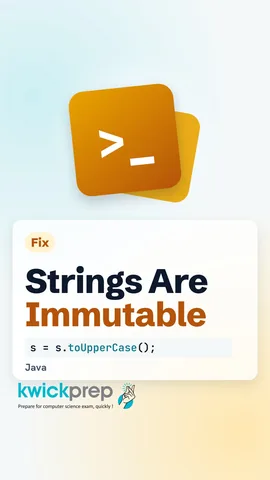 Why did my string stay in small letters?39 sec
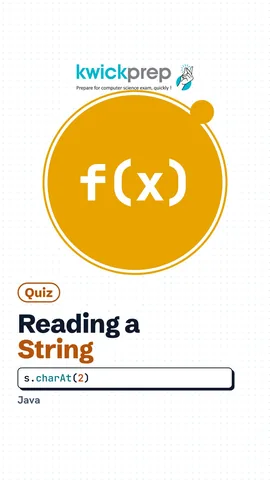 Where does indexing start?43 sec
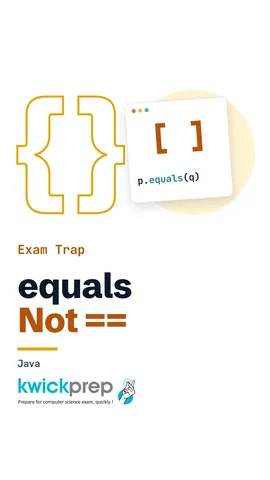 Why is == false for two identical strings?42 sec
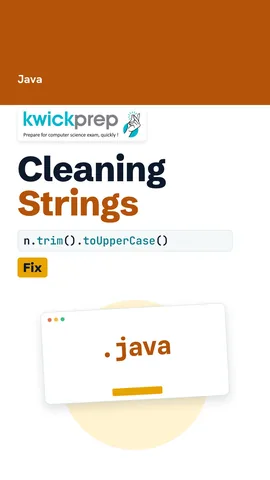 How do you remove extra spaces a user typed?42 sec
 How do you check a palindrome?41 sec
The full lesson, in text
Hello students, welcome to Kwickprep. Two strings both hold the word Riya. Can double equals still say they are different? Surprisingly, yes. Today we learn the String class, its most useful methods, and three programs that board exams love.
Let us start with four basic ideas. A string is a sequence of characters written inside double quotes. In Java, String is a class, so every string you make is an object. A method is a ready-made action that an object can do, like finding its length. Each character has a position number called an index, and the first index is zero, not one.
Strings in Java are immutable. Immutable means once a string is made, it can never be changed. Here we call to upper case on S. It builds a brand new string, Riya in capital letters. But we did not store that new string anywhere, so it is lost. So S still prints riya in small letters. To keep the change, write S equals S dot to upper case.
These methods read a string without changing it, and we test them on the word banana. Length gives the number of characters, which is six. Char at two gives the character at index two, the letter N. Index of a gives the first position where a appears, which is one. Last index of a searches from the end, and gives five. Substring one comma four starts at index one and stops just before index four, so we get the letters A, N, A. If a character is not found, index of gives minus one.
Pause and predict the two outputs. The length N is six, so the last index is N minus one, which is five. Char at five is the letter a. Substring with only one number starts there and goes to the end, so substring two gives nana. Careful: char at six does not exist. It throws a String Index Out Of Bounds Exception.
Now let us compare two strings. Equals checks whether both strings have exactly the same characters, and capitals count. Equals ignore case also compares the characters, but treats capital and small letters as the same. Compare to tells the dictionary order as a number. Double equals only checks whether both names point to the same object, so avoid it for text.
Here is the trap from the start of the lesson. P is the text Riya. Q is also Riya, but the word new creates a separate object in memory. Double equals asks, are P and Q the same object? No, so it prints false. Equals asks, do they hold the same characters? Yes, so it prints true. So always use equals to compare the text of two strings.
Compare to finds the first position where the two strings differ. Aman and Anil differ at index one, where M meets N. It subtracts their character codes, and M is one less than N, so we get minus one. A negative answer means P comes first in the dictionary. A positive answer means P comes later, and zero means the strings are equal.
These five methods return a new string, and the old one stays the same. To upper case turns every letter into a capital. To lower case turns every letter into a small letter. Trim removes spaces from the start and the end, but not the spaces in the middle. Replace A with O changes every A into O, so cat becomes cot. Concat joins one string to the end of another, so Sun and day make Sunday.
Methods can be joined in a chain, one after another. The name has extra spaces, like a student typed it carelessly in a form. Trim removes the spaces, then to upper case makes it all capitals, and we store it back in N. Concat adds an exclamation mark, so it prints Riya in capitals with an exclamation mark. Ends with checks the last characters. Does it end with Y A? Yes, so true.
Starts with checks the beginning of a string, and ends with checks the end. Both give true or false. The file name is Marks dot P D F. Does it start with M a r? Yes, so P is true. Does it end with doc? No, so the second line prints false. Both checks are case sensitive, so capital letters and small letters are different.
Now three programs that exams ask again and again. A palindrome is a word that reads the same backwards, like madam or level. The loop starts at the last index and moves back to index zero. Each step adds one character to R, so R becomes the word reversed. Finally, equals compares the word with its reverse. Madam reversed is madam, so it prints true.
To count words, we count the spaces. Words are separated by single spaces, so the number of words is one more than the number of spaces. So the counter C starts at one. The loop checks every character, and adds one to C whenever it finds a space. There are three spaces, so it prints four. In real input, first use trim, so extra spaces at the ends are not counted.
Frequency means how many times something appears. Here we count how many times the letter a appears in banana. The variable C H holds the letter, and F is the counter starting at zero. Notice that a single character uses single quotes, while a string uses double quotes. The loop compares each character with C H, and a appears three times. So it prints three.
Some exams ask for string handling in pseudocode. Length gives the number of characters, and U case gives capital letters. Substring here takes a start position and a count of characters. In this pseudocode the first character is position one, so the last line outputs K a j. Remember, Java starts counting at zero.
Let us revise today's lesson. Strings are immutable objects, so store a changed string back in a variable. Length, char at, index of, last index of and substring read parts of a string. Use equals to compare text, not double equals. Trim, replace, concat and the case methods always return a new string. Now practise the palindrome, word count and frequency programs with your own words.
Courses that teach this
| Course | Unit |
|---|---|
| CBSE Class 12 Information Technology (802) | Fundamentals of Java Programming |
| ICSE Class 10 Computer Applications | Library Classes |
| ISC Class 11 Computer Science (868) | Arrays and Strings |
| ISC Class 12 Computer Science (868) | Arrays and Strings |
| GSEB Std 12 Computer Studies | Classes, Objects, Arrays and Strings in Java |
| Cambridge IGCSE Grade 10 Computer Science (0478) | 8. Programming |
| Programming All levels Java | Arrays and Strings |
Free to watch, no sign-up. The live classes are the paid course; these lessons stay free either way.
Disclaimer. KwickAcademy is free study material for general learning and revision. Parts of it, including the voice-over, are produced with the help of AI tools and may contain errors; if you spot one, please tell us and we will correct it. Syllabus, marks and exam details follow the latest official board publications available to us, and boards can change them at any time, so always confirm against your board's official website and your school. Using this material does not guarantee any marks or result. Board names and trademarks belong to their owners; Kwickprep is not affiliated with or endorsed by any examination board. We never ask for passwords, OTPs or ID numbers. Your progress is saved only in this browser. Full disclaimer · Privacy