

KwickAcademy Java · 7 min · free
Errors in Java Programs: Syntax, Run-time and Logical
Learn the three kinds of Java errors: syntax errors caught by the compiler, run-time exceptions, and logical errors only testing finds. A syntax error breaks Java's grammar, a run-time error stops a running program, and a logical error gives a wrong answer.
Follows the syllabus of: ICSE Class 9 Computer Applications
On screen in this lesson
Three kinds of errors
| Syntax error: the grammar of Java is broken |
| Run-time error: the program stops while running |
| Logical error: the program runs but the answer is wrong |
Compile first, then run
| Stage | Tool | Errors found |
|---|---|---|
| Compile | javac | syntax errors |
| Run | java (JVM) | run-time errors |
| Check output | you, by testing | logical errors |
Common syntax errors
| Mistake | Example | Compiler says |
|---|---|---|
| Missing semicolon | int a = 5 | ';' expected |
| Undeclared name | total = 10; | cannot find symbol |
| Wrong type | int x = 2.5; | lossy conversion |
| Missing brace | no closing } | reached end of file |
Run-time errors
| The program compiles without any error |
| It stops suddenly while running |
| Java throws an exception and prints its name |
| Lines after the error never run |
Exceptions you will meet
| ArithmeticException: an int divided by zero |
| InputMismatchException: typing abc when nextInt() wants a number |
| NumberFormatException: Integer.parseInt("abc") |
| StringIndexOutOfBoundsException: charAt(10) on a short word |
Logical errors
| No compile error and no crash |
| The output is simply wrong |
| Java gives no message at all |
| Found only by testing with known answers |
Quick answers
Which error gives no message at all?
A logical error. The program runs, but the output is wrong.
Where are syntax errors caught?
By the compiler, javac, before anything runs.
KwickClips from this lesson
Short clips, one idea each. Good for revision the night before.
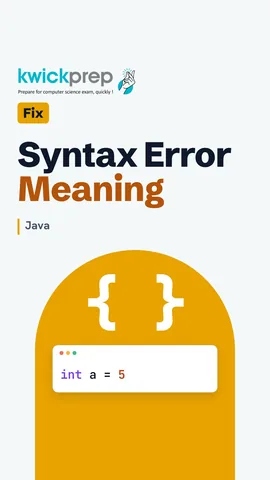 Who catches a syntax error?39 sec
 Why did a program with no compile error still crash?39 sec
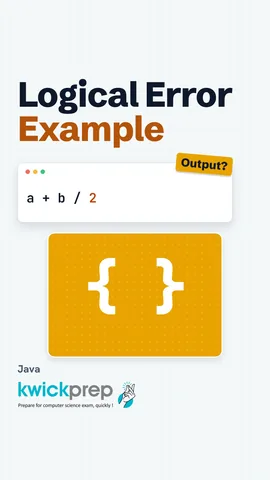 Why does 40 + 50 / 2 give 65?38 sec
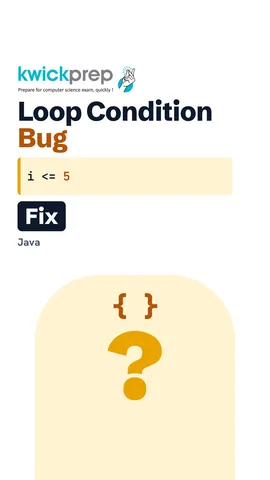 Why did the loop stop at 4?37 sec
The full lesson, in text
Hello students, welcome to Kwickprep. Sometimes Java refuses to run your program. Sometimes it runs, then crashes. And sometimes it runs happily, but prints the wrong answer. These are three different kinds of errors. Today we will learn all three, and then debug a broken program together, step by step.
A mistake in a program is called an error, or a bug. A syntax error means we broke the grammar rules of Java, like a missing semicolon. A run-time error means the program starts, but stops suddenly while running. A logical error means the program runs to the end, but the output is wrong.
To find where each error appears, remember how a Java program runs. First, the compiler, javac, checks the code and turns it into bytecode. Syntax errors are caught here, so they are also called compile time errors. Next, the Java Virtual Machine, or JVM, runs the bytecode, and run-time errors appear now. Finally, only you can catch a logical error, by checking the output.
Look carefully at the first line. The semicolon at the end is missing. Every Java statement must end with a semicolon. So the compiler stops and reports, semicolon expected, with the line number. Not a single line runs until you fix it.
Here are four syntax errors students make in exams. A missing semicolon gives, semicolon expected. Using a variable you never declared gives, cannot find symbol. Java is also case sensitive, so writing System with a small s is also a syntax error. Storing two point five in an int gives, possible lossy conversion from double to int. A missing closing brace gives, reached end of file while parsing.
Now the second kind. A run-time error is sneaky, because the program compiles without any error. It stops suddenly only while it is running. When this happens, Java throws an exception. An exception is Java's report of a problem at run time, and it prints the exception name and the line number. Any lines after the error never run.
Thirty boys must be split into groups, but groups is zero by mistake. The compiler sees nothing wrong, because the grammar is correct. But while running, Java cannot divide an integer by zero. It throws an ArithmeticException, with the message, slash by zero. The print line never runs. With double values, Java does not crash, and gives Infinity instead.
Here are the exceptions you will meet most often. ArithmeticException comes when an integer is divided by zero. InputMismatchException comes when a Scanner asks for a number with nextInt, but the user types letters. NumberFormatException comes when Integer dot parseInt gets text that is not a number. StringIndexOutOfBoundsException comes when charAt asks for a position that the string does not have.
The third kind is the hardest to find. A logical error gives no compile error and no crash. The program finishes, but the output is simply wrong. Java cannot warn you, because it does exactly what you wrote. You find it only by testing with inputs whose answers you already know.
This program should find the average of forty and fifty, which is forty five. Pause and predict. What does it really print? It prints sixty five. Division has higher precedence than addition, so Java first does fifty divided by two, which is twenty five. Then it adds forty, and gets sixty five. No error message, just a wrong answer.
The fix is one pair of brackets. Brackets are worked out first, so a plus b gives ninety. Ninety divided by two is forty five, which is the right answer. We knew the answer should be forty five, and that is how we spotted the error.
Let us put the three side by side, because exams often ask you to name the error type. A syntax error is found by the compiler, like a missing semicolon. A run-time error is found by the JVM while running, like dividing an integer by zero. A logical error is found only by you, like writing a plus b divided by two for an average.
Debugging means finding and removing errors. Here are five habits. Read the first error message, and go to the line number it gives. Fix one error, then compile again, because one mistake can cause many messages. Before you run, work out the right answer by hand. If the output is wrong, print the variables inside the program to see what changes. You can also dry run on paper with a trace table.
Now let us debug together. This program should add one to five, and we know the answer is fifteen. But it gives ten, so there is a logical error. We add a print line inside the loop, to show i and sum each time. The output shows i goes one, two, three, four, and then stops. Five is never added.
Why did it stop at four? The condition says i less than five, and five is not less than five. The fix is less than or equal to five. We also remove the extra print line, because it was only for debugging. Now the program prints fifteen, which matches our answer.
Let us revise. A syntax error breaks Java's grammar, and the compiler stops before anything runs. A run-time error throws an exception while the program is running, like dividing by zero. A logical error gives no message, only a wrong output. To debug, read the error message, print values, and test with answers you already know.
Courses that teach this
| Course | Unit |
|---|---|
| ICSE Class 9 Computer Applications | Input in Java |
Free to watch, no sign-up. The live classes are the paid course; these lessons stay free either way.
Disclaimer. KwickAcademy is free study material for general learning and revision. Parts of it, including the voice-over, are produced with the help of AI tools and may contain errors; if you spot one, please tell us and we will correct it. Syllabus, marks and exam details follow the latest official board publications available to us, and boards can change them at any time, so always confirm against your board's official website and your school. Using this material does not guarantee any marks or result. Board names and trademarks belong to their owners; Kwickprep is not affiliated with or endorsed by any examination board. We never ask for passwords, OTPs or ID numbers. Your progress is saved only in this browser. Full disclaimer · Privacy