

KwickAcademy Java · 6 min · free
Assertions and Threads in Java
Learn Java assertions and threads for CBSE Class 12 IT: assert, the -ea option, creating threads two ways, start() vs run(), and race conditions. An assertion checks a condition the programmer believes must always be true, and a thread is one path of execution.
Follows the syllabus of: CBSE Class 12 Information Technology (802)
On screen in this lesson
What an assertion is
| A check that a condition must be true |
| If false, Java throws AssertionError |
| Used while testing, to find bugs early |
| Off by default; turn on with java -ea |
When to use assertions
| Use: conditions that should never be false |
| Use: checking your own logic while testing |
| Avoid: checking user input |
| Avoid: code with side effects inside assert |
What a thread is
| A thread is a single path of execution |
| Every program starts with the main thread |
| Many threads can run inside one program |
| Like a cook making tea while toast browns |
Why threads are useful
| An app stays responsive while it works |
| Download a file while you keep typing |
| Use many CPU cores together |
| Games: music, movement and scores together |
start() versus run()
| Call | New thread? | Result |
|---|---|---|
| t.start() | yes | runs together |
| t.run() | no | ordinary method |
| start() twice | error | exception |
Thread life cycle
| New: object created, not started |
| Runnable: ready or running |
| Blocked or waiting: paused for something |
| Terminated: run has finished |
Quick answers
Why did my assert not run?
Assertions are off by default. Run the program with java -ea.
What is the difference between start() and run()?
start() creates a new thread which then calls run(). Calling run() directly is just an ordinary method call.
KwickClips from this lesson
Short clips, one idea each. Good for revision the night before.
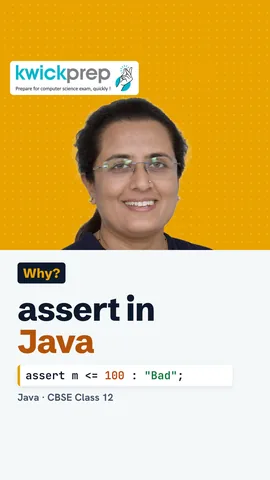 What happens if an assert condition is false?38 sec
 What is a thread?40 sec
 Which method do you call to begin a thread?40 sec
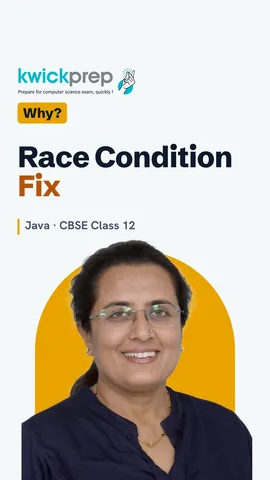 What is a race condition?40 sec
The full lesson, in text
Hello students, welcome to Kwickprep. How can a program catch its own wrong assumptions? And how can it do two jobs at the same time? Today we learn assertions, threads, how to create threads, and why running tasks together needs care.
An assertion is a statement that checks something the programmer believes must be true. If the condition is false, Java stops with an error called AssertionError. Assertions help us find bugs early, while testing the program. They are switched off by default when a program runs. We switch them on with the option minus e a, which means enable assertions.
Here m holds the marks, and marks can never be more than one hundred. The assert line says m must be less than or equal to one hundred. The text after the colon is the message shown if the check fails. If we run java minus e a Marks, the check fails, and we see AssertionError, Bad marks. A normal run skips the assert, so it prints one hundred five, as shown.
So when should we use an assertion? Use it for conditions that should never be false if your code is correct. Use it to check your own logic, like a total that must never be negative. Do not use it to check user input, because assertions may be switched off, so use if with an error message instead. And never put important work inside an assert, since that work disappears when assertions are off.
Now a new idea. A thread is a single path of execution, meaning one sequence of steps running in a program. Every Java program starts with one thread, called the main thread. A program can create more threads, so several tasks run at the same time. Think of a canteen cook who boils tea while the toast browns, instead of waiting for one to finish. Running many tasks together in this way is called multithreading.
Why do we need threads? They keep an app responsive, so the screen does not freeze during a long task. A browser can download a file while you keep typing. Modern CPUs have many cores, and threads can use them together. A game plays music, moves players and updates scores, each in its own thread.
The first way to create a thread is to extend the Thread class. Class T extends Thread, and we override the run method. The run method holds the work that the new thread will do. In main, we create a T object and call start. Start creates a new thread, which then calls run, and it prints Hi.
The second way is to implement the Runnable interface. An interface is a list of methods a class promises to write, and Runnable needs only run. We pass a Job object to a new Thread, and call start. The new thread runs the run method and prints Job. This way is often preferred, because the class is still free to extend another class.
Here is a common exam trap. Calling start creates a new thread, and then run is called on that thread. Calling run directly creates no new thread, so it is just an ordinary method call in the main thread. Calling start twice on the same thread gives an IllegalThreadStateException.
A thread passes through states in its life. It is new when the object is created, but start is not yet called. After start, it is runnable, which means ready to run or running. It may be blocked or waiting, for example while waiting for a lock or for another thread. When run finishes, the thread is terminated.
Concurrency means many threads running at the same time, and it needs care. The order in which threads run is decided by the system, so output order can change on every run. A race condition happens when two threads change the same data together and the result goes wrong. The keyword synchronized lets only one thread use a method at a time, which prevents this. But careless locking can cause a deadlock, where two threads wait for each other forever.
Imagine two ticket counters booking seats, both using the same count c. The line c plus plus looks like one step, but it reads, adds and writes back. If two threads read the same old value together, one booking is lost. Adding synchronized to the add method lets only one thread inside at a time. Pause and predict. Without synchronized, two threads each add one thousand times. Is c always two thousand? No, it can be less.
Let us revise. An assert checks a condition that must be true, and it works only when enabled with minus e a. Never use assertions to check user input. A thread is one path of execution inside a program. Create a thread by extending Thread or implementing Runnable, and always call start. When threads share data, use synchronized to avoid race conditions. Write both thread programs yourself today.
Courses that teach this
| Course | Unit |
|---|---|
| CBSE Class 12 Information Technology (802) | Fundamentals of Java Programming |
Free to watch, no sign-up. The live classes are the paid course; these lessons stay free either way.
Disclaimer. KwickAcademy is free study material for general learning and revision. Parts of it, including the voice-over, are produced with the help of AI tools and may contain errors; if you spot one, please tell us and we will correct it. Syllabus, marks and exam details follow the latest official board publications available to us, and boards can change them at any time, so always confirm against your board's official website and your school. Using this material does not guarantee any marks or result. Board names and trademarks belong to their owners; Kwickprep is not affiliated with or endorsed by any examination board. We never ask for passwords, OTPs or ID numbers. Your progress is saved only in this browser. Full disclaimer · Privacy