
GSEB Class 9 Computer Studies Classes
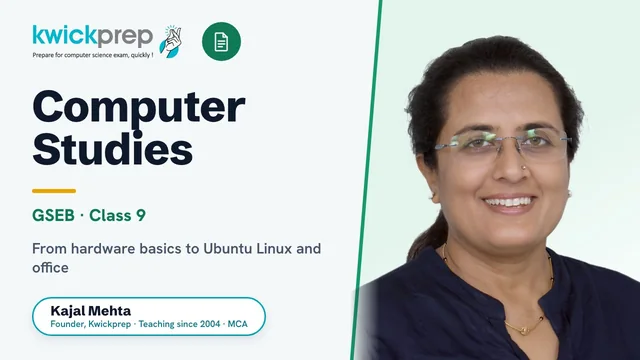
Build a strong computer foundation the GSEB way - from hardware basics to Ubuntu Linux, office tools and the internet.
A complete GSEB (Gujarat Board) Class 9 Computer Studies course following the official GSSTB/GCERT textbook. Students learn computer fundamentals, the Ubuntu Linux operating system, word processing and presentation tools, and safe use of the internet and email. Lessons mix concept clarity with hands-on practice so learners gain real, exam-ready computer skills.
What you'll learn
- ✓Explain how a computer works, including its block diagram and main components
- ✓Identify input, output, memory and storage devices and their functions
- ✓Understand the role of an operating system and navigate the Ubuntu Linux desktop
- ✓Manage files and folders and use basic Ubuntu Linux utilities
- ✓Create, edit and format documents using a word processor (LibreOffice Writer)
- ✓Build tables and perform mail merge for documents
- ✓Design slide presentations with text, images and transitions
- ✓Use the internet, email and apply basic internet safety and security practices
Full syllabus
Mapped to the official GSEB curriculum.
01Unit 1: Introduction to Computers+
- What is a computer
- Characteristics and uses of computers
- Block diagram of a computer
- Types of computers
02Unit 2: History and Evolution of Computers+
- Early computing devices
- Generations of computers
- Evolution of modern computers
03Unit 3: Input and Output Devices+
- Input devices (keyboard, mouse, scanner, etc.)
- Output devices (monitor, printer, speakers)
- Functions of I/O devices
04Unit 4: Memory, Storage Devices and Data Representation+
- Primary and secondary memory
- RAM, ROM and cache
- Storage devices
- Number systems and data representation
- Units of memory
05Unit 5: Introduction to Operating System+
- What is an operating system
- Functions of an OS
- Types of operating systems
06Unit 6: Introduction to Ubuntu Linux+
- What is Ubuntu Linux
- Installing and logging in
- Ubuntu desktop overview
07Unit 7: Introduction to Ubuntu Linux GUI+
- Working with the graphical user interface
- Windows, icons and menus
- Customising the desktop
08Unit 8: Basic Utilities in Ubuntu Linux+
- File and folder management
- Using built-in utilities and tools
- System settings basics
09Unit 9: Introduction to Word Processing+
- Word processor basics (LibreOffice Writer)
- Creating and saving documents
- Working with text
10Unit 10: Editing and Formatting Documents+
- Editing text
- Character and paragraph formatting
- Page layout and styles
11Unit 11: Tables and Mail Merge+
- Creating and formatting tables
- Inserting rows, columns and data
- Mail merge concept and steps
12Unit 12: Introduction to Presentation+
- Presentation software basics (LibreOffice Impress)
- Creating slides
- Adding text, images and transitions
13Unit 13: Introduction to the Internet+
- What is the internet
- Web browsers and websites
- Searching and using the web
14Unit 14: Email and Security in Internet+
- Creating and using email
- Sending and receiving messages
- Internet safety and security best practices
Tools you'll use
Exam pattern
GSEB Class 9 is a school-level (non-board) standard, so assessment is set internally by the school per GSEB/GCERT guidelines - typically a combination of written theory and practical/computer-lab work. Exact theory-to-practical marks split varies by school.
Practical / project
Hands-on computer lab practice using Ubuntu Linux: file and folder management, document creation and formatting in LibreOffice Writer, tables and mail merge, building presentations in LibreOffice Impress, and using a web browser and email safely.
Who it's for
Gujarat Board (GSEB) Class 9 students beginning their formal computer studies, and learners who want a strong, practical foundation in computer fundamentals, Ubuntu Linux and office tools before Class 10.
What's included
- ✓Live, interactive online classes with Kajal Ma'am, concepts explained on a shared screen with real, hands-on demonstration
- ✓Chapter-wise Kwick Notes covering all 14 GSEB Class 9 Computer Studies units
- ✓Textbook solutions and answers mapped to the official GSSTB/GCERT Computer Studies textbook
- ✓Regular practice assignments and worksheets after every chapter
- ✓Dedicated doubt-solving sessions until each topic is fully clear
- ✓Guided hands-on practice on Ubuntu Linux, LibreOffice Writer and LibreOffice Impress
- ✓Practical and computer-lab task guidance for file management, documents and presentations
- ✓School-exam (theory + practical) question practice and revision support
Why study Computer Studies?
GSEB Class 9 Computer Studies is the foundation year of the Gujarat Board computer track, it introduces hardware, the operating system (Ubuntu Linux), word processing, presentations and safe internet use that every later class builds on. Although Class 9 is a school-level (non-board) standard, the marks count toward internal assessment and the practical lab component, and a shaky start here makes the Class 10 board syllabus far harder. Mastering these basics early means students score easily in the school exam, gain genuinely useful digital skills, and walk into Class 10 confident with Linux and office tools. Strong conceptual clarity now is the cheapest way to secure top marks in computer subjects right through Class 12.
This course builds the digital literacy and computer-fundamentals base that every modern field, engineering, computer science, data, design and IT, assumes a student already has. Comfort with the Linux operating system, office productivity tools and safe internet practices is directly useful in higher studies and in almost any workplace. It is the first step on the GSEB pathway that leads into programming and computing in Classes 10 to 12.
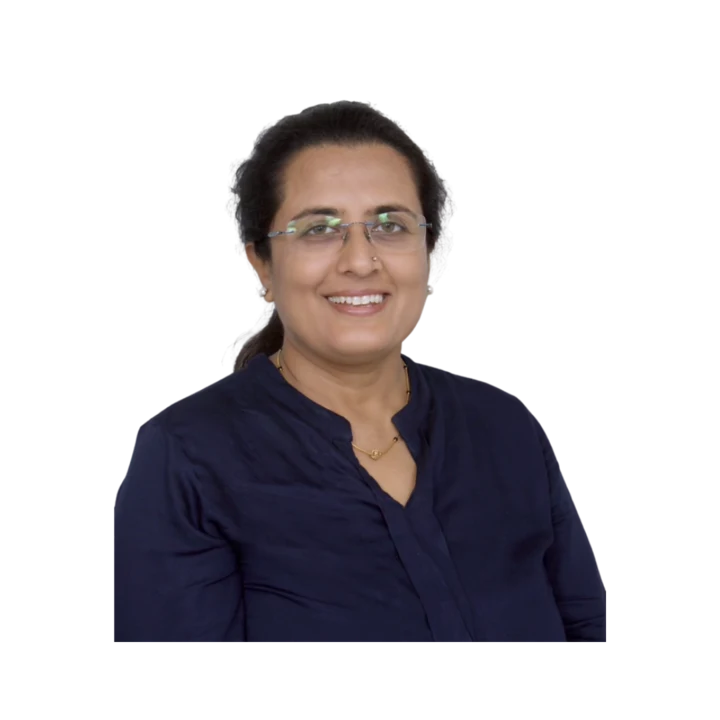
Learn directly from Kajal Ma'am
An MCA who has taught computer subjects since 2004, Kajal Mehta personally mentors every batch, turning dense theory into clear, exam-ready understanding.
The Kwickprep Method
Computer subjects are not learnt by memorising code. Since 2006, Kajal Ma'am has taught GSEB Class 9 Computer Studies with one simple loop that turns logic into marks:
Concept in plain words
Every topic starts from why it exists and what problem it solves, before any code.
Worked through live with you
Kajal Ma'am writes and runs it on a shared screen, so you see it work, not just read it.
Board-pattern practice
You solve the exact question types that repeat in your board's paper, section by section.
Doubts till it clicks
Ask anything, any time in the live class. Nothing moves on until the concept is clear.
Exam & practical drill
Full papers, the practical file, the project and viva, rehearsed until you walk in confident.
Where this takes you
This is not just a subject to clear, it is a skill that carries forward:
- →Computer fundamentals & programming the base of every digital skill.
- →Practical office and coding tools used in every workplace.
- →Logic building a strong base for higher studies.
It is a strong foundation for BCA, B.Tech and any computer career ahead. We teach for the board first, and for the thinking that lasts after it.
What students say
“I was able to get my doubts cleared and I had access to a lot of material. Always got response within the committed time.”
“Joining the Kwick Revision Course has been entirely worthwhile, as I have consistently received timely responses within the committed timeframe.”
“Dear Kajal Ma'am, Yash has done extremely well in CS Exam, with all your kind guidance and supports. Your Hard work towards Students is really appreciated, We are fortunate to connect with you at right time 🙏, Thank you so much for all 🙏😊”
Read all 36 verified student & parent reviews (4.9/5) or see the board results.
Course FAQs
Is the GSEB Class 9 Computer Studies course taught fully online?+
Who can join this course?+
What are the fees, and is there a difference between group and one-to-one?+
Does the course follow the official GSEB syllabus and textbook?+
Do you help with the practical and computer-lab portion?+
Can I attend a demo class before enrolling?+
Related courses
Computer Studies
Master HTML, LibreOffice Calc and C programming for the GSEB Class 10 Computer Studies boa
Computer Studies
Master multimedia animation, Linux scripting, and databases the GSEB Std 11 way.
Computer Studies
Master web design, Java programming and document publishing for the GSEB HSC Computer boar
What students & parents say
4.9/5 from 36 verified student & parent reviews. Below are three, unedited.
Very knowledgeable teacher, with thorough understanding of current paper pattern, FAQs, as well as syllabus.
I was able to get my doubts cleared and I had access to a lot of material. Always got response within the committed time.
My Twin daughter attended 15 day Class 12 Computers online revision crash course right before the Board Exams. The sessions were very organized with all topics and chapters covered comprehensively. They had access to chapter wise notes and previous years question papers and sample papers after login which were very helpful. Kajal Ma'am teaching was excellent and my kids were very happy with the benefit they received. The backend was seamless and I was very impressed by the professionalism and proactive methods utilized to give the best for the students. I recommend Kwickprep and Kajal Ma'am unreservedly.
Book a free demo for Computer Studies
See a real class before you decide. No pressure, no payment.
Book Free Demo on WhatsApp