

KwickAcademy Cyber Safety and Ethics · 7 min · free
File Handling in C++
Plays from our YouTube channel. Watch on YouTube
C++ saves data in files with streams from ‹fstream›: ofstream writes, ifstream reads and fstream does both.
Follows the syllabus of: NIOS Senior Secondary Computer Science (330)
On screen in this lesson
Why files?
| Variables live in RAM and vanish at exit |
| A file is stored on disk and stays |
| A stream is a flow of data |
| Include <fstream> for file streams |
Three file stream classes
| Class | Used for | Default mode |
|---|---|---|
| ofstream | writing (output) | ios::out |
| ifstream | reading (input) | ios::in |
| fstream | reading and writing | in and out |
Four steps for any file
| 1. Create a stream object |
| 2. Open the file: open() or constructor |
| 3. Read or write with >> and << |
| 4. Close the file with close() |
File modes
| Mode | Meaning | Default for |
|---|---|---|
| ios::in | open for reading | ifstream |
| ios::out | open for writing | ofstream |
| ios::app | add at the end | none |
| ios::ate | go to end on open | none |
| ios::trunc | erase old contents | out mode |
| ios::binary | raw bytes, not text | none |
Pause and predict
| File has: Hello |
| ofstream f("x.txt"); f << "Hi"; |
| No mode is given |
| What does x.txt hold now? |
Writing objects
| Open in ios::binary mode |
| write((char*)&obj, sizeof(obj)) |
| (char*)&obj: the object as bytes |
| sizeof(obj): how many bytes to write |
Quick answers
x.txt holds Hello. ofstream f("x.txt"); f « "Hi"; What is in it now?
Only Hi, because out mode erases old contents.
Which mode adds at the end?
ios::app.
KwickClips from this lesson
Short clips, one idea each. Good for revision the night before.
 Which one writes?41 sec
 Which operator writes to a file?41 sec
 How do you keep old data?41 sec
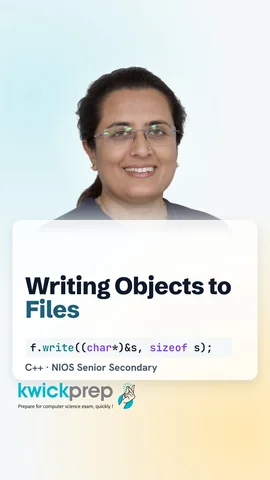 Which mode is used?41 sec
The full lesson, in text
Hello students, welcome to Kwickprep. You type marks for forty students, close the program, and every mark is gone. How do we keep data safe after the program ends? We save it in a file. Today we learn file streams, reading and writing text, file modes, and saving whole objects.
First, why do we need files? Variables live in RAM, so their values vanish when the program ends. A file is stored on a disk, so its data stays for next time. C plus plus reads and writes files using streams. A stream is a flow of data, like water in a pipe, going into or out of the program. File streams come from the header file named fstream.
There are three file stream classes. Ofstream, the output file stream, writes data into a file. Ifstream, the input file stream, reads data from a file. Fstream can do both reading and writing, so we usually tell it the mode we want. Remember, out means going out of the program into the file.
Every file task follows four steps. First, create a stream object, like ofstream out. Second, open the file, either with the open function or by giving the file name to the constructor. Third, read with the extraction operator, two greater than signs, or write with the insertion operator, two less than signs. Fourth, close the file with close, which saves everything safely.
Here we write a text file. Ofstream out, with the name marks.txt, creates the file and opens it for writing. If the file already exists, its old contents are erased. The insertion operator writes each line, just like cout. Backslash n ends each line. Finally, out dot close closes the file. This program shows nothing on screen, but the file now holds two lines.
Now we read. To keep this program complete, one line first writes Riya seventy two into m.txt, using a stream with no name. Then ifstream in opens the same file for reading. The string n holds the name, and m holds the marks. The extraction operator reads them, just like cin, stopping at the space. So it prints Riya got seventy two.
To read whole lines, including spaces, use getline. To fit the slide, this program writes std and two colons before each name, instead of using namespace std. The file t.txt gets two lines, A and B. The loop says, while getline reads a line from in into s, add one to the counter c. When the file ends, getline fails and the loop stops. So it prints two.
A file mode tells how the file should be opened. Ios in opens for reading. Ios out opens for writing, and erases old contents by default. Ios app, short for append, adds new data at the end, keeping old data. Ios ate jumps to the end when opening, but you can still move back. Ios trunc erases the old contents. Ios binary treats the file as raw bytes instead of text.
Here the file a.txt first gets A. Each nameless stream closes by itself at the end of its line. Then we open the file again, passing ios app as the second argument, so B is added at the end. We read the word back, and it prints A B together. Without ios app, A would be erased, and it would print only B. To combine modes, join them with a single vertical bar, like ios in, bar, ios out.
Pause and predict. A file named x.txt holds the word Hello. We open it with ofstream and write Hi. No mode is given. What does the file hold now? Only Hi, because ofstream uses out mode, which erases the old contents.
Sometimes we want to save a whole object, like a student record, in one go. For this, we open the file in binary mode. The write function takes two things. The first is the address of the object, changed into a character pointer, so the object is seen as plain bytes. The second is sizeof the object, which tells how many bytes to write.
Here Stu is a simple student structure with roll and marks. The object s holds roll twelve and marks seventy two point five. We open stu.dat in binary mode. F dot write saves all the bytes of s into the file. This works safely for simple objects with fixed size data, not for objects holding strings or pointers.
Reading an object back is the mirror image. We create an empty Stu object, t. We open stu.dat for reading, again in binary mode. F dot read fills the bytes of t from the file, using the same address and size. Now t holds roll twelve and marks seventy two point five, so the cout line prints twelve, then seventy two point five. Always read with the same structure you used to write.
Let us revise what we learned today. Ofstream writes, ifstream reads, and fstream does both. Every file task is open, read or write, then close. Getline reads a whole line, and the loop stops when the file ends. Ios app adds at the end, while plain out mode erases old data. And write and read save whole objects in binary mode.
Courses that teach this
| Course | Unit |
|---|---|
| NIOS Senior Secondary Computer Science (330) | Module 3: Programming in C++ |
| Programming All levels C++ | Templates, Exceptions and File Handling |
Free to watch, no sign-up. The live classes are the paid course; these lessons stay free either way.
Disclaimer. KwickAcademy is free study material for general learning and revision. Parts of it, including the voice-over, are produced with the help of AI tools and may contain errors; if you spot one, please tell us and we will correct it. Syllabus, marks and exam details follow the latest official board publications available to us, and boards can change them at any time, so always confirm against your board's official website and your school. Using this material does not guarantee any marks or result. Board names and trademarks belong to their owners; Kwickprep is not affiliated with or endorsed by any examination board. We never ask for passwords, OTPs or ID numbers. Your progress is saved only in this browser. Full disclaimer · Privacy