

KwickAcademy C++ · 6 min · free
File Handling in C
Plays from our YouTube channel. Watch on YouTube
C saves data in files: declare a FILE pointer, open with fopen and a mode, read or write, then fclose.
On screen in this lesson
Why use files?
| Variables are lost when the program ends |
| A file keeps data on disk permanently |
| Text files store readable characters |
| File functions come from stdio.h |
Three steps with any file
| Declare a pointer: FILE *fp; |
| Open: fp = fopen("marks.txt", "w"); |
| Read or write using fp |
| Close: fclose(fp); |
Basic file modes
| Mode | Meaning | If file exists |
|---|---|---|
| "r" | read only | read from start |
| "w" | write only | contents erased |
| "a" | append | add at the end |
More file modes
| Mode | Meaning | If file missing |
|---|---|---|
| "r+" | read and write | fopen fails |
| "w+" | write and read | new file made |
| "a+" | read and append | new file made |
| "rb", "wb" | binary files | like r, like w |
Pause and predict
| marks.txt contains: Riya 88 |
| We open it with "w" and write Aman 72 |
| What is in the file now? |
| Only Aman 72. Use "a" to keep Riya. |
Read and write functions
| Unit | Write | Read |
|---|---|---|
| One character | fputc | fgetc |
| One line | fputs | fgets |
| Formatted data | fprintf | fscanf |
Quick answers
marks.txt has Riya 88. You open it with "w" and write Aman 72. What is in it?
Only Aman 72. Mode w erases first; use "a" to keep Riya.
What does fopen return if a file for "r" is missing?
NULL.
KwickClips from this lesson
Short clips, one idea each. Good for revision the night before.
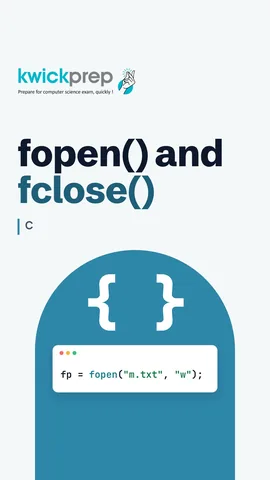 What two things does fopen need?43 sec
 Which writes formatted data to a file?44 sec
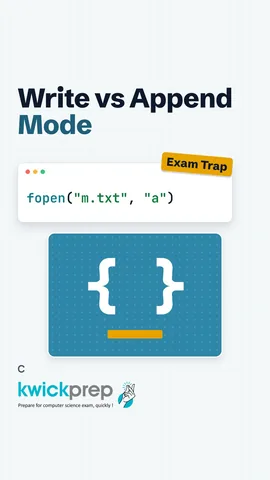 Which mode erases the file?40 sec
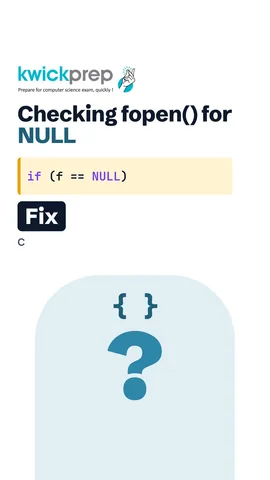 What does fopen return for a missing file?40 sec
The full lesson, in text
Hello students, welcome to Kwickprep. You type the marks of forty students, close the program, and every mark is gone. Why? Because variables live in RAM, which is cleared when the program ends. Today we will save data in files. We will open and close files, read and write text, learn file modes, and handle errors safely. We will also see which mode can wipe a file in one line.
Let us first see why files matter. Variables are stored in RAM, and they are lost when the program stops. A file is stored on the disk, so its data stays even after the computer restarts. In this lesson we work with text files, which store characters you can read in Notepad. All the file functions we use come from the header file stdio dot h.
Every file task follows the same pattern. First we declare a file pointer, of type FILE with capital letters, which tracks the open file. Then fopen opens the file, and it takes two strings, the file name and the mode. Next we read or write using that pointer. Finally, fclose closes the file and saves any data still waiting in memory.
Here is a complete program. Fopen opens marks dot txt in w mode, which means write. If fopen fails, it returns NULL, so we check before using the pointer. Fprintf works like printf, but it writes into the file instead of the screen. Then fclose closes the file. The screen shows only Saved, while Riya eighty eight goes into the file.
The mode tells C what you plan to do with the file. Mode r opens a file for reading, and the file must already exist. Mode w opens for writing, and if the file exists, its old contents are erased. Mode a means append, and new data is added at the end of the file.
Adding a plus sign allows both reading and writing. Mode r plus reads and writes, but the file must exist, or fopen returns NULL. Mode w plus also reads and writes, but it erases an old file or creates a new one. Mode a plus reads, and always writes at the end. Adding the letter b, as in r b or w b, opens a binary file instead of a text file.
Pause the video and predict. The file marks dot txt already contains Riya eighty eight. We open it in w mode and write Aman seventy two. What is in the file now? Only Aman seventy two, because w mode erased Riya the moment the file opened. To keep Riya and add Aman, open the file in append mode instead.
C gives pairs of functions for reading and writing text. For one character at a time, use fputc to write and fgetc to read. For a whole line, use fputs and fgets. For formatted data like names and numbers, use fprintf and fscanf, which work like printf and scanf.
This program writes and then reads the same file. Mode w plus lets us do both. Fputs writes two lines, Hi and Bye. After writing, the file position is at the end, so rewind moves it back to the start. Fgets reads one line, up to nineteen characters, into the array s. When no line is left, fgets returns NULL and the loop stops. So it prints Hi and Bye.
Now formatted data. Here n is the name and m is the marks. Fprintf writes Neha ninety one into the file, and rewind goes back to the start. Fscanf reads a word into n and a number into m. The nineteen stops a long name from overflowing the array. The program prints Neha got ninety one.
Now error handling. Here we try to read none dot txt, a file that does not exist. In r mode, fopen cannot create it, so it returns NULL. We check for NULL and print Cannot open file. Without this check, using a NULL pointer usually crashes the program. Only if the file opened do we call fclose.
Here are five habits for safe file programs. Always check whether fopen returned NULL. The function perror prints your message with the reason, such as No such file or directory. Functions like fgetc return EOF, a special value meaning end of file, when nothing is left. After a read stops, feof tells you it reached the end, and ferror tells you an error happened. And close every file you open, or data may never reach the disk.
Let us revise what we learned today. Every file task needs a FILE pointer, fopen, and finally fclose. Mode r reads, w erases and writes, and a adds at the end. Fputc, fputs and fprintf write, while fgetc, fgets and fscanf read. Rewind takes the file position back to the start. And always check fopen for NULL, and stop reading at EOF.
Courses that teach this
| Course | Unit |
|---|---|
| Programming All levels C | File Handling and the Preprocessor |
Free to watch, no sign-up. The live classes are the paid course; these lessons stay free either way.
Disclaimer. KwickAcademy is free study material for general learning and revision. Parts of it, including the voice-over, are produced with the help of AI tools and may contain errors; if you spot one, please tell us and we will correct it. Syllabus, marks and exam details follow the latest official board publications available to us, and boards can change them at any time, so always confirm against your board's official website and your school. Using this material does not guarantee any marks or result. Board names and trademarks belong to their owners; Kwickprep is not affiliated with or endorsed by any examination board. We never ask for passwords, OTPs or ID numbers. Your progress is saved only in this browser. Full disclaimer · Privacy