

KwickCards SQL and databases
SQL and databases: 18 revision cards
Every card below is written out in full underneath its picture, so you can read it, search it and copy from it. Free, no sign-up.

SQL for CBSE
MySQL for Class 11-12
SQL is easy marks when you practise clause by clause.
SQL questions are some of the easiest marks in CBSE CS and IP, if you practise the right way.
SELECT, WHERE, GROUP BY, HAVING, aggregate functions, joins, keys and NULL behaviour: Kajal Ma'am teaches each clause with real tables and exam-style queries, so you know exactly what a query returns before you write the answer.
Kwickprep students have a 100% board pass rate and rate us 4.9★.
CBSE CS · IP · SQL
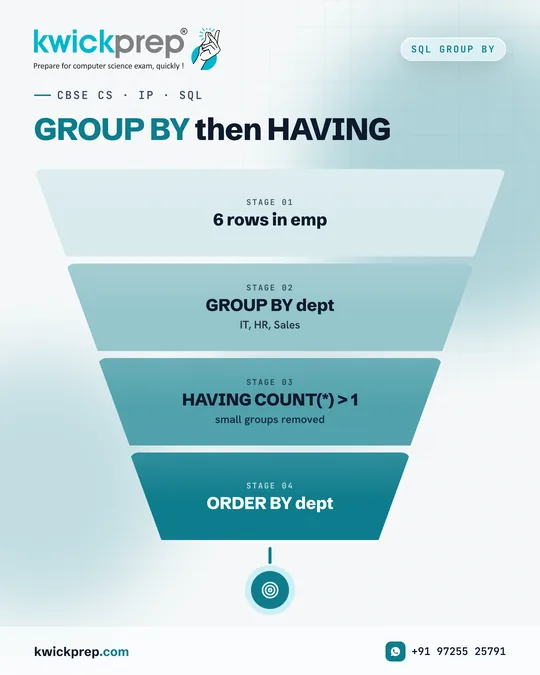
GROUP BY then HAVING
- 6 rows in emp
- GROUP BY dept
- HAVING COUNT(*) > 1
- ORDER BY dept
GROUP BY and HAVING together, a favourite in CBSE board papers.
Result:
HR | 2
IT | 3
Rows are grouped by dept: IT has 3 rows, HR has 2, Sales has 1. HAVING COUNT(*) > 1 removes the Sales group. ORDER BY dept sorts the result alphabetically.
Remember: WHERE filters rows before grouping, HAVING filters groups after.
CBSE CS · IP · SQL
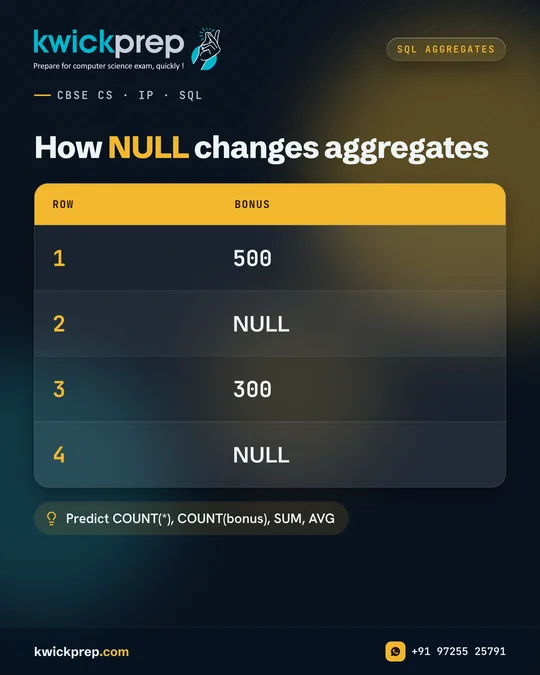
How NULL changes aggregates
| row | bonus |
|---|---|
| 1 | 500 |
| 2 | NULL |
| 3 | 300 |
| 4 | NULL |
Predict COUNT(*), COUNT(bonus), SUM, AVG
COUNT(*) and COUNT(bonus) on the same table give different answers. Here is why.
Answers: 4, 2, 800, 400
COUNT(*) counts all rows: 4. COUNT(bonus) counts only non-NULL values: 2. SUM(bonus) adds 500 + 300 = 800. AVG(bonus) divides by the non-NULL count, so 800 / 2 = 400 (MySQL may display it as 400.0000).
Aggregate functions other than COUNT(*) ignore NULL values.
CBSE CS · IP · SQL JOINS
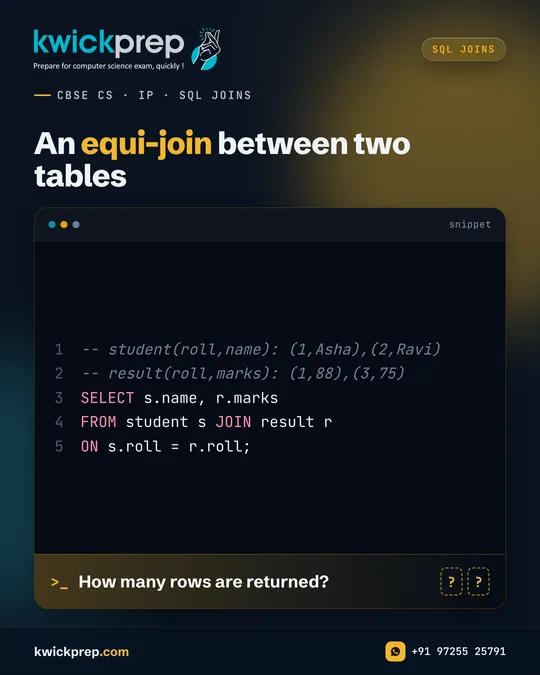
An equi-join between two tables
How many rows are returned?
-- student(roll,name): (1,Asha),(2,Ravi)
-- result(roll,marks): (1,88),(3,75)
SELECT s.name, r.marks
FROM student s JOIN result r
ON s.roll = r.roll;
Joins combine rows from two tables using a common column.
Answer: 1 row, Asha | 88.
Only roll 1 appears in both tables, so only Asha is matched. Ravi (roll 2) has no result row, and roll 3 in result has no student, so neither appears.
This is an equi-join: rows are matched with the = condition on the common column roll. Use table aliases like s and r to keep queries short and clear.
SQL NULL
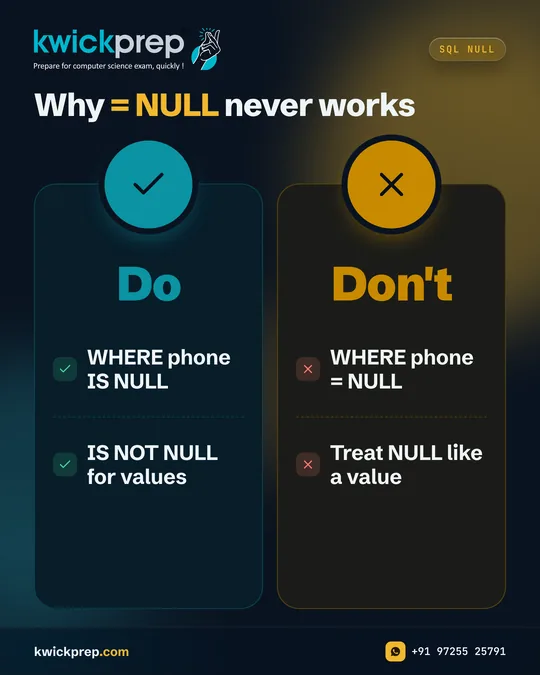
Why = NULL never works
Do
- WHERE phone IS NULL
- IS NOT NULL for values
Don't
- WHERE phone = NULL
- Treat NULL like a value
If your query uses = NULL, it will not find the rows you expect.
NULL means an unknown value, so WHERE phone = NULL is never true and SELECT COUNT(*) with it returns 0, even when some phones are missing. The IS NULL operator is the correct way to test for missing values: WHERE phone IS NULL finds them.
Use IS NOT NULL to find rows that do have a value.
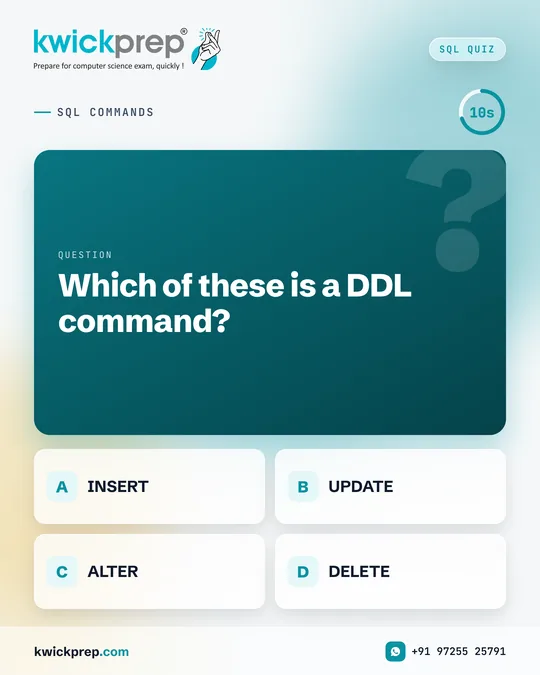
SQL COMMANDS
Which of these is a DDL command?
- INSERT
- UPDATE
- ALTER
- DELETE
DDL or DML? Sort these commands in five seconds.
Answer: C) ALTER.
DDL (Data Definition Language) changes the structure of the database: CREATE, ALTER, DROP. DML (Data Manipulation Language) works on the data inside tables: INSERT, UPDATE, DELETE and SELECT.
A CBSE favourite: DELETE removes rows, DROP removes the whole table. Learn three examples of each type and this question becomes a sure mark.
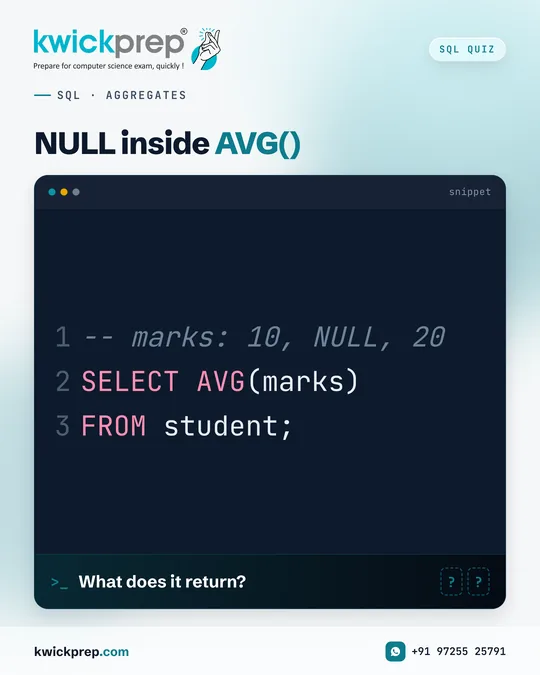
SQL · AGGREGATES
NULL inside AVG()
What does it return?
-- marks: 10, NULL, 20
SELECT AVG(marks)
FROM student;
How does AVG() treat a NULL value?
Answer: 15.
Aggregate functions ignore NULL. AVG adds the non-NULL values, 10 + 20 = 30, and divides by the count of non-NULL values, 2, giving 15 (MySQL may show 15.0000).
If NULL were treated as 0, the answer would be 10, a very common mistake. Always check a column for NULL values before calculating any aggregate by hand.
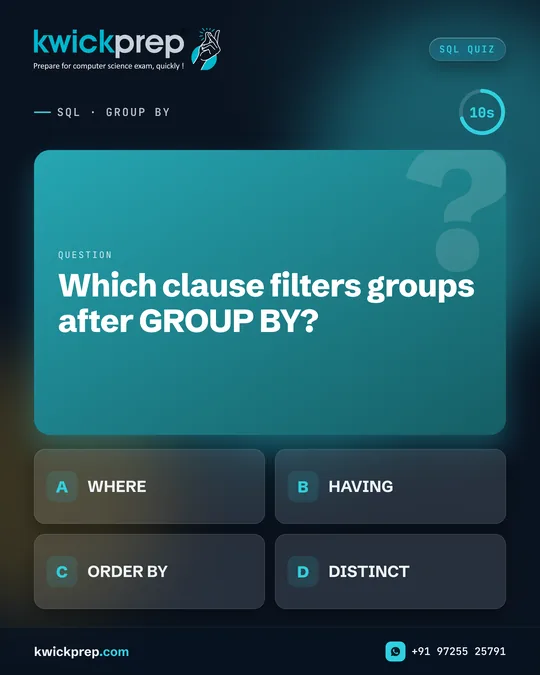
SQL · GROUP BY
Which clause filters groups after GROUP BY?
- WHERE
- HAVING
- ORDER BY
- DISTINCT
WHERE or HAVING, which one belongs after GROUP BY?
Answer: B) HAVING.
WHERE filters individual rows before they are grouped, so it cannot use aggregate functions. HAVING filters the groups after GROUP BY and can use conditions like COUNT(*) > 2 or AVG(marks) >= 60.
Remember the full clause order: SELECT, FROM, WHERE, GROUP BY, HAVING, ORDER BY.
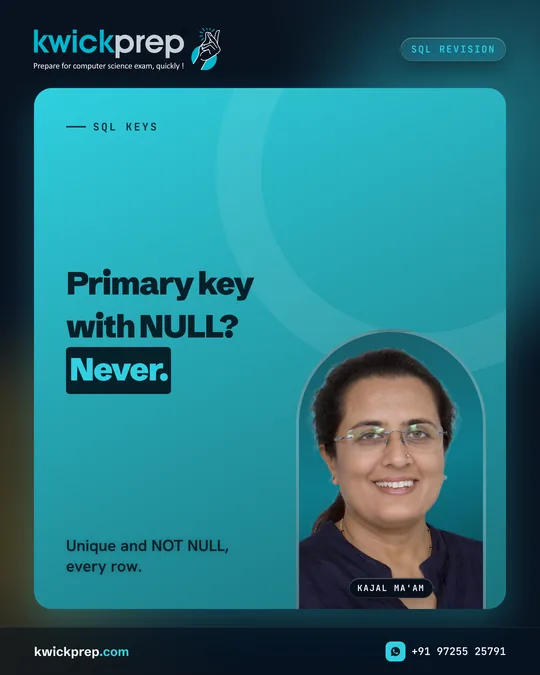
SQL KEYS
Unique and NOT NULL, every row.
Primary key with NULL? Never.
Keys are basic, but this question still trips students up.
Can a primary key hold NULL? No, never.
A primary key uniquely identifies each row, so its values must be unique and NOT NULL. A table can have only one primary key, though it may be made of more than one column.
A candidate key that is not chosen as the primary key is called an alternate key.
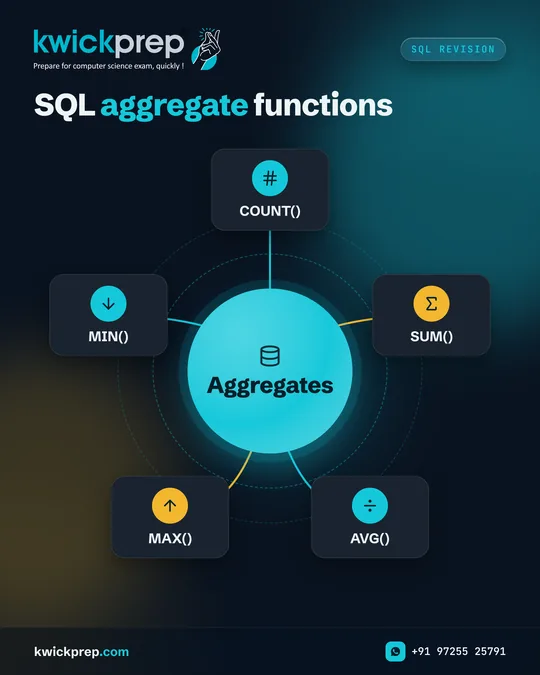
SQL Revision
SQL aggregate functions
Aggregates
- COUNT()
- SUM()
- AVG()
- MAX()
- MIN()
Aggregate functions return one value from many rows.
These five functions appear in almost every CBSE CS and IP SQL question, often with GROUP BY.
Key rule: all of them ignore NULL values, except COUNT(*), which counts every row.
MAX() and MIN() also work on text and dates, not only numbers.
Practise writing queries like: SELECT class, AVG(marks) FROM student GROUP BY class;
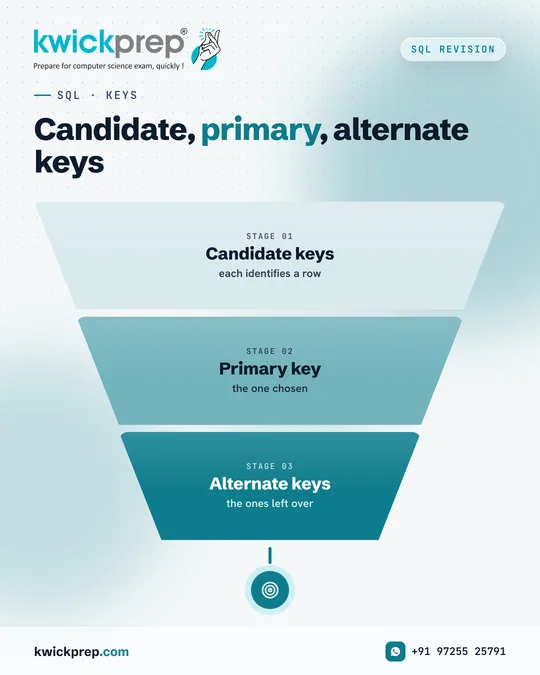
SQL · KEYS
Candidate, primary, alternate keys
- Candidate keys
- Primary key
- Alternate keys
Keys are a very common theory question in CBSE Computer Science.
Think of a student table. Both admission number and Aadhaar number could identify a student uniquely, both are candidate keys. If you choose admission number as the primary key, Aadhaar number becomes an alternate key.
In a separate fees table, admission number would act as a foreign key that links back to the student table.
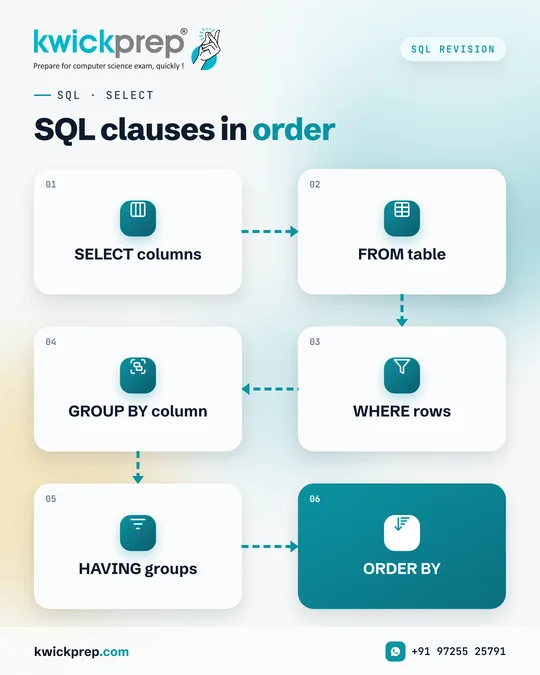
SQL · SELECT
SQL clauses in order
- SELECT columns
- FROM table
- WHERE rows
- GROUP BY column
- HAVING groups
- ORDER BY
Writing clauses in the wrong order gives a syntax error.
Remember this sequence for every SELECT query: SELECT, FROM, WHERE, GROUP BY, HAVING, ORDER BY.
Not every query needs all the clauses, but the ones you use must follow this order.
Example: SELECT dept, AVG(salary) FROM emp WHERE salary > 20000 GROUP BY dept HAVING COUNT(*) > 2 ORDER BY dept;

SQL · NULL
- NULL
- Unknown, not 0 or blank. Test it with IS NULL. Arithmetic with NULL gives NULL.
ExampleWHERE marks IS NULL
NULL behaviour is a small topic with many exam questions.
Because NULL is unknown, a condition like marks = NULL is never true, use IS NULL instead. An expression like salary + NULL also results in NULL.
Aggregate functions skip NULL values, which changes averages and counts.
Master these rules and you will handle NULL-based output questions with ease.
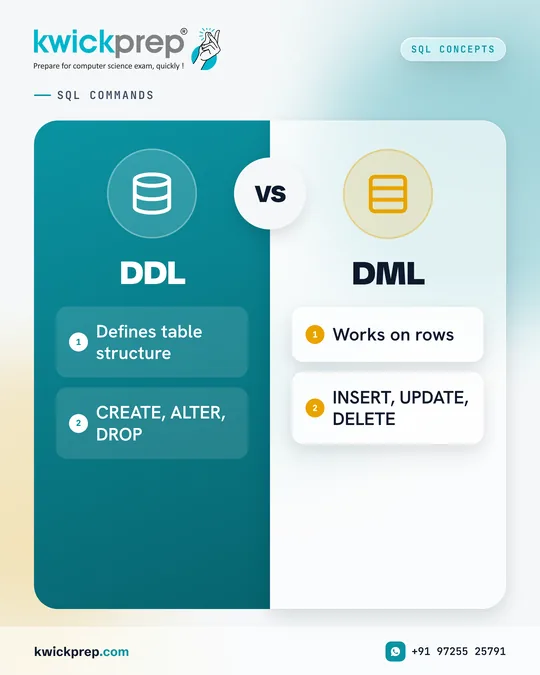
SQL COMMANDS
DDL
- Defines table structure
- CREATE, ALTER, DROP
DML
- Works on rows
- INSERT, UPDATE, DELETE
DDL or DML? This difference is asked in almost every CBSE paper.
DDL (Data Definition Language) commands shape the database, creating a table, adding a column, or dropping a table. DML (Data Manipulation Language) commands handle the records inside those tables.
A quick test: if the command changes what the table looks like, it is DDL. If it changes or retrieves the rows, it is DML.
SQL · FILTERING
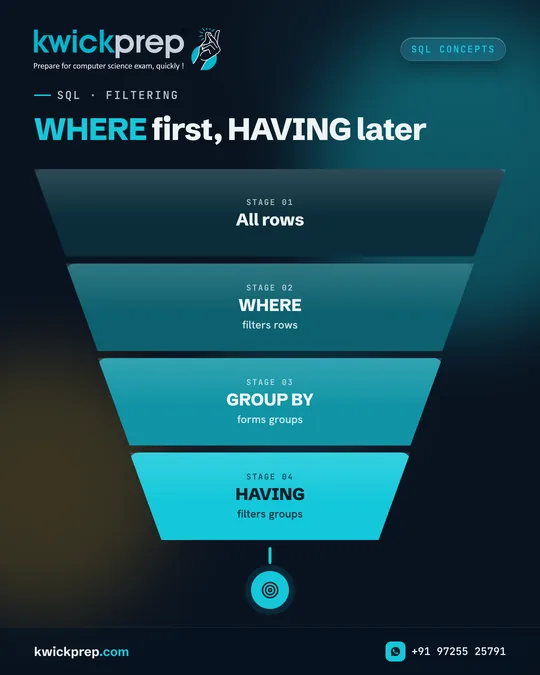
WHERE first, HAVING later
- All rows
- WHERE
- GROUP BY
- HAVING
Both filter data, but at different stages of the query.
WHERE decides which rows enter the grouping. HAVING decides which groups appear in the final result.
You can use both in one query: SELECT class, AVG(marks) FROM student WHERE gender = 'F' GROUP BY class HAVING AVG(marks) > 70;
That query first keeps only female students, groups them by class, and then shows classes with an average above 70.
SQL Myth
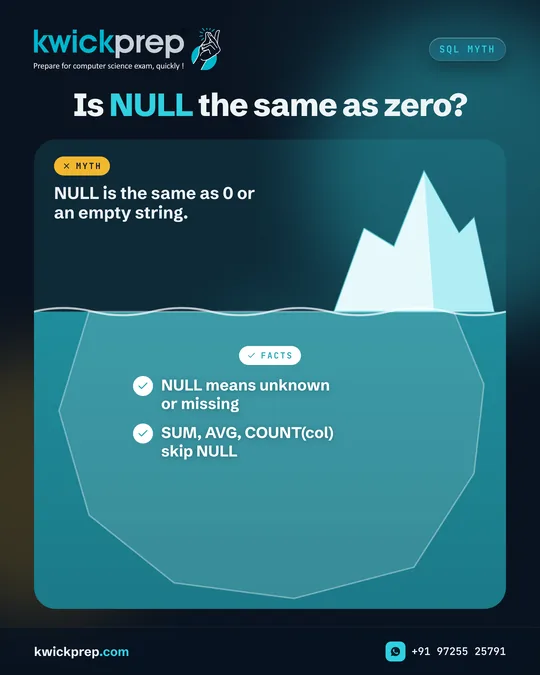
Is NULL the same as zero?
- NULL means unknown or missing
- SUM, AVG, COUNT(col) skip NULL
Myth: NULL is the same as 0 or an empty string.
One of the most common SQL misconceptions among students.
If a student's marks are NULL, it does not mean they scored zero, it means the marks are not recorded. That is why AVG(marks) ignores NULL rows and why marks = 0 will not find them.
Use IS NULL to find missing values, and remember that any arithmetic with NULL gives NULL.
SQL · COUNT
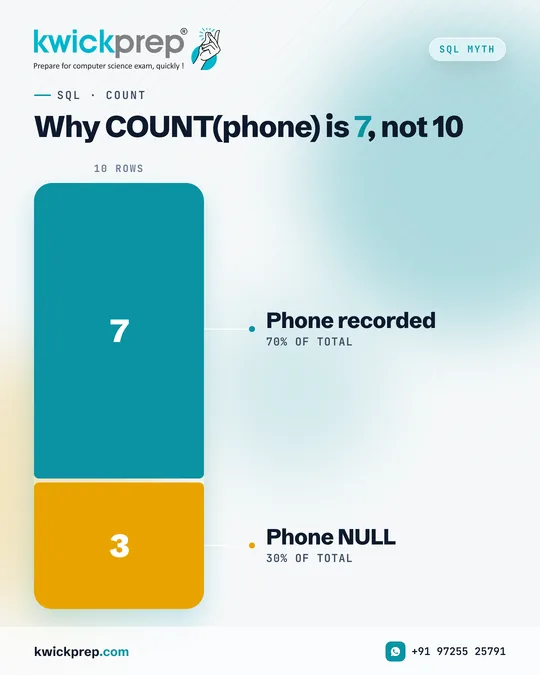
Why COUNT(phone) is 7, not 10
- Phone recorded
- Phone NULL
Same function, different results. Here is why.
Suppose a table has 10 students and 3 of them have no phone number recorded. COUNT(*) returns 10, but COUNT(phone) returns 7.
CBSE output questions love this difference, especially when a table shows NULL in one column.
Read the table carefully before you write the count, look for NULL values first.
SQL · QUERIES
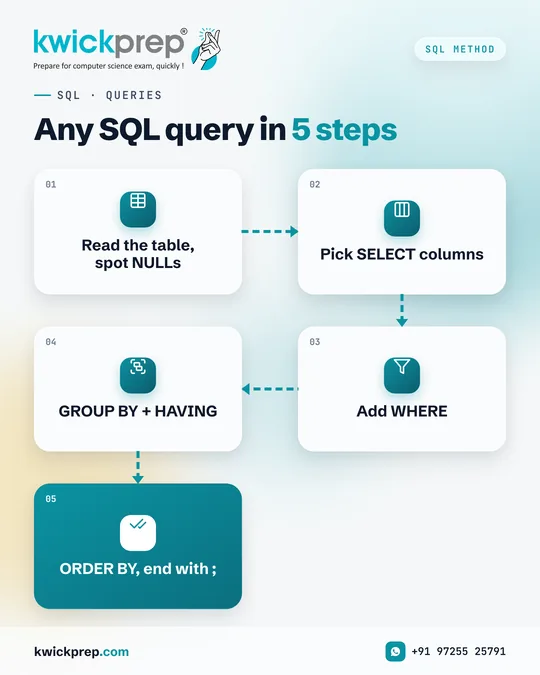
Any SQL query in 5 steps
- Read the table, spot NULLs
- Pick SELECT columns
- Add WHERE
- GROUP BY + HAVING
- ORDER BY, end with ;
A simple method for writing SQL queries without panic.
CBSE board questions give a table and ask you to write queries or predict their output. Start by understanding the table itself, column names, data types and any NULL values.
Then build the query clause by clause in the correct order.
For output questions, work through the same steps in reverse: filter rows, form groups, apply HAVING, then sort.
Disclaimer. KwickAcademy is free study material for general learning and revision. Parts of it, including the voice-over, are produced with the help of AI tools and may contain errors; if you spot one, please tell us and we will correct it. Syllabus, marks and exam details follow the latest official board publications available to us, and boards can change them at any time, so always confirm against your board's official website and your school. Using this material does not guarantee any marks or result. Board names and trademarks belong to their owners; Kwickprep is not affiliated with or endorsed by any examination board. We never ask for passwords, OTPs or ID numbers. Your progress is saved only in this browser. Full disclaimer · Privacy