

KwickAcademy C · 7 min · free
Input and Output in C: printf and scanf
Plays from our YouTube channel. Watch on YouTube
printf shows output and scanf reads input in C, using format specifiers like %d, %f, %c and %s. scanf needs & before a variable because it must store the value at its address.
Follows the syllabus of: GSEB Std 10 Computer Studies
On screen in this lesson
Input and output
| Output: the program shows data on the screen |
| Input: the program reads data from the keyboard |
| Both functions live in stdio.h |
Format specifiers
| Specifier | Type | Example value |
|---|---|---|
| %d | int | 45 |
| %f | float | 99.500000 |
| %lf | double (scanf) | 3.14 |
| %c | char | A |
| %s | string | Riya |
Escape sequences
| Sequence | Meaning | Use |
|---|---|---|
| \n | new line | next line |
| \t | tab | columns |
| \" | double quote | quote in text |
| \\ | backslash | a path |
| %% | percent sign | 90% |
scanf reads input
| scanf("%d", &age); reads one int |
| The specifier says what type to read |
| & is the address operator |
| &age means: the memory address of age |
Why scanf needs &
| printf only needs the value to show it |
| scanf must store a value into the variable |
| So it needs to know where the variable lives |
| Like giving a courier your home address |
Which function when?
| Function | Does | Handles |
|---|---|---|
| printf | output | any type |
| scanf | input | any type |
| putchar | output | one char |
| getchar | input | one char |
Quick answers
Why does scanf need & but printf does not?
scanf must store a value, so it needs the variable's address.
How do you print a % sign?
Write %% inside printf.
KwickClips from this lesson
Short clips, one idea each. Good for revision the night before.
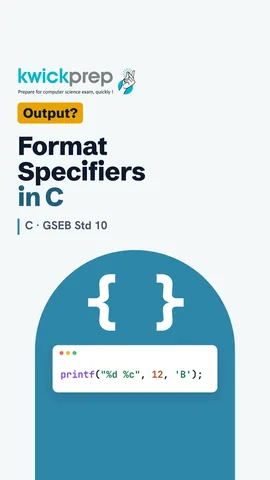 What does %.1f print for 87.5?46 sec
 What is & called?39 sec
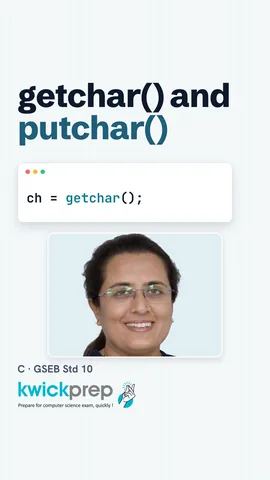 Does getchar need a format specifier?41 sec
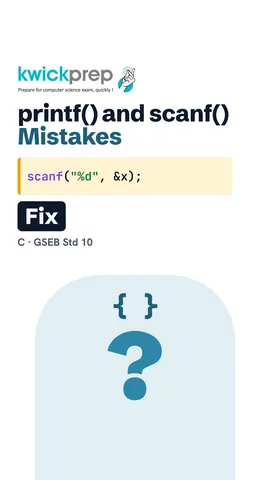 What does printf("%d", 2.5) print?43 sec
The full lesson, in text
Hello students, welcome to Kwickprep. You forget one small ampersand in scanf, and your program crashes or prints rubbish. Why does one symbol matter so much? Today we will learn printf, scanf, getchar and putchar, and the input output mistakes students make most.
First, two simple terms. Output means the program shows data, usually on the screen. Input means the program reads data, usually typed on the keyboard. The functions for both are in the standard input output header. So every program starts with hash include s t d i o dot h.
A format specifier is a code starting with percent, which tells printf and scanf the type of a value. Percent d is for an int. Percent f is for a float, and by default it prints six digits after the point. Percent l f is used to read a double with scanf. Percent c is for one character. Percent s is for a string, which is a group of characters.
Here is printf with three values. Roll is twelve, p is the percentage, eighty seven point five, and sec is the section, B. Inside the quotes, each specifier is a placeholder. The values after the comma fill them in the same order. So it prints twelve, B, and eighty seven point five with six digits after the point.
We can also control the look of numbers. Percent point two f prints exactly two digits after the decimal point, so the price shows as forty nine point five zero. Percent five d prints the number in a space five characters wide. Forty two has two digits, so three spaces come before it. This is useful for neat tables and bills.
Some characters cannot be typed directly inside printf quotes, so we use escape sequences. Backslash n moves to a new line. Backslash t adds a tab space, useful for columns. Backslash and double quote prints a quote mark. Two backslashes print one backslash. And to print a percent sign itself, write percent twice.
Now input, with scanf. Scanf, percent d, ampersand age, reads one whole number from the keyboard. The format specifier tells scanf what type to expect. The ampersand symbol is called the address operator. Ampersand age means the memory address of age, which is the location of that box in memory.
Why does scanf need an address, when printf does not? Printf only needs the value, so it can show it. Scanf must put a new value into the variable. So scanf needs to know where the variable lives in memory. It is like a courier, who cannot deliver a parcel without your home address.
Here is a complete input program. We declare two int variables, a and b. The first printf is a prompt, a message telling the user what to type. Scanf reads two numbers, one into a and one into b, using their addresses. If the user types twenty and thirty, the program prints Sum equals fifty.
One special case. A string is stored in a character array, here name, with room for twenty characters. The array name already gives its address, so scanf with percent s needs no ampersand. Also, percent s stops reading at the first space. If you type Riya Shah, only Riya is stored, so the program prints Hi Riya.
For a single character, C has two simpler functions. Getchar reads one character from the keyboard and returns it. Putchar prints one character on the screen. Here, if the user types Y and presses Enter, getchar stores Y in ch. Then putchar prints Y, and the second putchar prints a new line.
Here is a summary of the four functions. Printf shows output of any type, using format specifiers. Scanf reads input of any type, using specifiers and addresses. Putchar shows exactly one character. Getchar reads exactly one character, and needs no format specifier at all.
Now the mistakes students make most often. Forgetting the ampersand in scanf can crash the program, or store nothing. Using the wrong specifier, like percent d for a decimal value, prints a rubbish number. Missing backslash n makes outputs join on one line. Putting ampersand in printf prints a memory address instead of the value.
One more trap is the leftover Enter key. After you type the age and press Enter, the Enter stays waiting in the input. A plain percent c would read that Enter as the grade. The fix is a space before percent c, inside the quotes. That space tells scanf to skip spaces and Enter keys first.
Pause and predict the output. In the first printf, percent d is replaced by ninety, and double percent prints one percent sign. So it prints Score ninety percent. In the second, seven point zero divided by two is three point five. Percent point one f shows one decimal digit, so it prints three point five.
Let us revise what we learned today. Printf shows output, and format specifiers mark where values go. Percent d is for int, percent f for float, percent c for char, and percent s for strings. Scanf needs the ampersand before variables, but not before a string array. Getchar and putchar read and print one character. And before you run, always check the ampersand, the specifier and the new line.
Courses that teach this
| Course | Unit |
|---|---|
| GSEB Std 10 Computer Studies | Programming Fundamentals & C Language |
| Programming All levels C | Introduction to C and Program Structure |
Free to watch, no sign-up. The live classes are the paid course; these lessons stay free either way.
Disclaimer. KwickAcademy is free study material for general learning and revision. Parts of it, including the voice-over, are produced with the help of AI tools and may contain errors; if you spot one, please tell us and we will correct it. Syllabus, marks and exam details follow the latest official board publications available to us, and boards can change them at any time, so always confirm against your board's official website and your school. Using this material does not guarantee any marks or result. Board names and trademarks belong to their owners; Kwickprep is not affiliated with or endorsed by any examination board. We never ask for passwords, OTPs or ID numbers. Your progress is saved only in this browser. Full disclaimer · Privacy