

Data Entry Operations (336) Classes
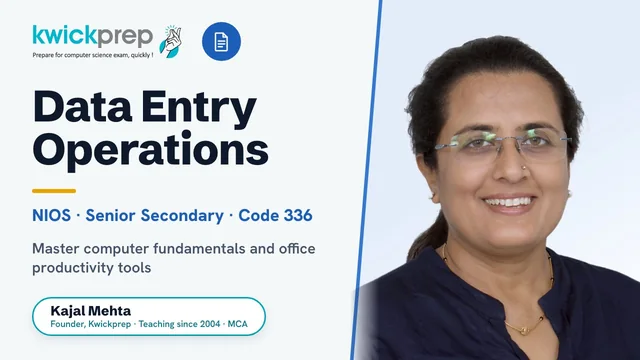
Master computer fundamentals and office productivity tools for the NIOS 336 board exam and real-world data entry work.
A complete, syllabus-aligned course for NIOS Senior Secondary Data Entry Operations (subject code 336). It covers the official 10 lessons spanning computer basics, operating systems, word processing, spreadsheets, presentations, mail merge and the internet, with hands-on practice for the 60-mark practical exam and 40-mark theory paper. Ideal for NIOS learners who want job-ready office and data-entry skills alongside board success.
What you'll learn
- ✓Understand computer fundamentals, hardware, software and operating-system basics
- ✓Create, edit and format professional documents in a word processor
- ✓Use mail merge to generate bulk letters, labels and mailing lists
- ✓Build spreadsheets with formulas, functions, charts and data formatting
- ✓Design and deliver presentations with slides, layouts and transitions
- ✓Use the internet, browsers and email safely and effectively
- ✓Perform accurate, fast data entry across office productivity tools
- ✓Prepare confidently for the NIOS 336 theory paper and 60-mark practical exam
Full syllabus
Mapped to the official NIOS curriculum.
01Lesson 1: Basics of Computer+
- Introduction to computers and their characteristics
- Hardware, software and components
- Input, output and storage devices
- Memory and units of measurement
- Generations and classification of computers
02Lesson 2: Operating System+
- Concept and functions of an operating system
- Working with the desktop, icons and taskbar
- File and folder management
- Control Panel and system settings
- Installing and managing software
03Lesson 3: Basics of Word Processing+
- Introduction to word processors
- Creating, saving and opening documents
- Editing text: cut, copy, paste, find and replace
- Selecting and navigating text
- Printing documents
04Lesson 4: Formatting of Documents+
- Text formatting: font, size, style and colour
- Paragraph formatting and alignment
- Page setup, margins and orientation
- Headers, footers and page numbers
- Bullets, numbering, tables and document organization
05Lesson 5: Mail Merge+
- Concept and uses of mail merge
- Main document and data source
- Creating mailing lists
- Inserting merge fields
- Merging and printing letters and labels
06Lesson 6: Basics of Spreadsheets+
- Introduction to spreadsheets
- Workbooks, worksheets, rows, columns and cells
- Entering and editing data
- Saving and opening workbooks
- Navigating and selecting ranges
07Lesson 7: Formatting of Spreadsheets+
- Formatting cells, numbers and text
- Borders, shading and cell styles
- Row height and column width
- Inserting and deleting rows and columns
- Conditional formatting and sorting data
08Lesson 8: Formulas, Functions and Charts+
- Creating formulas and using operators
- Relative and absolute cell references
- Common functions (SUM, AVERAGE, MAX, MIN, COUNT, IF)
- Creating and editing charts
- Interpreting and formatting charts
09Lesson 9: Creating Presentation+
- Introduction to presentation software
- Creating and editing slides
- Adding text, images and objects
- Slide layouts, design and transitions
- Running and printing a slide show
10Lesson 10: Internet+
- Basics of the internet and World Wide Web
- Web browsers and search engines
- Email: composing, sending and managing messages
- Downloading and uploading files
- Internet safety and etiquette
Tools you'll use
Exam pattern
Theory: 40 marks, 2 hours (Knowledge 20%, Understanding 60%, Application 20%; mix of MCQs, objective, very short, short and long answer questions). Practical: 60 marks. Public exam covers 60% of lessons; remaining lessons assessed through Tutor Marked Assignments (TMA, 40% weightage).
Practical / project
Practical examination of 60 marks (2 hours) covering Operating System (5 marks), Word Processing (20 marks), Spreadsheet (15 marks), Presentation (10 marks) and Viva-voce (10 marks), based on the official NIOS Practical Manual for subject code 336.
Who it's for
NIOS Senior Secondary students taking Data Entry Operations (336), open-school learners, and anyone wanting practical office and data-entry skills with a recognized board qualification.
What's included
- ✓Live interactive online classes with Kajal Ma'am (teaching since 2004), available in Group Batch or One-to-One mode
- ✓Chapter-wise notes covering all 10 lessons of the NIOS Data Entry Operations (336) syllabus
- ✓Step-by-step solutions to NIOS textbook questions and intext exercises
- ✓Guided help with the 4 TMA (Tutor Marked Assignment) lessons that carry internal weightage
- ✓Practical lab guidance for MS Word, MS Excel and MS PowerPoint tasks (the 60-mark practical component)
- ✓NIOS previous-year and model question paper practice for the 40-mark theory exam
- ✓Regular doubt-solving sessions where every question gets answered
- ✓Viva and practical exam preparation so students walk into the centre confident
Why study Data Entry Operations (336)?
NIOS Data Entry Operations (336) is a Senior Secondary vocational subject that is genuinely scoring: the practical component carries 60 of the 100 marks and the theory paper of 40 marks covers just 10 lessons, making it one of the more manageable subjects to score well in when taught properly. Beyond marks, it builds real, everyday computer skills - operating Windows, word processing, spreadsheets, presentations and internet basics - that students use throughout school, college and work. A NIOS Senior Secondary certificate is recognised for higher education, government recruitment and national entrance exams, so a strong result here strengthens the overall mark sheet. With clear guidance, students move from being unsure with a computer to handling office software with confidence.
The skills in this course - structured data entry, spreadsheets and document handling - are the daily tools of data entry operators, office and back-office assistants, clerks and customer-support roles across offices, banks, schools, hospitals and private firms. The MS Office and computer-fundamentals grounding also supports anyone moving toward IT support, administration or further study in computer applications. It is a practical, employment-oriented foundation rather than a guarantee of any specific job.

Learn directly from Kajal Ma'am
An MCA who has taught computer subjects since 2004, Kajal Mehta personally mentors every batch, turning dense theory into clear, exam-ready understanding.
The Kwickprep Method
Computer subjects are not learnt by memorising code. Since 2006, Kajal Ma'am has taught Data Entry Operations (336) with one simple loop that turns logic into marks:
Concept in plain words
Every topic starts from why it exists and what problem it solves, before any code.
Worked through live with you
Kajal Ma'am writes and runs it on a shared screen, so you see it work, not just read it.
Board-pattern practice
You solve the exact question types that repeat in your board's paper, section by section.
Doubts till it clicks
Ask anything, any time in the live class. Nothing moves on until the concept is clear.
Exam & practical drill
Full papers, the practical file, the project and viva, rehearsed until you walk in confident.
Where this takes you
This is not just a subject to clear, it is a skill that carries forward:
- →Fast, accurate typing & data management skills every office needs.
- →Spreadsheets & word processing the daily tools of admin and back-office work.
- →Digital record-keeping how modern offices run.
It leads to computer-operator, data-entry and office-administration jobs, backed by a recognised NIOS qualification. We teach for the board first, and for the thinking that lasts after it.
What students say
“I was able to complete entire syllabus in short duration while preparing for conpetitive exams. Best way to cover entire syllabus. Highly satisfied with teaching method.”
“Very knowledgeable teacher, with thorough understanding of current paper pattern, FAQs, as well as syllabus.”
“Enrolling in the Kwick Revision Course was a decision that proved its value many times over. What I appreciate most are the meticulously prepared notes, the question papers, and the comprehensive practice materials provided.”
Read all 36 verified student & parent reviews (4.9/5) or see the board results.
Course FAQs
Is the NIOS Data Entry Operations (336) course taught fully online and live?+
Do you offer both Group Batch and One-to-One classes, and how do the fees differ?+
How is the NIOS 336 exam structured and do you prepare students for the practical?+
Who can join this course?+
Will you help with the TMA assignments?+
Can I see a demo class before enrolling?+
What students & parents say
4.9/5 from 36 verified student & parent reviews. Below are three, unedited.
My experience with Kwickprep was good. They guided me well for the Boards. That's why I would recommend Computer Science Aspirants to join Kwickprep, as their teaching and study material is the best among all others. Kwickprep is the best choice for classes 11 and 12.
My experience with Kwickprep has been incredibly rewarding. The course quality, teaching style, and study materials were all excellent. What I found most valuable were the in-depth notes and the extensive collection of question papers available on the website at all times. The notes were clear, concise, and easy to understand, while the question papers gave me the freedom to practice at my own pace and build confidence. The one-on-one classes were especially helpful, allowing me to learn at my own speed and clear all my doubts on the spot. Ma'am explained every concept with great clarity using easy-to-follow PowerPoints, and the additional resources in the app, including year-wise papers, helped me gain a solid understanding of every topic I studied. It was completely worth it, and I'm really grateful for the learning experience I've had with Kwickprep.
Shubhranshu enjoyed the classes with Kajal Mam as she taught really well. She kept him engaged even in online classes. He joined the classes just few months before exams and still managed to score well as Kajal Mam taught him strategically and continuously. Hats off to her hard work and perseverance.
Book a free demo for Data Entry Operations (336)
See a real class before you decide. No pressure, no payment.
Book Free Demo on WhatsApp